



A product changelog records what shipped. Customer education explains what changed for a specific person, what they should do next, and where the limits are. Those are different jobs. Copying release notes into an AI writer usually produces polished but shallow announcements, while asking a video generator to invent a demo can create a more serious problem: the screen no longer matches the product.
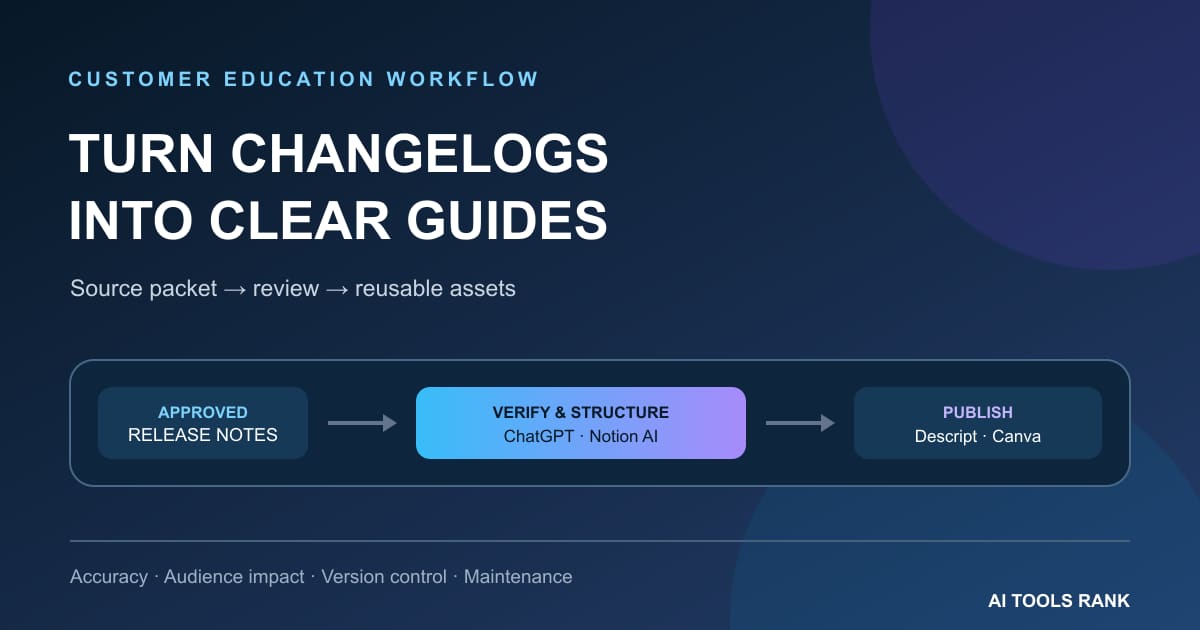
The most reliable workflow treats approved release notes and verified screenshots as a controlled source package. ChatGPT Projects or Notion AI can help structure the material, Descript can turn a verified walkthrough into an editable tutorial, and Canva can package approved copy and visuals for several channels. None of them should become the source of truth. The release owner remains responsible for feature status, availability, terminology, and customer impact.
What a good changelog-to-education system must preserve
The input should be more than a bullet such as “Added bulk export.” A production-ready source packet identifies the release, affected plans and roles, rollout status, prerequisites, changed product steps, known limitations, approved screenshots, support owner, and the date when the material must be rechecked. Without those fields, an AI tool will fill gaps with plausible language.
The output is not one article. A significant release may need an in-product note, help-center update, customer email, account-manager brief, short walkthrough, webinar slide, and support macro. Every asset should point back to the same approved facts and carry an owner. That common lineage matters more than generating each format quickly.
| Tool | Best role | Useful output | Control to keep outside it |
|---|---|---|---|
| ChatGPT Projects | Working with a stable set of release files and recurring editorial instructions | Audience impact map, channel briefs, draft FAQ, review checklist | Formal approval, product access, and release-status verification |
| Notion AI | Keeping pages, databases, owners, comments, and recurring work together | Maintained education page, task database, summaries, channel drafts | A disciplined schema and permission model |
| Descript | Recording a verified product path and revising it when narration changes | Walkthrough video, corrected captions, share link, shorter cut | UI accuracy, sensitive-data review, and product claim approval |
| Canva | Turning approved text and images into consistent customer-facing formats | Email graphics, release cards, slides, social variants, simple video | Accurate product screenshots and a locked messaging brief |
1. ChatGPT Projects: best for a reusable reasoning workspace
OpenAI describes Projects as workspaces that keep chats, uploaded files, and project instructions together. That makes a Project useful when each release follows the same editorial method. Upload the approved release note, a current help article, the product terminology guide, screenshots, and a channel brief. Then add instructions that require the model to distinguish quoted facts, editorial recommendations, unresolved questions, and information that expires.
A strong first output is not customer copy. Ask for an impact map with columns for audience, previous behavior, new behavior, action required, evidence location, uncertainty, owner, and channel. A product manager can resolve gaps before writers begin. Once that map is approved, use it to draft separate briefs for an admin email, end-user help article, support response, and video script.
Projects are especially helpful across several drafting rounds because the source files and working context stay grouped. But memory is not change control. If a rollout moves from beta to general availability, replace or clearly supersede the old source and require every draft to state which release version it used. Plan-based file limits and workspace settings also vary, so verify the current official documentation before standardizing the process.
2. Notion AI: best when release operations already live in Notion
Notion AI works directly with pages, docs, tasks, and databases. Its main advantage here is proximity to the operational record. A release database can hold the source note, product owner, launch status, affected personas, screenshots, approved wording, linked education assets, review date, and deprecation date. AI can then help draft or summarize without separating the text from the workflow that controls it.
Build one release page per shipped change and link every derivative asset to it. Use a relation or stable release ID rather than relying on similar titles. A useful status sequence is Source received, Product verified, Drafting, Product review, Support review, Approved, Published, and Recheck due. Keep the current approved customer statement in a dedicated field so a writer does not mistake an earlier comment for final language.
Notion’s official material describes AI-assisted drafting, databases, search, and permission controls, but feature availability depends on the workspace plan and configuration. Test the exact workspace. More importantly, a database does not guarantee an audit trail by itself: decide who may edit the source fields, how approvals are recorded, and how an obsolete release page is marked.
3. Descript: best for maintainable product walkthroughs
Descript’s official screen-recording workflow combines screen, webcam, and microphone capture with transcript-based editing. For customer education, this is useful after the product path is confirmed. Record a short walkthrough in a clean account, then cut mistakes by editing the transcript, correct captions, and export or share the result.
The maintenance benefit comes from separating the narration script from decorative production. Keep each tutorial focused on one job, avoid unnecessary tour-style footage, and save the approved script with the release record. When one button label changes, the team can identify the affected sentence and shot instead of rethinking an eight-minute video.
Still, transcript editing cannot prove that the screen is correct. Use a current test environment, remove real customer data and notifications, show prerequisites before the first click, and have a product owner compare the final video against the released interface. AI audio cleanup may improve clarity; it should not conceal a splice that changes the meaning of a limitation.
4. Canva: best for consistent visual distribution
Canva is useful at the packaging stage. Start with approved screenshots, a short message hierarchy, and a brand template. Create a release-card system with fixed zones for the customer benefit, affected audience, action, product image, and help link. That same structure can be resized for email, social, presentations, and community posts without inventing a new message each time.
Canva also offers AI-assisted video generation and editing features, but prompt-generated product UI is a poor substitute for verified screenshots or recordings. Use generated media only as clearly decorative material. Product screens, menus, plan labels, and workflows should come from the actual released product and pass an accuracy review.
Template controls are valuable for decentralized teams, yet they do not prevent stale assets. Include the release ID and review date in the design’s internal notes or filename, keep one approved master, and archive previous exports when the product changes.
A reliable seven-step workflow
1. Freeze an approved source packet
Assign a release ID and collect the approved note, rollout status, product owner, affected plans and roles, prerequisites, limitations, help links, screenshots, and test-account steps. Record the source timestamp. If a field is unknown, label it unknown rather than asking AI to infer it.
2. Create an audience impact map
Separate administrators, existing users, new users, support agents, and customer-facing teams. For each group, state what changed, what action is required, and what evidence supports the statement. Many releases are important to one role and irrelevant to another.
3. Define one message hierarchy
Write an approved core in this order: the customer problem, the new capability, who gets it, what to do, limitations, and where to learn more. Channel drafts may shorten that structure, but they should not change it.
4. Generate briefs before assets
Ask the AI workspace for a help-article outline, email brief, video script, support FAQ, and visual brief. Every claim should carry a source reference or a needs-review flag. Do not ask for all final assets in one prompt; that makes inconsistent details harder to spot.
5. Verify the product path
A product owner or trained reviewer should execute each instruction in the released environment. Confirm role permissions, plan availability, navigation labels, empty states, mobile differences, and error conditions. Replace conceptual mockups with current captures.
6. Produce and approve one master per format
Finish the canonical help page first, then the master video and visual card. Review facts, accessibility, privacy, links, and captions before resizing or clipping. Record the approver and exact version.
7. Schedule maintenance
Give every asset an owner and recheck date. Trigger a review when a plan changes, a feature leaves beta, navigation moves, a limitation is removed, or the source help page changes. Unowned education becomes misinformation surprisingly quickly.
How to compare tools with a real test
Use one approved release packet and require the same deliverables: a 700-word help update, a 150-word customer email, a 60-second walkthrough script, a support FAQ, and a visual card. Track setup time, unsupported claims, terminology errors, reviewer corrections, broken source links, accessibility defects, and the effort needed to revise every asset after one product fact changes.
Do not score only first-draft speed. A tool that drafts in two minutes but hides the source or spreads five inconsistent versions can create more work than it saves. The better workflow is the one that lets an editor find the origin of a sentence and update all affected assets without guessing.
Common failure modes
- Release-note paraphrasing: the text sounds smoother but never explains the audience, action, or limitation.
- Invented interface: generated screenshots or video contain controls that do not exist.
- Availability drift: a beta, region, role, or plan restriction disappears from shorter assets.
- Source mixing: an older help page and a newer changelog are treated as equally current.
- Approval ambiguity: comments exist, but nobody can identify the approved wording and version.
- Derivative drift: the email, video, and social card each make a slightly different promise.
- No maintenance owner: the content remains live after the product path changes.
Final recommendation
Choose the system around the bottleneck. ChatGPT Projects is a strong reasoning layer for a controlled bundle of sources and repeated instructions. Notion AI is the better center when release records, owners, and content operations already live in Notion. Descript earns its place when a verified workflow needs a maintainable screen tutorial. Canva is most useful for consistent visual distribution after the message and product evidence are locked.
For most teams, start with just two components: one governed source workspace and one production tool. Add another only when a measured bottleneck justifies it. The objective is not maximum AI generation. It is customer education that stays accurate as the release moves, the interface changes, and the first announcement becomes long-lived documentation.
Related reading
- Best AI tools for maintained product onboarding documentation
- Best AI tools for product launch content workflows
- Best AI tools for a webinar content workflow
Sources and verification
- OpenAI: Projects in ChatGPT
- Notion: Notion AI product and plan information
- Descript: screen recording and transcript-based editing
- Canva: AI video generation and editing overview
Last verified: September 9, 2026. Features, limits, plans, and availability can change. Recheck the official pages and your own workspace before standardizing or purchasing a workflow.
