



Super Resolution
Super Resolution is an AI image upscaler based on Real-ESRGAN for portraits, anime, old photos, and screenshots, with 2x-10x scaling, batch upscaling on Pro, and API w...
Tags:AI Image ToolsAI Image editing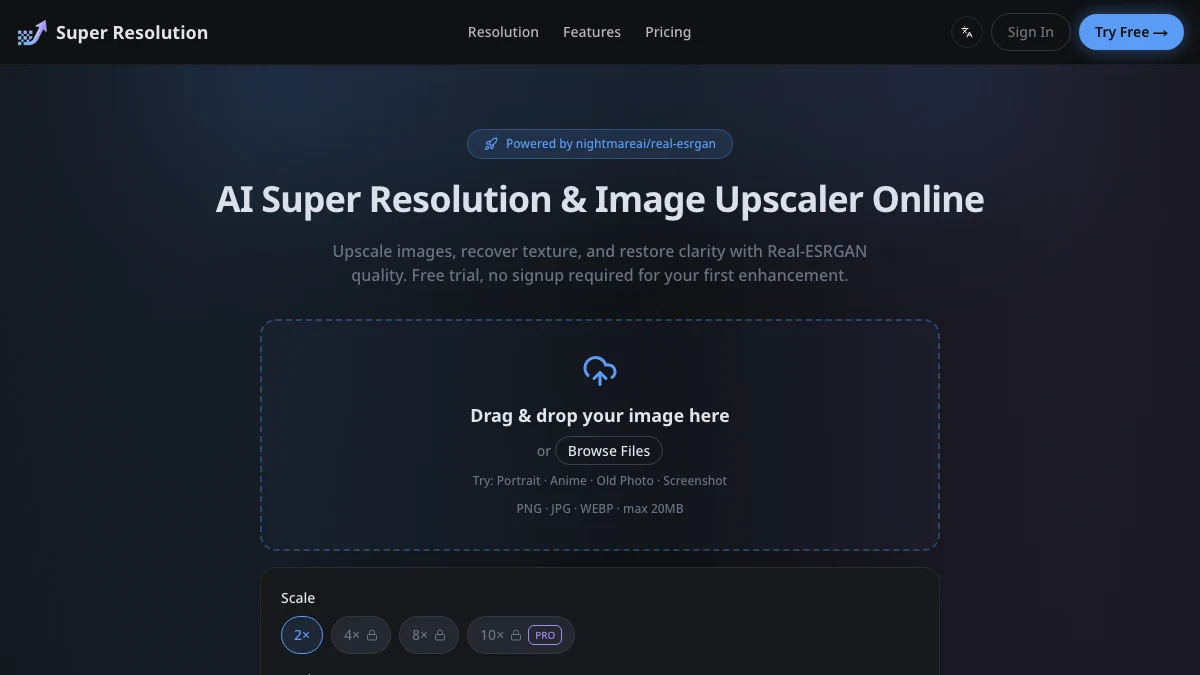
What is Super Resolution?
Super Resolution is an online AI image upscaler built on the open-source Real-ESRGAN model (nightmareai/real-esrgan). You upload a JPG, PNG, or WEBP file up to 20MB, pick a scale factor from 2x to 10x, choose a scene mode, and get an enlarged image back in seconds. No signup is required for your first enhancement.
The product is best understood as a finishing step for images rather than a full editor. It is most useful when you already have a picture that is too small or too soft for its final destination: a product photo that needs to survive a marketplace zoom, a scanned family photo, an anime wallpaper, or a screenshot with small text.
The free tier is genuinely usable: 3 free images per day with Photo mode and 2x upscaling, with a watermark and a daily cap. Pricing and limits verified on the vendor site,
Key Features
1. Real-ESRGAN upscaling up to 10x
Four scale options are available: 2x, 4x, 8x, and 10x. The 10x option sits behind the Pro tier. Because the pipeline is based on nightmareai/real-esrgan, the tool reconstructs edge detail and texture instead of simply stretching pixels, which keeps portraits and product shots looking natural.
2. Four scene modes
Photo, Anime, Text, and Old Photo modes are tuned for different source material. Anime mode targets flat colors and clean line work, while Text mode focuses on making small type readable in screenshots.
3. Old photo restoration
The Old Photo mode reduces film grain and sharpens fuzzy edges on scanned prints, which makes it usable for family archive work rather than only modern images.
4. Batch processing
Pro plans can batch up to 20 images at once, which matters for ecommerce listings and content teams that need to process sets of assets instead of one file at a time.
5. API access for teams
The Max plan includes API workflows, so the upscaler can run as part of an automated asset pipeline rather than through the web UI.
Pricing at a glance
Free: 3 images per day, Photo mode, 2x upscaling, watermark, daily cap.
Pro: 1,000 credits per month at $9/month or $84/year, up to 10x upscale, all AI modes, no watermark, batch up to 20 images.
Max: 3,000 credits per month at $24/month or $228/year, with API access for automated workflows.
Pricing and plan limits verified on the vendor website, Plans change over time, so confirm current terms on the official site before purchasing.
Who is Super Resolution best for?
Ecommerce and marketplace sellers: Product photos often arrive small or compressed. Upscaling before listing keeps images sharp when buyers zoom in.
Anime and illustration fans: The dedicated Anime mode removes ringing and pixelation on flat-color artwork while keeping gradients and outlines clean.
Family archivists: Old Photo mode is aimed at scanned prints, faded snapshots, and grainy vintage photos that need both enlargement and cleanup.
Teams with repeatable pipelines: Batch upscaling plus the Max plan API make it practical to run enlargement as an automated step before publishing assets.
Where Super Resolution fits in an AI image workflow
Super Resolution is strongest at the end of an image workflow: capture or generate the image, do your main edits, then upscale the final version for print, marketplace listings, or large-screen display. Running it before heavy edits wastes credits, because you would re-edit an oversized file.
If your source material is an old photo that also needs colorization or repair before enlarging, a restoration-focused tool such as Image Colorizer may be the better first step. For general enhancement with a broader toolset, VanceAI and Upscale.media are established alternatives worth comparing.
Super Resolution vs other AI image upscalers
Compared with established upscalers such as VanceAI or Upscale.media, Super Resolution is more focused: it builds on one open-source model (Real-ESRGAN) and a small set of scene modes rather than a suite of many AI photo tools. That makes it simpler to evaluate, with a transparent free tier of 3 images per day and a low entry price for paid plans.
Compared with single-purpose sharpening tools such as Topaz Sharpen AI, it is less about fixing motion blur and more about enlarging images that are simply too small for their destination. If your problem is blur rather than resolution, a dedicated sharpening tool may fit better.
Bottom line
Super Resolution is a practical AI upscaler for creators, sellers, and teams who need images to survive enlargement without going soft. The free tier is enough to test real files, and the Pro plan pricing is in line with comparable tools. Best suited to portraits, product shots, anime art, screenshots, and old photo restoration.