






Descript
Descript is an AI-assisted video and podcast editing platform for creators, marketers, podcasters, and teams. It combines transcript-based editing, captions, clips, sc...
Tags:AI Video Editing AI Video ToolsPodcasting Video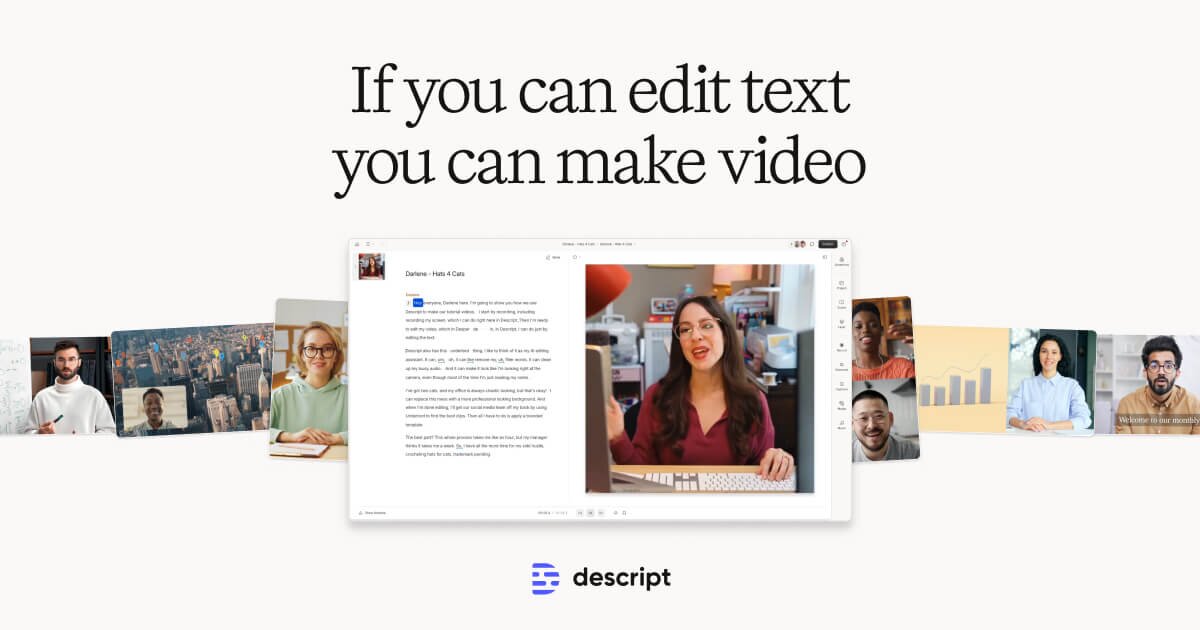
What is Descript?
Descript is an AI-assisted video and podcast editing platform built around a simple idea: edit media by editing text. Instead of cutting waveforms or timelines first, you can work from a transcript, remove words, tighten pauses, add captions, create clips, and clean up audio in a workflow that feels closer to editing a document.
It is especially useful for creators, podcasters, marketers, educators, and small teams that need to turn recordings into polished videos, podcast episodes, social clips, tutorials, and internal content without moving through several separate tools.
Descript has expanded beyond basic transcription and editing. Its current product direction includes AI-assisted video creation, script and clip workflows, screen recording, captions, AI voice features, audio cleanup, and collaborative review. For teams that produce a lot of talking-head videos, interviews, webinars, course content, or podcast clips, Descript can reduce the time between recording and publishing.
Key Features
1. Transcript-based audio and video editing
Descript turns your recording into editable text. Delete a sentence from the transcript, and the matching audio or video section is removed from the timeline. This makes rough cuts, cleanup, and content restructuring easier for people who do not want to edit frame by frame.
2. AI-assisted editing and content cleanup
The platform includes AI tools for common production tasks such as removing filler words, tightening gaps, improving audio quality, generating captions, and preparing clips. This is useful when you need a faster editing pass before doing final polish.
3. Captions, clips, and social video repurposing
Descript can help turn long recordings into shorter assets for YouTube Shorts, Reels, TikTok, LinkedIn, or internal training. It is not only a podcast editor; it also works well for content teams that want to reuse webinars, interviews, and screen recordings.
4. Screen recording and creator workflows
For tutorials, product demos, walkthroughs, and explainers, Descript’s recording and editing workflow can keep capture, transcript cleanup, captions, and publishing assets in one place.
5. AI voice and audio enhancement
Descript includes voice and audio tools that can help with narration, voice correction, and cleaner spoken audio. This is helpful for creators who need to fix small mistakes or improve recordings without re-recording every section.
6. Collaboration for teams
Teams can review, comment, and work on projects together. This makes Descript useful for small agencies, marketing teams, podcast teams, educators, and content operations where multiple people touch the same video or episode.
Who is Descript best for?
Podcasters: Descript is a strong fit for podcast editing, transcript cleanup, audio improvement, show notes preparation, and turning long episodes into shorter clips.
YouTube and social video creators: Creators can use it to edit talking-head videos, tutorials, interviews, and screen recordings, then create captioned clips for social platforms.
Marketers and small teams: Marketing teams can use Descript for webinars, product demos, customer interviews, explainers, and short-form repurposing.
Educators and course creators: Descript works well for lesson recordings, training videos, captions, and quick edits when content needs to be clear rather than heavily cinematic.
Where Descript fits in an AI video stack
Descript is not the same type of product as every AI video generator. Tools like InVideo are often better for quickly drafting videos from prompts or marketing scripts. Tools like Klap focus more directly on turning long videos into short clips. Descript sits closer to the editing and production layer: record, transcribe, edit, clean up, caption, and repurpose.
If your workflow starts with a recorded conversation, tutorial, podcast, webinar, or screen recording, Descript is worth testing. If your workflow starts from a blank prompt and you want a generated video draft, a tool like InVideo may be a better first stop.
Pros and limitations
Pros: Easy transcript-based editing, strong for spoken content, useful captions and clips workflow, good fit for podcasts and tutorials, helpful AI cleanup tools, and better collaboration than many lightweight editors.
Limitations: It is not a full replacement for high-end video editing software, motion graphics tools, or advanced color workflows. For highly designed marketing videos, cinematic edits, or complex visual effects, you may still need a dedicated editor.
Bottom line
Descript is best understood as an AI-powered editing workspace for people who work with spoken content. If you regularly edit podcasts, interviews, webinars, tutorials, or social clips, it can make the workflow faster and easier to manage. For AI Tools Rank, Descript belongs in the same broader AI video tools pool as InVideo, Klap, Pictory, VEED, and OpusClip, but its strongest angle is transcript-first editing rather than one-click video generation.