






Submagic
Submagic is an AI short-form video editing tool for captions, hooks, B-roll, and social video polish for TikTok, Instagram Reels, YouTube Shorts, creators, and content...
Tags:AI Video ToolsAI Tools AI Video Tools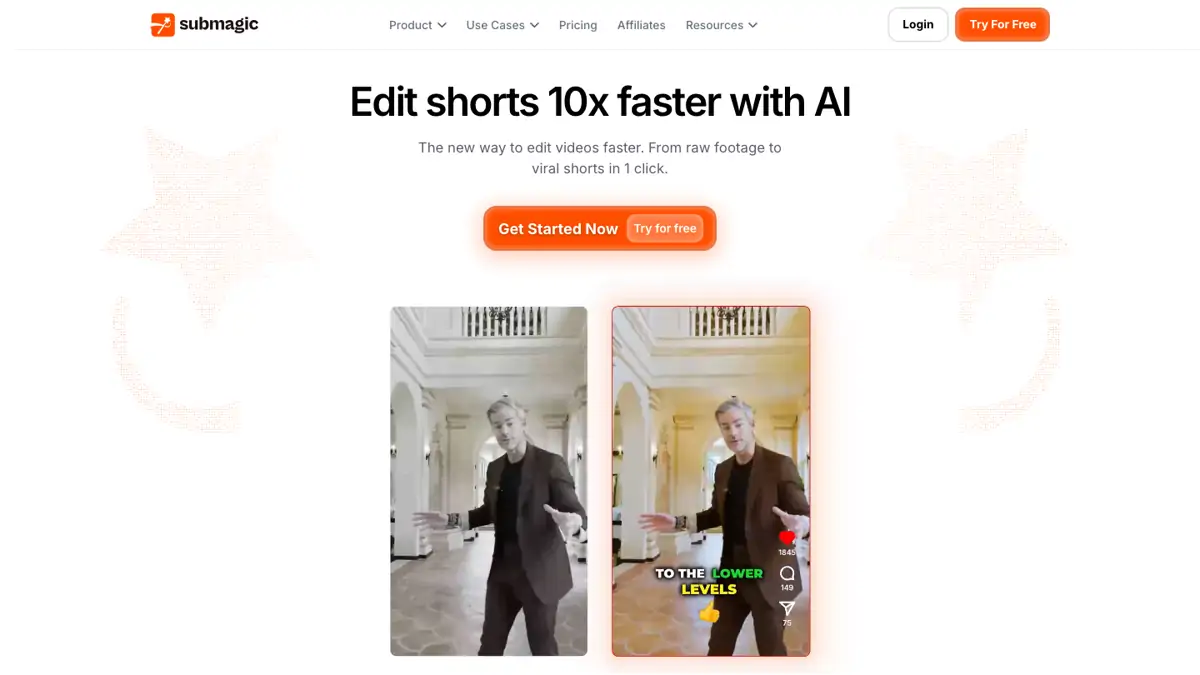
What is Submagic?
Submagic is an AI short-form video editing tool built for creators, marketers, agencies, coaches, podcasters, and social teams that publish videos on TikTok, Instagram Reels, YouTube Shorts, and similar platforms. Its main job is to help turn a plain clip into a more polished social video with captions, hooks, visual emphasis, and short-form editing details.
The product is best understood as a finishing and polishing layer for short videos. It is not mainly a text-to-video generator, and it is not a full traditional editor like Premiere Pro. Submagic is most useful when you already have a clip or a short video draft and want to make it easier to watch, easier to understand without sound, and more ready for social distribution.
For teams producing short-form content regularly, Submagic can save time in the captioning and packaging stage. Instead of manually styling every subtitle, adding visual emphasis, or preparing each clip from scratch, creators can use Submagic to speed up a repeatable workflow.
Affiliate note: AI Tools Rank may earn a commission if you sign up through our links. We only add affiliate links to products we think are relevant to the workflow being discussed.
Key Features
1. AI captions for short videos
Submagic helps generate captions for short-form videos, which is useful because many users watch social videos with sound off or scroll quickly before deciding whether to continue.
2. Caption styles and visual emphasis
The tool focuses on subtitle presentation, including styles that make key words easier to notice. This can help a short clip feel more native to TikTok, Reels, and Shorts.
3. Hooks and short-form packaging
Submagic is useful when the first few seconds of a video need to be clearer. It helps creators shape clips around stronger hooks, faster context, and more readable on-screen text.
4. B-roll and social polish
Depending on the project and available assets, Submagic can help add visual polish around a clip so the final result feels less like a raw screen recording or plain talking-head video.
5. Workflow for repeated publishing
For creators and agencies publishing many short clips every week, Submagic can become part of a repeatable workflow: upload a clip, generate captions, adjust the style, preview the result, then export for social platforms.
Who is Submagic best for?
Short-form creators: If you already publish TikTok, Reels, or Shorts and want faster caption styling, Submagic is a practical tool to test.
Coaches and course creators: Educational clips often need readable captions and clearer visual emphasis so the lesson is easy to follow in a short format.
Podcasters and interview teams: Interview highlights can become more watchable once captions, emphasis, and simple visual polish are added.
Agencies and social teams: Teams handling repeated client content can use Submagic to reduce manual subtitle and formatting work.
Where Submagic fits in an AI video workflow
Submagic is strongest after you already have a video clip. A typical workflow is: record or create the original video, choose the clip you want to publish, upload it to Submagic, generate captions, test a few caption styles, preview the result, and export the final short video.
If your main problem is finding the best moments inside a long video, a tool such as Klap may be a better first step. If your main problem is making the selected short clip look polished and caption-ready, Submagic is the more focused tool.
Submagic vs other AI video tools
Submagic competes most directly with tools focused on captions, short-form video polish, and social editing. Compared with long-video clipping tools, it is more focused on the final short clip. Compared with AI video generators such as InVideo or Fliki, it is less about creating a video from a script and more about improving an existing video for social platforms.
For affiliate testing and content planning, Submagic fits naturally into articles such as Submagic Review, Klap vs Submagic, best AI caption tools for Shorts, and best AI tools for short-form video production.
Bottom line
Submagic is a useful AI tool for creators and teams that already have short video material and want to make it more polished, captioned, and social-ready. It is especially relevant for TikTok, Instagram Reels, YouTube Shorts, and repeatable content workflows where captions and hooks matter.