



InVideo vs Pictory: Which AI Video Tool Fits Your Workflow Better?

InVideo and Pictory often show up in the same AI video tool lists, but they are not exactly the same kind of product.
That is where a lot of comparisons get messy. If you only ask “Which one is better?”, you miss the more useful question:
Are you trying to create a new video from an idea, or turn existing content into more videos?
Good fit: Choose InVideo when you need to create a new video draft from an idea, prompt, or script.
That difference matters.
InVideo is usually more interesting when you want to start from a prompt, script, or rough idea and produce a video draft. Pictory is often more useful when you already have source material: a blog post, webinar, long video, podcast, or training asset that you want to convert into shorter, easier-to-share videos.
Both tools can help creators and marketers save time. But they save time in different parts of the workflow.
Short Answer
Choose InVideo if you want to:
- start from a prompt or script
- generate a video draft quickly
- create marketing-style videos from scratch
- test video ideas without building every scene manually
- use a broader AI video creation environment
Choose Pictory if you want to:
- turn blog posts into videos
- repurpose long videos into shorter clips
- create social assets from existing content
- add captions or highlights to content you already have
- build a content repurposing workflow for a team
If you are starting with an idea, InVideo is usually the first tool to test. If you are starting with existing content, Pictory is usually the cleaner fit.
InVideo vs Pictory at a Glance
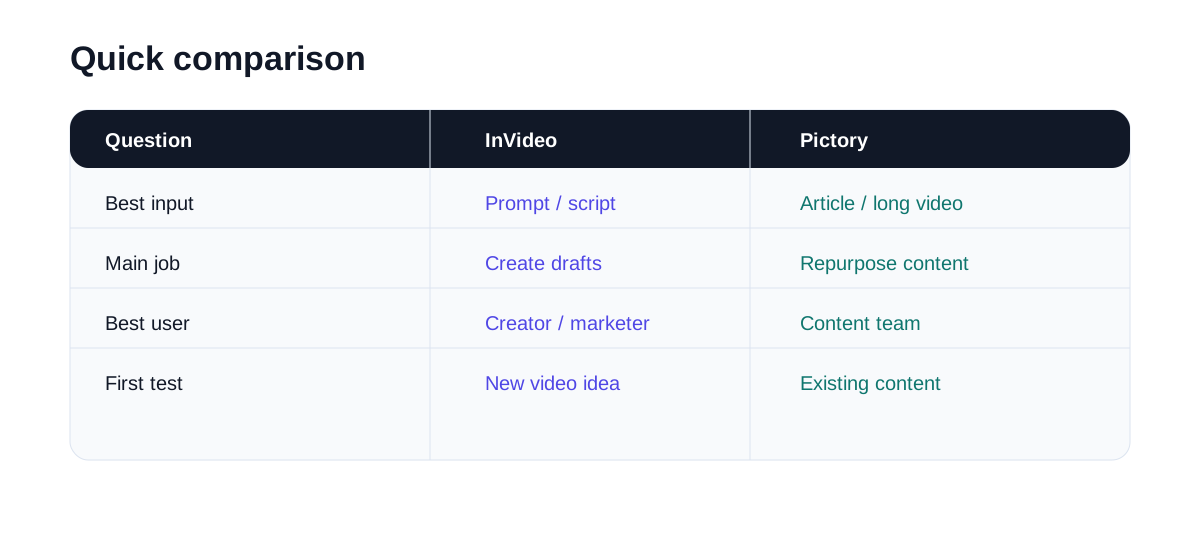
| Category | InVideo | Pictory |
|---|---|---|
| Best starting point | Prompt, script, product idea, ad idea | Blog post, URL, script, long video, webinar |
| Strongest use case | Creating new video drafts | Repurposing and summarizing existing content |
| Good for short-form? | Yes, especially social video ideas | Yes, especially clips from existing content |
| Good for long-form? | Better for creating structured drafts | Better for turning long content into shorter assets |
| Learning curve | Moderate | Usually easier for repurposing workflows |
| Best user | Creators and marketers starting from ideas | Content teams with articles, podcasts, webinars, or long videos |
What InVideo Is Better For
InVideo is a better fit when the video does not exist yet.
Maybe you have a product idea, a list of talking points, a script, or a rough campaign concept. You want the tool to help create a first video draft: scenes, structure, voiceover direction, stock footage, captions, and a general flow.
That makes InVideo useful for:
- product explainers
- simple ads
- list-style videos
- social video drafts
- YouTube content ideas
- business or creator marketing videos
InVideo’s current positioning is broader than a simple template editor. Its site presents it as an AI video platform with tools for AI video generation, clip generation, AI avatars, voice cloning, subtitles, video translation, image generation, and more. That wider scope can be useful if you want one environment for several video creation tasks.
The tradeoff is that broader tools can feel more complex. If your only job is to turn one blog post into a few social clips, you may not need everything InVideo offers.
### Where InVideo feels useful
The best use case is a blank-page problem.
You know the topic, but you do not yet have a video. InVideo can help you get to a first version faster than starting manually in a timeline editor.
That first version may still need edits. You will probably adjust scenes, rewrite parts of the script, change visuals, or clean up the pacing. But if it gives you a workable starting point, that can be enough.
### Where InVideo may not be the right fit
If you already have a long video and simply want to extract the best clips, InVideo may not be the most direct path. It can still help with video production, but Pictory is more clearly built around content repurposing and clipping workflows.
InVideo is also not the same thing as a fully manual professional editor. If your brand needs frame-by-frame control, heavy motion design, or a very specific editing style, expect to do extra work.
What Pictory Is Better For
Pictory is stronger when you already have content.
Its product menu is built around that idea: URL to Video, Script to Video, Audio to Video, PPT to Video, captions, translations, highlights and clips, brand kits, layouts, integrations, team collaboration, and API options.
That tells you a lot about where Pictory fits. It is less about inventing a cinematic video from nothing and more about turning existing content into usable video assets.
That makes Pictory useful for:
- blog-to-video workflows
- webinar summaries
- podcast clips
- course or training content
- social clips from longer videos
- turning written content into video assets
### Where Pictory feels useful
Pictory is especially practical for teams that already produce content every week.
If you have blog posts sitting on a site, recorded webinars, interviews, product demos, or educational material, Pictory can help turn that archive into short-form and social-ready video content.
This is not as flashy as generative video, but it is often more useful for business content.
### Where Pictory may not be the right fit
If you want to create a fresh video concept from a loose idea, Pictory may feel less flexible than InVideo.
It can work from scripts and other inputs, but its clearest advantage is repurposing. If you do not have existing content, you may not get as much value from it at first.
The Real Difference: Creation vs Repurposing
The cleanest way to compare these tools is by where they sit in the content workflow.
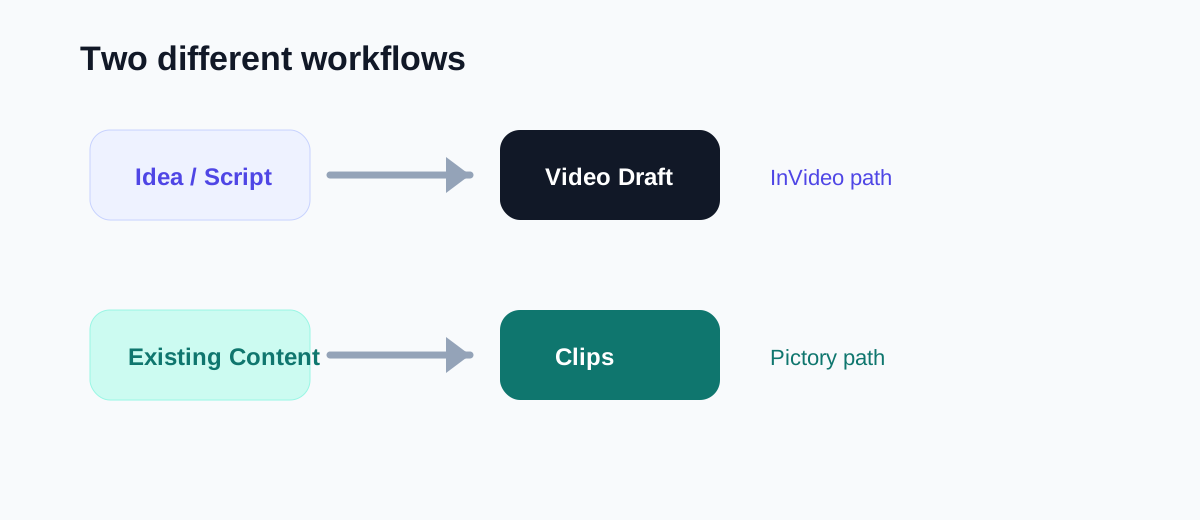
InVideo is closer to:
idea → script → video draft
Pictory is closer to:
existing content → shorter video assets
That is not a small distinction. It changes how you should test each tool.
If you test InVideo, start with a topic or campaign idea and see how good the first draft is.
If you test Pictory, start with a real blog post or long video and see how much repurposing time it saves.
Which One Is Better for YouTube?
It depends on the job.
If you want to create new YouTube videos from scripts or ideas, InVideo is probably more useful.
If you already have YouTube videos and want to turn them into Shorts, Pictory may be a better fit. It is designed around extracting, summarizing, and reformatting content.
For a YouTube creator, the two tools can even sit in different parts of the workflow:
- InVideo for creating new video drafts
- Pictory for turning published videos into short clips
That combination may be more realistic than treating them as direct rivals.
Which One Is Better for Social Media?
For social media, the better tool depends on your content source.
If your social content starts from fresh ideas, product messages, or scripts, InVideo is likely easier to test first.
If your social content comes from long-form material, Pictory is more practical.
For example:
- A marketer turning product talking points into social videos may prefer InVideo.
- A podcaster clipping interviews into Shorts may prefer Pictory.
- A course creator turning lessons into short promotional clips may prefer Pictory.
- A small business making simple explainer videos may prefer InVideo.
Which One Is Better for Teams?
Pictory has a strong case for teams with content libraries.
If a company already has blog posts, recorded calls, webinars, training videos, or product demos, Pictory can help create more output from those assets.
InVideo has a stronger case for creative and marketing teams that need to generate new video concepts quickly.
So the team question is not only about team seats or collaboration features. It is about what the team already has:
- Lots of existing content? Pictory.
- Lots of new campaign ideas? InVideo.
My Suggested Test
Do not judge either tool from demo videos. Use your own material.
For InVideo:
- 1. Take one product or topic idea.
- 2. Write a short prompt or script.
- 3. Generate a video draft.
- 4. Count how much editing is still needed.
- 5. Ask whether the draft saved real time.
For Pictory:
- 1. Take one blog post or long video.
- 2. Turn it into a short video or clips.
- 3. Check whether the selected highlights make sense.
- 4. Review captions, pacing, and structure.
- 5. Ask whether it reduced repurposing work.
The better tool is the one that helps with your actual bottleneck.
Final Recommendation
Choose InVideo if your main problem is creating videos from ideas, scripts, or prompts.
Choose Pictory if your main problem is repurposing existing content into videos or clips.
If you are a solo creator starting from scratch, test InVideo first.
If you are a content marketer, educator, podcaster, or agency with existing material, test Pictory first.
Neither tool replaces good judgment. You still need to check the script, pacing, visuals, captions, and final message. But if you pick the tool that matches your workflow, both can save time.
For script-to-video creation and fast social drafts, InVideo is the better first test.
Use InVideo when you want faster script-to-video drafts, social video ideas, or explainers without starting from a blank timeline.
