



InVideo vs Canva: Should Marketers Generate a Full Video Draft or Build From Brand Assets?
InVideo vs Canva: Should Marketers Generate a Full Video Draft or Build From Brand Assets?
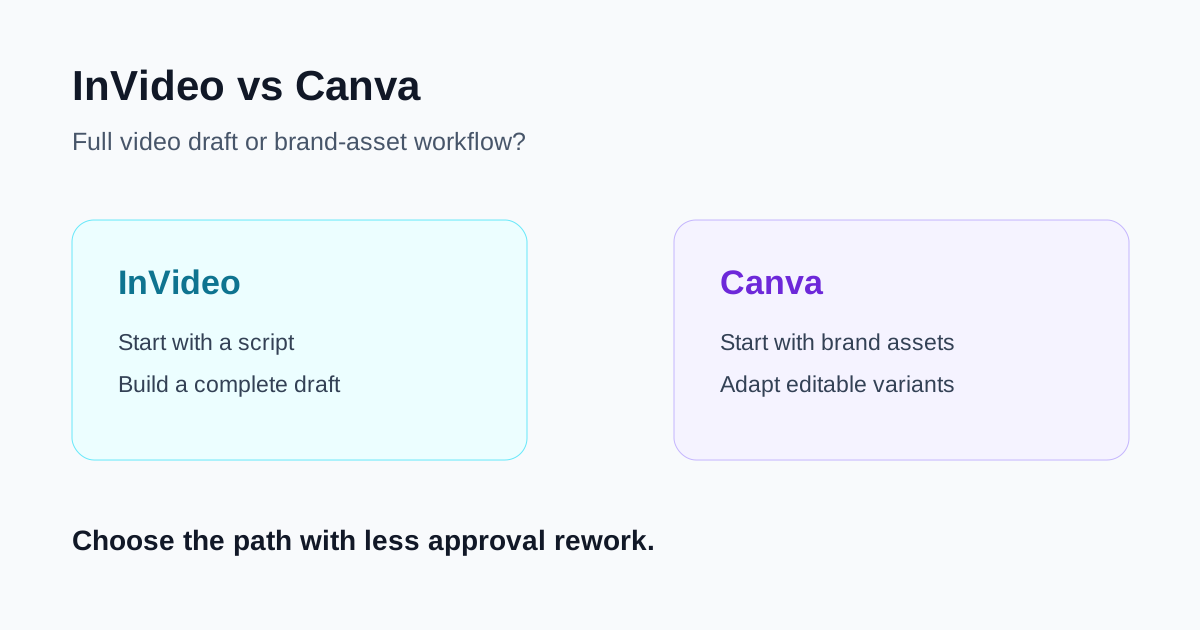
InVideo and Canva can both help a marketing team move from a brief to a publishable video, but they begin from different sources of control. InVideo is strongest when an approved message needs a complete first draft: a sequence of scenes, narration, captions, music, and visual suggestions. Canva is stronger when the team already owns brand assets and wants to compose, adapt, and approve a video inside a familiar template-led design system.
The practical question is not which product has more AI features. It is whether the next campaign needs help creating a story from a script or needs control over the colors, screenshots, layouts, and reusable modules that already make the brand recognizable.
Quick verdict
- Choose InVideo when you have an approved idea or script but little ready-to-use footage, and need a full video draft for a reviewer to react to.
- Choose Canva when the campaign already has a Brand Kit, product screenshots, templates, photography, or repeatable layouts that should drive the video.
- Use both deliberately when InVideo helps explore a story structure and Canva becomes the final brand-controlled assembly space. Do not create the same asset twice without a defined handoff.
- Measure approval time. A useful workflow is the one that reduces scene replacement, copy fixes, caption changes, and brand corrections before publication.
The core difference: generated sequence or editable brand system
InVideo starts from the message. Its official script workflow supports providing an exact script and generating a video around it. That is valuable when a marketer has a campaign brief, landing-page copy, or launch outline but has not decided how many scenes it needs or which visual order will make the idea clear.
Canva starts more naturally from the brand system. Its video and Magic Studio materials describe template-based editing, text-prompt video assistance, animation, media editing, and Brand Kit controls. This makes it a better default when the team needs to reuse approved colors, logos, type, layouts, screenshots, and campaign modules across several placements.
Neither starting point removes editorial work. A generated first draft can select a visually attractive but misleading scene. A carefully branded template can still hide an unclear offer or too much on-screen copy. In both cases, someone should approve the claims before rendering and review the final export on the intended channel.
Where InVideo is the better fit
You need a complete first draft from a written brief
InVideo is useful when the marketing team starts with language rather than a media library. A product launch email, a short social script, or a feature summary can become a first-pass sequence with narration, captions, music, and scene suggestions. This gives reviewers something concrete to correct instead of asking them to imagine the whole edit from a blank timeline.
That makes it well suited to early campaign exploration, narrated social videos, lightweight explainers, feature roundups, and first-pass ad concepts. The output should be treated as a draft: replace generic media with approved product footage whenever a scene makes a factual claim.
The story moves across multiple scenes
Some messages need visual variety more than a fixed layout: a problem, a product moment, a proof point, a customer use case, and one call to action. InVideo can help establish this sequence quickly when the team has not yet decided how to pace it.
The review cost is the important tradeoff. Check every screen for product accuracy, context, readability, pronunciation, captions, and rights. A scene that matches a keyword can still contradict the actual message.
You are testing a campaign angle before a full asset build
Use InVideo for a short, constrained test: one audience, one benefit, one supported proof point, and one call to action. Build a 30- to 60-second version before commissioning a longer cut. This reveals whether the narrative works without turning AI generation into an excuse to produce unreviewed variations.
Where Canva is the better fit
Brand assets are already the source of truth
Canva is a stronger choice when product screenshots, logo rules, typography, photography, and approved templates already exist. Brand Kit controls are especially useful when multiple marketers or agencies need to assemble campaign variants without recreating visual standards by hand.
For launch announcements, social cutdowns, product updates, customer proof, and template-based paid creative, the ability to edit text, swap images, change a frame, and retain visual consistency is usually more important than asking a generator to invent the starting point.
You need channel variants without losing the core design
Marketing teams rarely publish one video once. They need a vertical social version, a square recap, a landscape webinar promotion, or a short feature teaser. Canva is well matched to this reuse pattern because the editable design remains visible and can be adapted as placement requirements change.
Set a decision rule before resizing: which text stays, which screenshot is essential, and what the viewer should understand with sound off. A smaller canvas should not merely be a compressed version of a desktop video.
The final reviewer needs direct visual control
The team member approving brand work may not be a video editor. Canva's template-led interface can make the important choices easy to inspect: text hierarchy, logo use, contrast, frame order, asset selection, and the final call to action. That visibility is helpful when legal, product marketing, or design reviews are part of the workflow.
Side-by-side comparison
| Decision point | InVideo | Canva |
|---|---|---|
| Best starting input | Approved brief, script, or campaign idea | Brand assets, templates, screenshots, and layout rules |
| Core job | Assemble a complete mixed-media first draft | Build and adapt an editable branded video |
| Strong use case | Explainers, narrative social drafts, campaign-angle tests | Launch assets, recurring social content, branded feature updates |
| Main review risk | Generic or misleading generated media | Overloaded templates or inconsistent message hierarchy |
| Best success metric | Approved story draft per hour of review | Approved channel variants with correct brand and message |
A practical marketing workflow
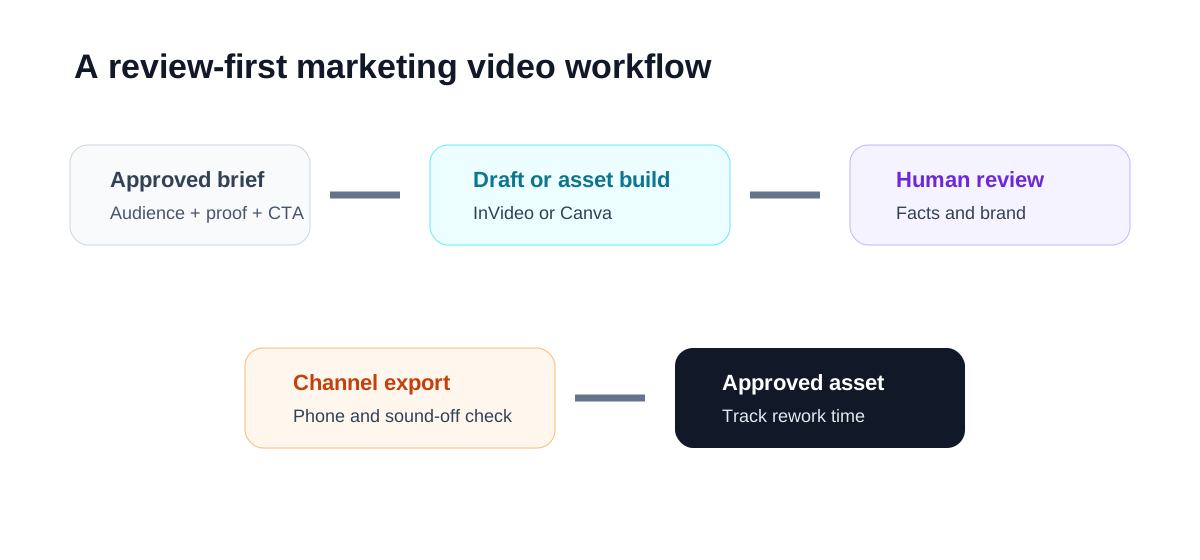
- Approve the message first. Write the audience, one key benefit, supported proof, and one next step before opening either tool.
- Choose the starting material. If the script needs a visual sequence, build an InVideo draft. If the campaign already has a clear visual system, begin in Canva.
- Use real product evidence. Replace any scene that implies functionality, customer results, or an interface that you cannot substantiate with approved footage or screenshots.
- Review on the target channel. Watch the export on a phone for vertical social, and read captions with sound off. Check that every claim remains understandable.
- Track correction time. Note script changes, scene replacements, design corrections, caption fixes, and approvals. The next campaign should start with the tool that had the lower correction burden for this format.
Common mistakes to avoid
Treating a generated draft as approved creative
Generation is a starting point, not evidence. Review factual claims, stock-media relevance, people shown on screen, brand names, subtitles, and licensing before the asset leaves the team.
Starting with a template when the message is unresolved
Canva can make a weak message look polished. If the offer and narrative are still unclear, test the story first. Otherwise the team may spend time perfecting layouts around copy that later changes.
Asking InVideo to create proprietary product proof
Use approved recordings and screenshots for product demonstration. Do not let illustrative or generated media stand in for a real feature, result, or customer workflow.
Reusing assets without a channel-specific review
Captions, text size, safe areas, and visual pacing change across formats. Rewatch each export in the intended placement, especially when a horizontal campaign video becomes a vertical social clip.
Which should your team choose?
Choose InVideo if your bottleneck is turning a message into a reviewable story. It is a good fit when the team has a script, needs scene ideas, and can invest in careful factual and visual review.
Choose Canva if your bottleneck is producing consistent campaign variants from assets the brand already owns. It is a good fit when templates, Brand Kit rules, product screenshots, and direct visual editing should remain visible to the reviewer.
Use a short campaign test rather than a feature checklist to decide. The winning workflow is the one that reaches an accurate, brand-consistent, channel-ready video with the fewest avoidable corrections.

