



Descript Underlord Review: Can an AI Co-Editor Handle Real Video Team Workflows?
Descript Underlord Review: Can an AI Co-Editor Handle Real Video Team Workflows?
AI video tools are good at producing impressive demos. Video teams have a harder question: can the tool survive a real project with messy recordings, brand rules, multiple formats, and a reviewer who changes direction halfway through?
Descript Underlord is designed for that harder job. It sits inside Descript as an AI co-editor. Instead of offering only isolated buttons, it can interpret a request, make edits in the project, and continue through several related steps. That makes it more ambitious than a one-click clip generator—but it also means teams need a disciplined way to review what it changes.
This review looks at Underlord as a production assistant for podcasts, product demos, customer interviews, training videos, and slide-based explainers. The goal is not to decide whether AI can replace an editor. It is to decide where an AI co-editor can remove repetitive work without weakening editorial control.
The short answer
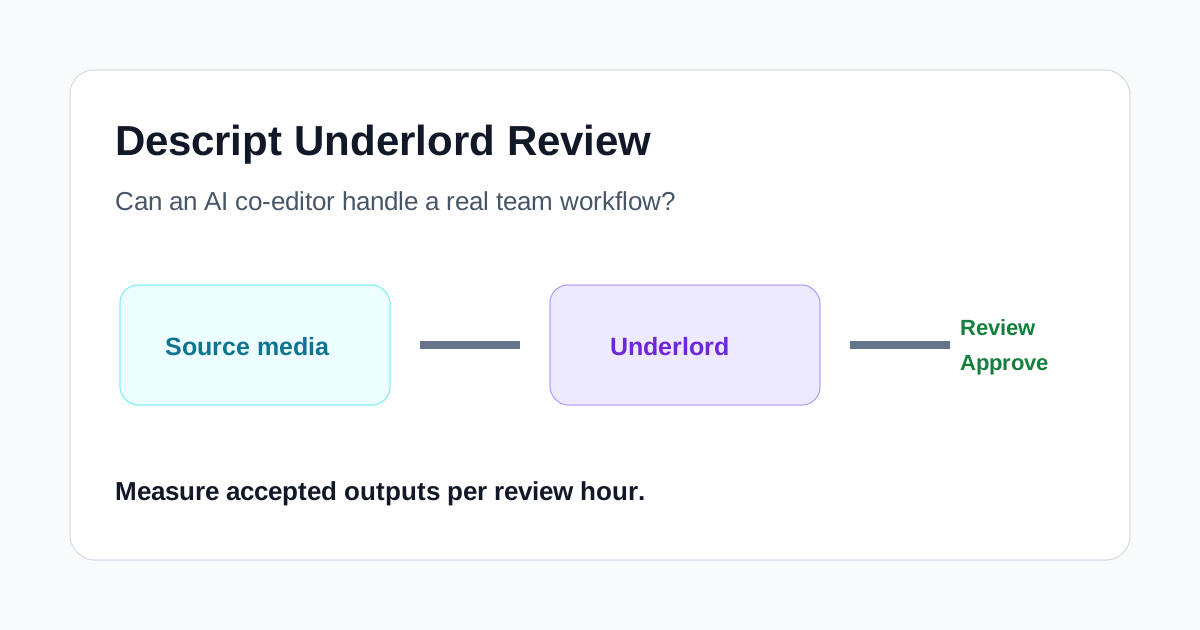
Underlord is most useful when a team already has source material and a clear brief. It can help create clips, apply captions, clean audio, translate content, arrange scenes, add transitions, and turn slides into a narrated draft. Its value is less about generating a finished masterpiece from one sentence and more about compressing the first several editing passes.
It is a weaker fit when the project depends on precise pacing, sensitive claims, complex motion design, or frame-level decisions that must be correct on the first attempt. Underlord is still described by Descript as beta, and an agent that can perform many edits can also make many plausible-but-wrong choices. The safest model is assistant first, final editor second.
What Underlord actually changes
Traditional AI features are usually narrow: remove filler words, improve sound, generate captions, or find highlights. Underlord can combine these actions in a conversation. A producer might ask it to find three strong moments, convert them to vertical clips, add branded captions, reduce background noise, and finish with a fade. The agent can plan and execute those steps in the same project.
That difference matters for teams. The time cost of video work is often not one difficult edit; it is the sequence of small operations around the edit. Moving between transcription, clip selection, layout, captions, sound, and exports creates handoffs. Underlord tries to make the sequence itself promptable.
Descript also retains its script editor, scene editor, and timeline. This is important because an agentic workflow is only practical when a human can inspect and correct the result. Teams are not locked into accepting the automated version.
A realistic test workflow
A useful evaluation should use the same source package for every test:
- A 35-minute interview with two speakers
- A screen recording of the product being discussed
- A short slide deck with approved messaging
- A brand sheet covering fonts, colors, terminology, and prohibited claims
- Three requested outputs: a five-minute summary, two social clips, and a captioned product explainer
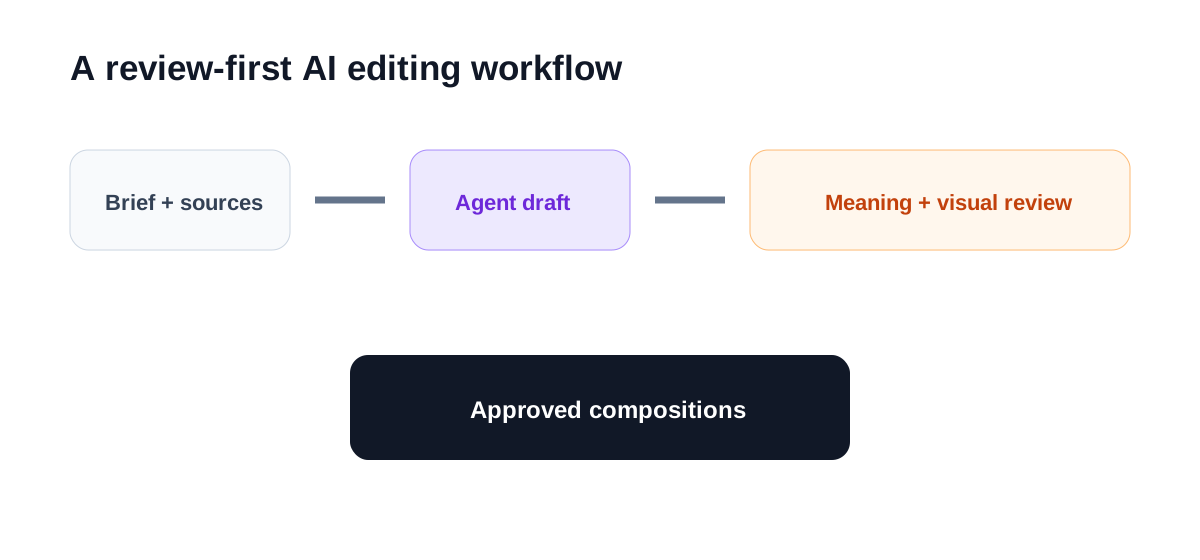
Start by asking Underlord for a plan rather than an immediate final edit. The plan should identify the source files, intended audience, target durations, and review points. If it misunderstands the assignment here, correcting the plan is cheaper than repairing several compositions later.
Then divide the work into controlled passes. First create the narrative cut. Next select clips. Then add visual layers and captions. Finally apply audio polish and export preparation. This staged approach makes it easier to identify which instruction caused a bad result.
Where Underlord can save meaningful time
Turning transcripts into first cuts
Descript's transcript-first editor already makes spoken-word projects easier to navigate. Underlord can build on that advantage by shortening sections, finding repeated ideas, or creating a draft around a requested theme. For interviews and podcasts, this can remove a large amount of searching before the editor begins detailed pacing work.
The important check is meaning, not grammar. A shorter answer may sound clean while losing a qualification that made the original statement accurate. Review every edit involving numbers, customer outcomes, legal claims, product limitations, or quoted opinions against the recording.
Creating social clips
Underlord can find moments and create clips within duration and format instructions. This is helpful when a team needs several candidates rather than one automatic winner. Ask for a specific editorial goal—such as a practical insight, a disagreement, or a product demonstration—instead of asking for something "viral."
The first review should answer four questions: Does the clip start with enough context? Does it end after the idea is complete? Does vertical reframing keep the relevant speaker or screen visible? Do captions preserve product names and technical terms?
Applying repeatable caption and layout rules
Prompts can describe font, weight, color, placement, emphasis, and other caption treatments. Teams producing recurring series can turn those instructions into a repeatable brief. That is useful for reducing routine setup, although every export still needs a safe-area and readability check on the target platform.
Audio cleanup and finishing actions
Underlord can call familiar Descript tools such as Studio Sound and can handle requests involving music levels, fades, transitions, and visual emphasis. These are exactly the small tasks that accumulate around a spoken-word edit. The agent is most valuable when the instruction is measurable: apply a fade to the last five seconds, lower music under speech, or add zoom emphasis at selected moments.
Translation and content variants
Descript supports translated captions and other localization workflows. Underlord can help initiate these tasks, but localized versions require more than language generation. Brand terms, names, product UI labels, and regional phrasing need review. Changes to the original composition may not automatically flow into translations, so teams should lock the approved source before producing multiple languages.
Where human control still matters
Editorial judgment
An agent can identify patterns in a transcript, but it does not own the relationship with the audience. It may favor a neat sound bite over the most representative argument. A human editor should decide what the piece promises, which claims deserve emphasis, and what context cannot be removed.
Visual hierarchy
Generated scenes, B-roll, zooms, and transitions can make a draft feel active without making it clearer. Product videos often need the opposite: fewer effects, longer screen visibility, and deliberate attention on the interface. Use automation to assemble options, then remove anything that competes with the explanation.
Recovery from broad prompts
The more steps contained in a prompt, the harder it is to diagnose an unwanted result. Descript has improved visibility into Underlord's plan and provides ways to revert edits, but teams should still work in checkpoints. Duplicate an approved composition before a broad transformation, name versions clearly, and keep the source recording untouched.
Cost and plan assumptions
AI edits consume credits on current plans, and availability can vary by feature or account. A workflow that saves editing time may still be inefficient if it repeatedly regenerates large sections. Measure accepted outputs per credit or per review hour, not the number of actions Underlord completed.
A practical scoring framework
| Test area | What to measure | Acceptable result |
|---|---|---|
| Brief understanding | Correct audience, format, sources, constraints | No major correction before editing |
| Narrative cut | Meaning retained after shortening | Claims and qualifications remain accurate |
| Clip selection | Complete idea and usable hook | Reviewer accepts at least half of candidates |
| Visual treatment | Relevant framing and restrained effects | No important UI or speaker is obscured |
| Captions | Accuracy, terminology, safe-area placement | Only minor text corrections needed |
| Revision control | Easy to inspect, revert, and continue | Approved version remains recoverable |
| Efficiency | Publishable outputs per review hour | Faster than the team's manual baseline |
The last row is the deciding metric. An AI co-editor that performs twenty actions but creates forty minutes of cleanup is not saving time. A modest draft that removes the first hour of repetitive assembly may be far more valuable.
Who should try Underlord
Underlord is a strong candidate for podcast teams, content marketers, customer education teams, and small agencies that already work with interviews, recordings, and repeatable formats. These teams have enough volume to benefit from automation and enough editorial structure to review it properly.
It can also help subject-matter experts who need to produce useful video without mastering every editing control. The script-based environment gives them a more understandable review surface than a timeline-only editor.
Teams doing cinematic work, complex compositing, exact broadcast finishing, or highly sensitive regulated communication should treat it as an assistant for preparation rather than the final production authority.
Recommended adoption process
- Choose one recurring, low-risk format such as a podcast clip or internal update.
- Write a brief with audience, goal, duration, brand rules, prohibited claims, and required outputs.
- Ask Underlord to propose a plan before editing.
- Approve the narrative cut before visual and caption work.
- Compare review time and accepted outputs with the previous manual process.
- Save the prompt only after two or three projects produce consistent results.
- Expand to translation, slide-to-video, or multi-format packages after the basic workflow is stable.
This turns adoption into an operational test instead of a novelty demo.
Final verdict
Descript Underlord is useful because it connects multiple editing actions inside a workspace where humans can still inspect the transcript, scenes, layers, and timeline. For teams with existing footage and clear repeatable briefs, it can reduce searching, assembly, caption setup, and version preparation.
It should not be evaluated by whether it can make a video with one prompt. Evaluate it by whether the team reaches an approved version faster, with fewer handoffs and no loss of meaning. Used with staged instructions and review checkpoints, Underlord can be a practical co-editor. Used as an unsupervised final editor, it creates unnecessary risk.
Related reading
- Descript Review: What It Does, Who It Fits, and When to Use It
- Descript vs OpusClip: Do You Need a Full Editor or a Faster Clip Pipeline?
- HeyGen vs Descript: Should You Generate a Presenter or Edit the Recording?
- Klap vs Descript: Should You Clip Faster or Edit the Source First?
- Best AI Tools to Turn Long Videos Into Shorts Without Re-editing Everything

