



Klap vs Descript: Should You Clip Faster or Edit the Source First?
Klap vs Descript: Should You Clip Faster or Edit the Source First?
Klap and Descript can both help turn a long recording into short videos, but they solve different problems. Klap starts with a finished video and looks for moments that can become vertical clips. Descript starts with the recording itself and gives you a transcript-based editor for tightening the source before you decide what to repurpose.
The practical choice is simple: use Klap when the long video is already publishable and finding, reframing, and captioning clips is the slow part. Use Descript when weak pacing, repeated ideas, audio problems, or inaccurate wording still need editorial attention.
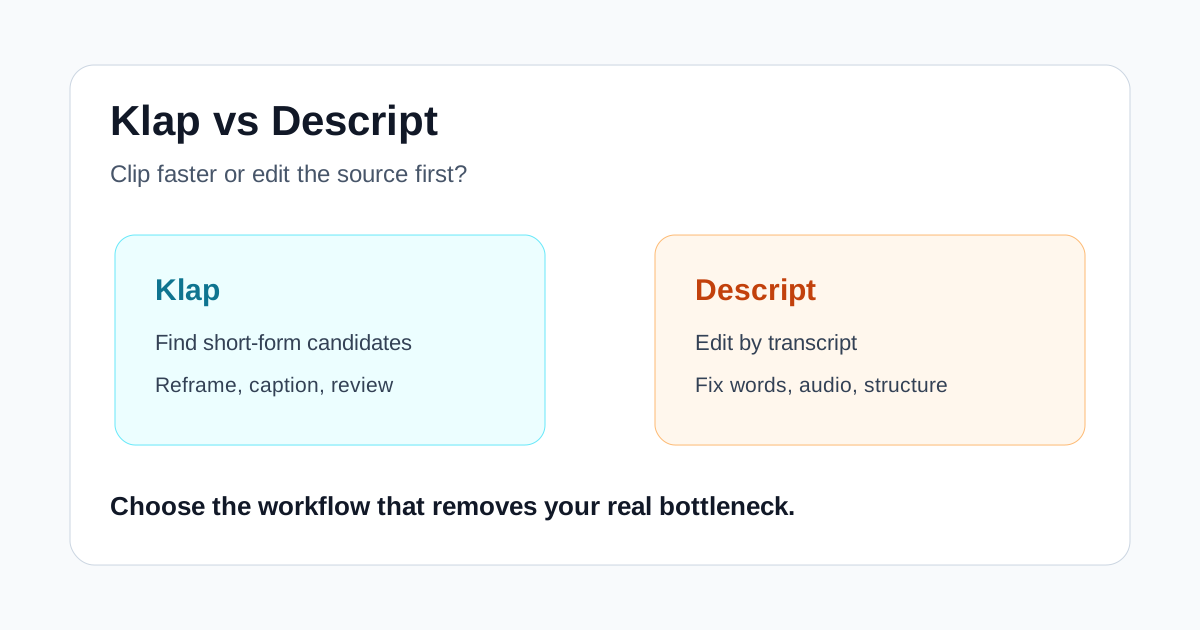
Quick verdict
- Choose Klap when you regularly repurpose approved interviews, podcasts, webinars, or talking-head videos into Shorts, Reels, and TikToks.
- Choose Descript when you need to edit the master recording by transcript, correct dialogue, clean audio, and shape the story before making derivatives.
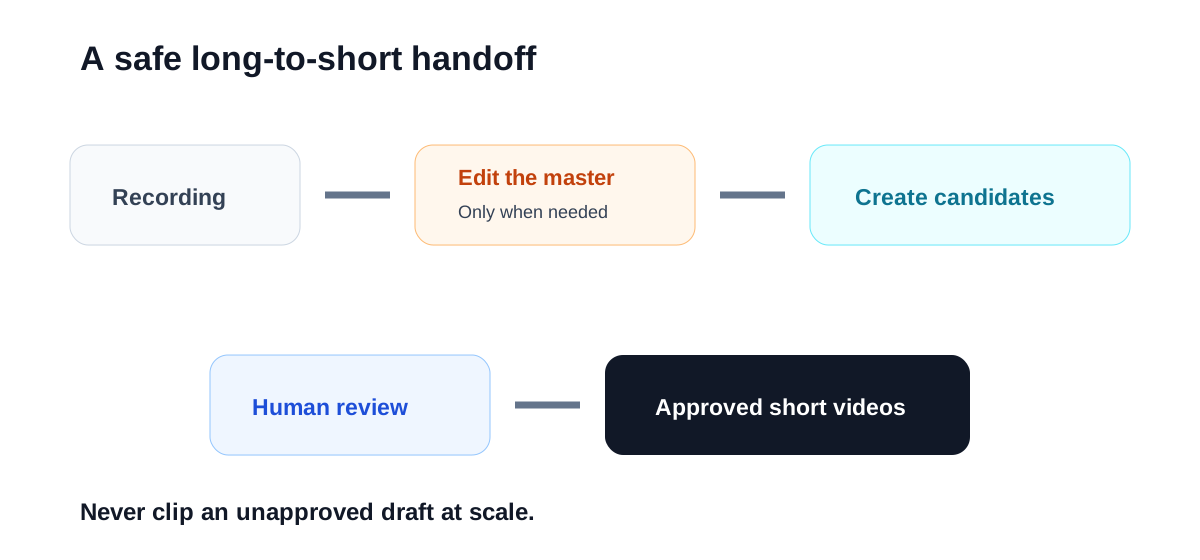
- Use both only at meaningful volume: finish and approve the master in Descript, then send that version to Klap for clip discovery and formatting.
For many solo creators, Descript is the broader first purchase because it can improve the main episode as well as create clips. For a social team that already receives finished long-form videos, Klap may remove more repetitive work.
Klap vs Descript at a glance
| Decision factor | Klap | Descript |
|---|---|---|
| Main job | Turn long videos into short vertical clips | Edit audio and video through a transcript |
| Best input | Finished or nearly finished long-form video | Raw or lightly edited recordings |
| Biggest time saver | Clip discovery, reframing, captions, batch output | Cutting dialogue, correcting words, repairing audio, restructuring |
| Better fit | Social teams, repurposing services, frequent podcasters | Podcasters, educators, marketers, internal video teams |
| Human review focus | Context, hook, crop, captions, brand fit | Meaning, pacing, accuracy, audio, scenes |
| Main risk | Producing many clips that are not worth publishing | Spending too long perfecting low-value source material |
Both products overlap around transcription, captions, and social clips. The difference is where each workflow begins. Klap asks, “Which moments should become shorts?” Descript asks, “What should the final recording say and sound like?”
Where Klap is stronger
### Getting from one approved video to several candidates
Klap is built for a repeatable long-to-short workflow. Upload a video or provide a supported source, let the system propose clips, and review vertical versions with captions and reframing already applied. That removes the blank-timeline problem and reduces the need to watch the full recording again just to mark possible moments.
This is most useful when the source is dependable. A weekly interview show, a library of approved webinars, or a creator with a consistent speaking format gives the clip model a clear job. If the input rambles or contains uncorrected claims, faster extraction simply creates a larger review queue.
### Vertical formatting is part of the product
Klap focuses on the details that repeat across short-form production: detecting speakers, keeping the important subject in frame, adding readable captions, and applying a consistent style. A human should still check every crop and line of text, but starting from a formatted candidate can be much faster than rebuilding each clip manually.
That advantage grows with volume. Saving ten minutes is modest on one clip; saving it across twenty reviewed candidates every week can change the economics of a small social operation.
### A narrower interface can be easier to operationalize
Because Klap has a more focused purpose, it is easier to define a standard process around it: approved source in, candidate clips out, editor review, final export. Agencies and marketing teams can measure accepted clips per source and correction time per clip without mixing those numbers with the master-edit process.
Where Descript is stronger
### Editing words changes the media
Descript turns the transcript into the main editing surface. Removing a sentence removes the corresponding audio and video; rearranging text changes the sequence. This is valuable when a useful short needs a cleaner setup, a removed detour, or a corrected phrase rather than a simple excerpt.
For interviews, product demos, and training material, meaning often matters more than speed. A clip can sound confident and still be misleading if the automated cut drops a qualifier. Descript gives the editor a direct way to inspect and repair that structure.
### It can improve the master, not only the derivatives
Descript covers recording, transcription, text-based editing, audio cleanup, captions, scenes, and exports in one project. The exact features and plan limits change, but its center of gravity remains a full editing workspace rather than a dedicated clip generator.
That makes it a better fit when the long episode is also an important deliverable. Fixing a name or tightening a section once in the source can improve the podcast, YouTube video, transcript, and every later clip.
### Corrections stay close to the source of truth
Technical terms, customer names, product language, and numbers deserve deliberate review. In Descript, transcript correction is part of the main edit. This reduces the chance that teams repair one captioned clip while leaving the same error in the master or another derivative.
Which tool fits common workflows?
### A weekly interview podcast
Choose Descript if the host needs to remove false starts, tighten answers, repair audio, and publish a clean full episode. Its own clip features may be enough if you only need a few carefully chosen excerpts.
Choose Klap when the final episode is already approved and the recurring bottleneck is finding enough social moments. Track how many suggested clips survive review; generation count alone is not a useful success metric.
### Webinar repurposing
Klap is attractive for a library of completed webinars because it can surface multiple candidates without a fresh manual edit. Descript is better when the webinar includes outdated lines, long housekeeping sections, or explanations that must be rebuilt before they can stand alone.
### Training and product education
Descript is usually the safer first tool. Accuracy, controlled pacing, and easy source corrections matter more than producing many variants. Once a training module is approved, Klap may help create promotional or recap clips, but those clips still need context checks.
### Agency social packages
Klap fits an offer built around repurposing finished client videos. Descript fits a broader production service that also edits the master, cleans audio, and develops the narrative. If an agency uses both, it should define which exported master is approved and prevent staff from clipping earlier drafts.
A fair test before paying
Run the same two long videos through a one-week evaluation:
- Record the time required to make each source publishable.
- Ask both tools to create the same number and approximate length of clips.
- Reject clips that lose context, repeat the same idea, or need a new opening.
- Log every transcript, crop, caption, pacing, and brand correction.
- Watch exports on a phone with sound on and off.
- Count only clips you would actually publish.
- Compare approved outputs per hour of human work.
This test reveals whether your bottleneck is source editing or clip production. It also prevents an impressive first generation from hiding a large correction burden.
Important limitations
Neither product replaces editorial judgment. Transcripts can miss names and jargon. Automated clips can remove context. Vertical crops can hide slides or follow the wrong person. Captions can cover important on-screen details. Always review the complete clip and, for factual content, check it against the source.
Pricing, processing allowances, export resolution, watermarks, storage, supported languages, team features, and social publishing options change over time. Confirm current limits on each vendor's official pricing and product pages before choosing a plan.
Final recommendation
Choose Klap when you trust the source and want a focused system for finding and formatting short-form candidates. Choose Descript when the recording itself still needs editorial work and you want the transcript to control the main audio-video project.
If you are still unsure, examine the last three videos your team shipped. When most hours went into fixing words, pacing, audio, or structure, start with Descript. When most hours went into hunting for moments, reframing, captioning, and exporting vertical versions, start with Klap.
Try Klap with code MILY
If you need long recordings turned into short clips with captions. Use code MILY for 30% off your first payment.

