



InVideo Review: Is It a Good AI Video Tool for Fast Draft Creation?
Good fit: InVideo is worth testing if you need quick video drafts from prompts, scripts, or simple marketing ideas.
InVideo is easiest to evaluate when you treat it as a draft-generation tool rather than a magic video replacement.
Its value is not that it creates a perfect finished video from one prompt. Its value is that it can help creators, marketers, and small teams move from blank page to usable first draft faster.
That matters when your workflow starts with an idea, a product message, a script outline, or a campaign concept and you need to turn it into video without building every scene manually.
If your main bottleneck is getting a first version made, InVideo is worth testing. If your main bottleneck is repurposing existing long-form content, clipping podcasts into Shorts, or restoring low-quality footage, it is not the right first tool.
Short Answer
InVideo is a strong fit if you need:
- text-to-video or script-to-video drafts
- quick product explainers and marketing videos
- YouTube-style draft structure from a prompt
- one tool for scenes, voice, captions, and first-pass editing
InVideo is a weaker fit if you need:
- article-to-video repurposing from an existing content library
- long-video clipping for Shorts and Reels
- AI avatar presenter videos
- high-end manual editing and motion graphics
- footage enhancement and restoration
The simplest test is to take one real offer, topic, or script and ask whether InVideo gets you meaningfully closer to publishable output than starting from scratch.
What InVideo Is Best For
InVideo is best when the source asset does not exist yet.
You may start with:
- a landing page headline
- a rough YouTube outline
- product messaging
- a short ad concept
- a service explainer script
- a list of talking points
Instead of assembling footage, scenes, captions, and structure from zero, you use InVideo to generate a first-pass video draft that can then be edited, approved, or repurposed further.
That makes it more useful for production speed than for creative perfection.
InVideo at a Glance
| Use case | Fit | Why |
|---|---|---|
| Script-to-video creation | Strong | Turning prompts and scripts into drafts is the core workflow |
| Marketing explainers | Strong | InVideo maps well to structured business videos |
| Social ad testing | Good | Fast draft generation helps test different angles |
| YouTube list or explainer drafts | Good | Useful when you need structure quickly |
| Long-video clipping | Weak | Klap is more direct for Shorts extraction |
| Article-to-video repurposing | Mixed | Possible, but Pictory is usually the closer fit |
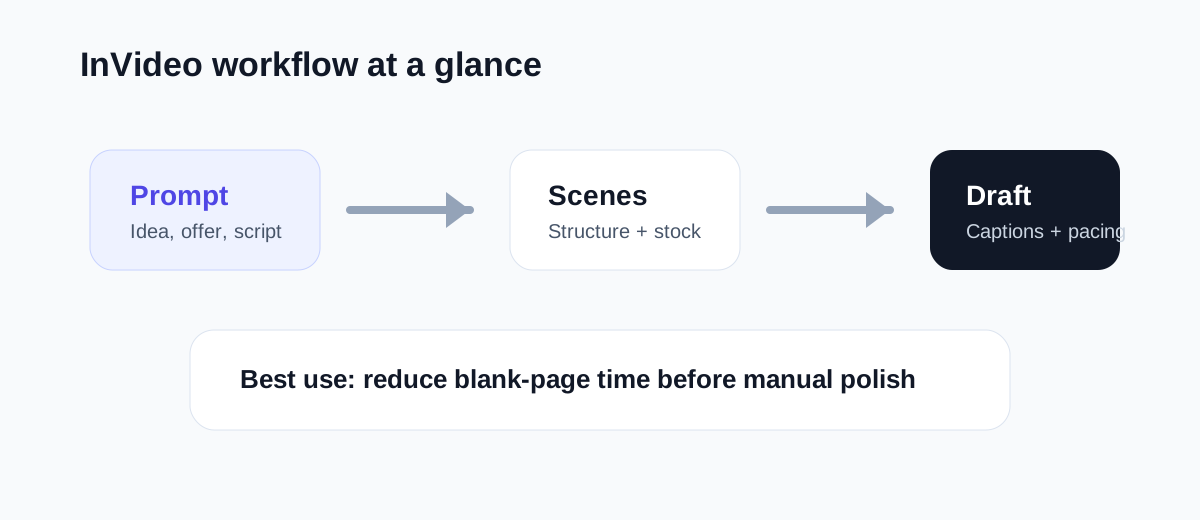
Where InVideo Feels Useful
InVideo is helpful when the hardest part of video production is getting started.
For example, a marketer may need:
- one feature explainer
- three ad variations
- two short product videos
- one landing-page support video
That kind of workload is often repetitive but still expensive if every video starts in a manual editor.
InVideo reduces some of that startup friction by generating a structure you can react to. Even if the output still needs cleanup, the blank page problem is smaller.
That is the real practical case for the tool.
Where InVideo May Disappoint
InVideo can disappoint when expectations are too high.
If you expect one prompt to produce a fully polished brand-perfect asset, you will probably still need edits. AI draft tools are usually strongest at speed, not at precision.
It can also be the wrong fit if you already have a large content library and mainly need repurposing. In that case, Pictory may match the workflow better. If your priority is short clips from long videos, Klap is more focused. If you need a digital presenter, HeyGen is solving a different problem entirely.
Use InVideo when your bottleneck is initial production, not when your bottleneck is repurposing or finishing.
Best Audiences for InVideo
InVideo is easier to justify for people who publish new videos regularly from ideas or scripts.
Good-fit audiences include:
- solo creators
- small businesses
- SaaS marketers
- agencies producing simple client explainers
- educators making straightforward lesson videos
- teams testing multiple video hooks or offers
Weaker-fit audiences include:
- podcast-first creators focused on clipping
- teams that mainly repurpose blogs and webinars
- editors who need detailed manual control
- businesses centered on presenter-led avatar content
- video teams working mostly from existing footage libraries
InVideo vs Other AI Video Tools
InVideo makes the most sense when placed in the broader video workflow stack.
| Tool | Best workflow |
|---|---|
| InVideo | Turn ideas or scripts into new video drafts |
| Pictory | Repurpose articles, webinars, and long-form content |
| Klap | Turn long videos into short clips |
| HeyGen | Create avatar-led presenter videos |
| Topaz Video AI | Improve low-quality or older footage |
| CapCut | Finish short-form edits quickly |
This is why InVideo often competes well for buyers who want a fast starting point. It reduces the effort of going from concept to something visible on screen.
Suggested Test Workflow
Do not begin with a random prompt. Use a real business or content need.
Try this:
- Pick one real topic, offer, or script you would normally turn into a video.
- Generate a first draft in InVideo.
- Review scene logic, footage choices, captions, and pacing.
- Count how many edits are still required before publication.
- Compare the time against your normal production process.
- If it performs well, test one more asset in a different format such as a product explainer or social ad.
That gives you a better answer than a polished demo page.
Operational Questions to Check Before You Buy
The important evaluation questions are practical:
- Does InVideo create a structure that is actually useful, or just busy?
- How much manual editing is still required after generation?
- Are the voiceover, captions, and visuals close enough to your publishing standards?
- Can your team turn the draft into final output faster than with your current process?
- Is the workflow simple enough for repeated weekly use?
If the answer to those questions is mostly yes, InVideo may be a good production layer. If not, it may only create another cleanup step.
Final Recommendation
InVideo is worth testing when you repeatedly need to turn ideas, scripts, or product messaging into videos and the first draft is the slowest part of the process.
It is not the best tool for every job, but it does not need to be. It only needs to save time in a part of the workflow you repeat often.
For creators and marketers who start from concepts rather than existing footage libraries, that can be enough to justify it.
If your workflow is mainly repurposing, clipping, avatar production, or enhancement, start with a different category first.
The best first test is simple: take one real script and see whether InVideo gets you to a usable draft materially faster than your current process.
If your first bottleneck is getting a usable video draft quickly, InVideo is the cleaner starting point.
Use InVideo when you want faster script-to-video drafts, social video ideas, or explainers without starting from a blank timeline.

