



HeyGen Review: When AI Avatar Videos Actually Make Sense
HeyGen is not just another short-form video editor. It sits in a different part of the AI video stack.
If InVideo is closer to turning ideas and scripts into video drafts, and Pictory is closer to repurposing existing content, HeyGen is strongest when you need a presenter on screen without filming one every time.
That makes it more useful for business explainers, training videos, product walkthroughs, multilingual content, and repeatable sales or marketing assets.
It is less useful if your main goal is fast manual editing, cinematic control, or cutting long videos into Shorts.
Short Answer
HeyGen is worth testing if you need:
- AI avatar presenter videos
- product explainers without filming a spokesperson
- training or onboarding videos
- multilingual video localization
- sales outreach or internal communication videos
- repeatable business content where consistency matters
It is probably not the first tool to test if you mainly need:
- timeline-style editing
- long-video clipping
- cinematic AI scenes
- casual creator edits
- heavy motion design
The core question is simple: do you need a believable presenter, or do you just need a video editor?
What HeyGen Is Best For
HeyGen is built around AI video generation with avatars, scripts, translation, and business-friendly production workflows.
Its own site currently positions the tool around turning scripts, images, presentations, and PDFs into videos. It also highlights AI avatars, text-to-video, product ads, UGC-style ads, video translation, voice cloning, lip-sync, and a text-based video editor.
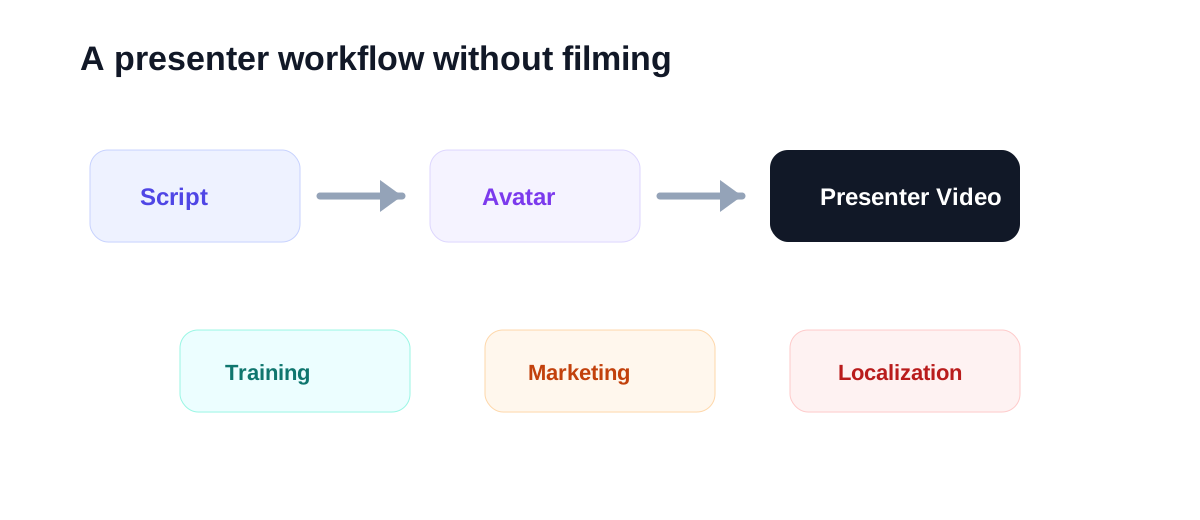
That combination makes HeyGen useful when the bottleneck is not editing. The bottleneck is recording.
For many teams, filming one simple presenter video still means:
- writing a script
- finding someone to present
- setting up lighting and audio
- recording several takes
- editing mistakes
- translating or re-recording for other languages
HeyGen is interesting because it can remove part of that production friction.
HeyGen at a Glance
| Use case | Fit | Why |
|---|---|---|
| AI avatar explainers | Strong | The product is built around presenter-style AI videos |
| Training and onboarding | Strong | Repeatable scripts work well with consistent avatars |
| Multilingual localization | Strong | HeyGen promotes translation, dubbing, lip-sync, and 175+ languages |
| UGC-style product videos | Good | Useful for testing ad-style presenter formats |
| Long-video clipping | Weak | Tools like Pictory or Klap are more direct |
| Manual timeline editing | Weak | HeyGen is not a replacement for a traditional editor |
Where HeyGen Feels Useful
The strongest HeyGen use case is repeatable presenter content.
For example, imagine you need to produce:
- five product explainer videos
- three internal training clips
- one onboarding sequence
- several localized versions for different markets
Doing that with a real presenter can work, but it becomes slow fast. Every small script change can mean another recording session.
With an AI avatar workflow, the script becomes the main production asset. You can rewrite, regenerate, localize, and test variations more quickly.
That is the real value: not magic video creation, but less friction around presenter-led content.
Where HeyGen May Disappoint
HeyGen is not the right answer for every video job.
If you need fast social editing, CapCut may feel more natural. If you need to cut a podcast into Shorts, Klap is more focused. If you want to repurpose blog posts or webinars into clips, Pictory is usually a closer match.
HeyGen can also feel too polished or too presenter-heavy for some creator content. A realistic avatar is useful in the right context, but it is not automatically more persuasive than a human-recorded video.
Use it when the avatar format fits the message. Do not force every video into a talking-head format.
Best Audiences for HeyGen
HeyGen is easier to justify for users who publish repeatable business content.
Good-fit audiences include:
- SaaS marketers
- course creators
- internal training teams
- HR and onboarding teams
- sales enablement teams
- agencies producing explainers
- creators who need multilingual presenter videos
Weaker-fit audiences include:
- vloggers
- cinematic editors
- podcast clip teams
- meme or entertainment channels
- creators who rely heavily on personal authenticity
Suggested Test Workflow
Do not start by making a random demo video. Test HeyGen against a real production problem.
Use this simple test:
- Pick one short script you would normally record yourself.
- Create one avatar-led version.
- Create one version in another language if localization matters to you.
- Check lip-sync, voice delivery, pacing, and visual credibility.
- Ask whether the result is good enough for the channel where it will be published.
- Compare the total time against filming and editing the same video manually.
If the output still needs heavy cleanup, HeyGen may not save enough time for that use case.
If it gives you a usable presenter video with only light editing, it can become part of a repeatable content workflow.
HeyGen vs Other AI Video Tools
HeyGen should not be compared only by feature count. It should be compared by workflow.
| Tool | Best workflow |
|---|---|
| HeyGen | AI avatar presenter videos |
| InVideo | Text or script to video draft |
| Pictory | Articles and long content to video assets |
| Klap | Long video to short clips |
| Topaz Labs | Video quality enhancement |
| CapCut | Fast social editing |
This is why HeyGen can be excellent for one team and unnecessary for another.
If your bottleneck is presenter production, HeyGen is a serious candidate.
If you are comparing business-avatar workflows directly, read Synthesia Review next.
If your bottleneck is clipping, editing, or cinematic generation, start elsewhere.
Final Recommendation
HeyGen is best treated as an AI presenter and localization tool, not a general-purpose video editor.
It makes the most sense when you repeatedly need clear, scripted, presenter-led videos for marketing, sales, education, training, or internal communication.
It makes less sense when you need casual creator editing or short-form clipping.
The best first test is simple: take one real script you would normally film and see whether HeyGen can create a version you would actually publish.
