



Synthesia vs Descript: Should You Generate a Presenter or Edit a Real Recording?
Synthesia vs Descript: Should You Generate a Presenter or Edit a Real Recording?
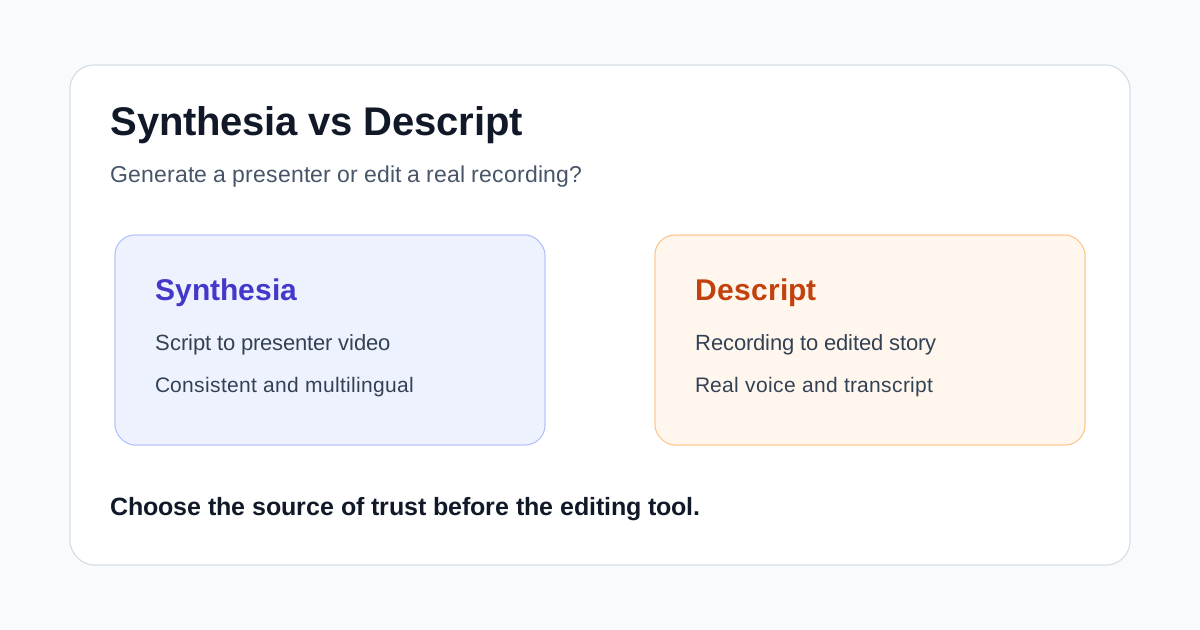
Synthesia and Descript both promise to make business video easier, but they remove different production problems. Synthesia can turn a script into a presenter-led video without scheduling a camera shoot. Descript starts with recorded media and lets an editor reshape it through the transcript.
That distinction matters more than a feature checklist. Choose Synthesia when consistency, localization, and avoiding repeated filming are the real constraints. Choose Descript when a real voice, a screen demonstration, or an interview is the source of the video's credibility and the slow part is cleaning that recording.
Quick verdict
- Choose Synthesia for repeatable training, onboarding, policy, and enablement videos that need a consistent presenter or many language versions.
- Choose Descript for interviews, podcasts, founder videos, product walkthroughs, and screen recordings where the real performance should remain in the final cut.
- Use both only when the handoff is clear: edit expert recordings in Descript, then use approved material to build standardized companion lessons in Synthesia.
For most creator-led marketing teams, Descript is the more flexible first purchase. For a learning or operations team maintaining a large catalog across regions, Synthesia can remove more scheduling and update work.
Synthesia vs Descript at a glance
| Decision factor | Synthesia | Descript |
|---|---|---|
| Primary workflow | Generate video from a script with avatars and voices | Record or import media, then edit it through the transcript |
| Best source | Approved written content | Real speech, interviews, screen captures, or existing footage |
| Strongest use case | Scalable training and business communication | Editorial video, podcasts, demos, and creator content |
| Localization approach | Regenerate consistent versions across languages | Translate, caption, or revise a recorded project |
| Main human review | Script accuracy, pronunciation, avatar fit, localization | Meaning, pacing, cuts, audio, captions, visuals |
| Main risk | Polished output that feels impersonal or generic | A fast edit that still depends on a weak recording |
There is overlap. Both products now support screen recording, transcript-driven changes, captions, collaboration, and AI-assisted production. The center of gravity is still different: Synthesia is designed to create a controlled presentation from approved information, while Descript is designed to turn recorded communication into an edited story.
Where Synthesia is stronger
### Producing presenter video without arranging a shoot
Synthesia is useful when the organization needs someone to deliver a script but does not need that person to be physically recorded. Teams can combine an AI avatar, generated voice, scenes, brand elements, and supporting media. This avoids coordinating a presenter, camera, room, and reshoots for every update.
The advantage is operational rather than cinematic. A compliance team can change one policy sentence. A product education team can update a feature name. A regional team can create another language version without rebuilding the entire production schedule.
### Keeping a large catalog consistent
Templates, controlled scripts, brand assets, and standardized presenters make Synthesia easier to govern across many routine videos. That can matter more than expressive editing when dozens of people contribute to onboarding or internal learning.
Consistency should not become sameness. Good teams still vary scene structure, supporting visuals, examples, and pacing. An avatar reading dense slide copy is not automatically clearer than the document it replaced.
### Localization is part of the production plan
Synthesia currently emphasizes multilingual generation, translation, voices, and reusable avatars. Those tools are attractive when a video must be maintained across several markets. The source script still needs human approval, and translated versions need reviewers who understand the subject and local language. One-click generation does not remove accountability for terminology or tone.
Where Descript is stronger
### Preserving a real expert or creator
Some videos work because a specific person is speaking. A founder explaining a decision, a customer describing a result, or a product specialist demonstrating a workflow carries context that an interchangeable presenter may weaken.
Descript keeps that recorded performance at the center. It transcribes the media, lets the editor cut by changing text, and provides scene and timeline controls for shaping the result. The workflow is especially useful when the message is valuable but the delivery contains false starts, repeated points, filler, or uneven pacing.
### Editing screen recordings and demonstrations
Descript can record the screen, webcam, and microphone, then bring the capture into the same transcript-based editor. This fits software tutorials and product demos where the timing between narration and interface action matters.
Synthesia also offers an AI screen recorder and can turn captures into editable scenes. The better choice depends on the intended result. Use Descript when the recording itself is the evidence and needs careful editorial control. Use Synthesia when the screen sequence is supporting material inside a standardized, presenter-led lesson.
### One workspace for source and derivatives
Descript can support a full episode, captions, short clips, an audio version, and a shareable video from the same recorded project. That makes it practical for teams that publish creator-led content in several formats but do not need an avatar-led training catalog.
Which tool fits common workflows?
### Employee onboarding and policy updates
Synthesia is usually the better fit. The scripts are controlled, presenters should be consistent, and updates may need to roll out across languages. Keep individual lessons short, show the actual system or process where possible, and assign a subject-matter owner to every version.
Choose Descript when leadership or team culture depends on real people appearing on camera. A welcome message from an actual manager can be more credible than a perfectly generated introduction.
### SaaS product tutorials
Descript is strong for detailed walkthroughs because the editor can preserve the exact screen interaction and tighten the spoken explanation. Synthesia fits structured feature overviews, localized release education, and lessons where an avatar introduces a sequence of approved screen scenes.
A useful split is to use Descript for changing, exploratory material and Synthesia for stable lessons that will be reproduced many times.
### Thought leadership and creator marketing
Start with Descript. The audience is usually responding to a real person's judgment, delivery, and experience. Transcript editing can make that performance tighter without replacing the person who gives it value.
Synthesia can help with derivative explainers, but an avatar should not imply that a person delivered a statement they did not review. Clear internal approval and honest presentation matter.
### Multilingual training libraries
Synthesia has the stronger operating model when the same approved lesson must be maintained across regions. Test names, acronyms, numbers, and industry terms in every target language. Also check whether examples, gestures, screenshots, and calls to action still make sense locally.
A fair test before paying
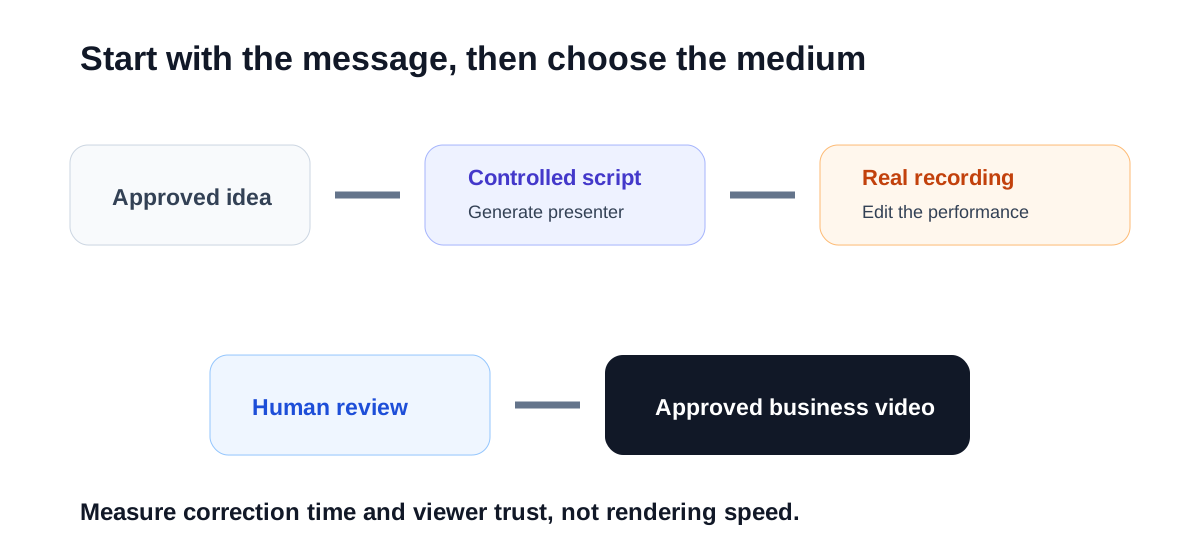
Test one real project in both systems instead of comparing polished demos:
- Pick a five-minute training or product lesson that already has an approved outline.
- Build one version from the script in Synthesia.
- Record a knowledgeable person delivering the same lesson and edit it in Descript.
- Track setup, generation or recording, corrections, branding, captions, and final review time.
- Ask three target viewers what they understood, trusted, and would replay.
- Make one factual update and measure how long each version takes to revise.
- Compare approved minutes of video per hour of human work, not generation speed alone.
The update test is especially important. A workflow that looks fast on day one may become expensive when a catalog changes every month.
Important limitations
Neither product makes an unapproved script accurate. Generated voices can mispronounce names. Avatars may be a poor fit for sensitive, emotional, or executive communication. Transcript edits can create awkward visual cuts. Screen recordings can expose private data. Captions and translations can change meaning.
Pricing, plan limits, avatar access, voice features, supported languages, export quality, collaboration, storage, and AI usage allowances change. Confirm current terms on each vendor's official product and pricing pages before committing a team or a large catalog.
For consent-sensitive features such as personal avatars and cloned voices, document who approved the use, where the asset may appear, and how access is revoked. Convenience is not a substitute for governance.
Final recommendation
Choose Synthesia when the video should begin as controlled text and become a consistent presenter-led asset. Choose Descript when the video should begin with a real recording and become a cleaner, tighter version of that performance.
If the decision is still unclear, look at the next ten videos on your production calendar. When most require presenters, translations, and repeated updates, test Synthesia first. When most require interviews, demonstrations, podcasts, or authentic on-camera delivery, test Descript first.

