



OpusClip Review: Is It a Practical Way to Turn Long Videos Into Shorts?
OpusClip Review: Is It a Practical Way to Turn Long Videos Into Shorts?
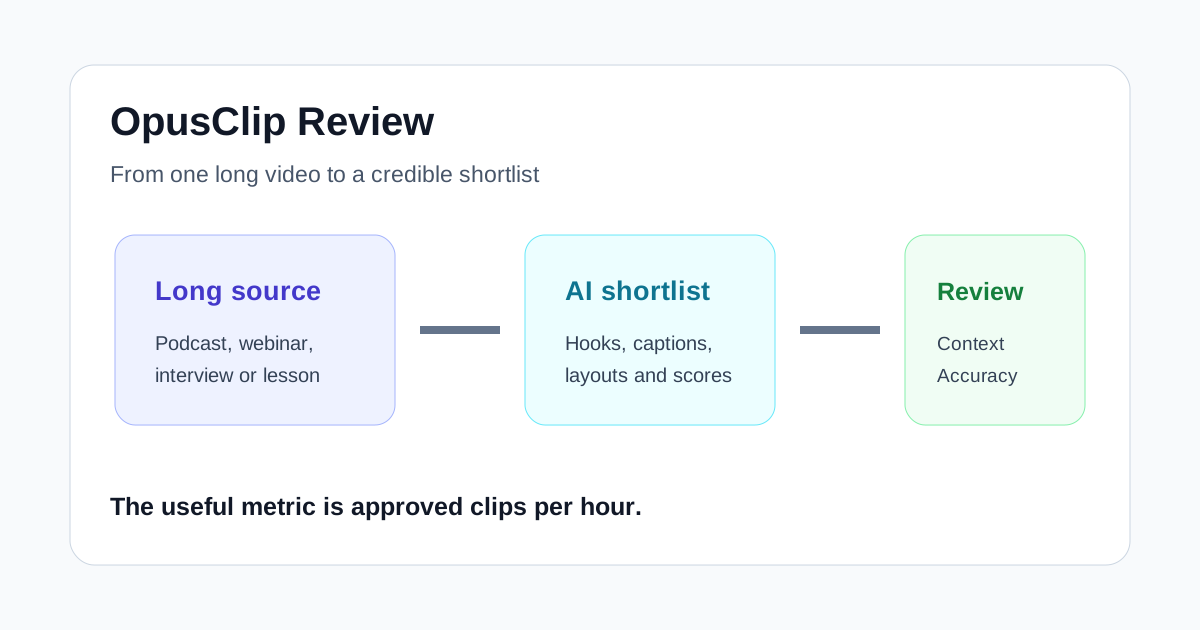
OpusClip is built around a useful promise: give it a long video and let AI find short moments that could work on social platforms. That is more specific than being a general video editor, and it is also the reason the tool can feel fast when the source material fits.
The practical question is not whether OpusClip can produce clips. It can. The question is whether it finds enough good moments to reduce your review time after captions, framing, context, and brand details are checked. For podcasts, interviews, webinars, and clear talking-head recordings, the answer can be yes. For loosely structured footage or videos where the best moment depends on subtle context, a human editor still has to do more of the story work.
Quick verdict
- Best for: creators, podcast teams, agencies, and marketers repurposing recurring long-form video into Shorts, Reels, TikToks, or LinkedIn clips.
- Main advantage: it combines clip discovery, reframing, captions, branding, light editing, and publishing in one focused workflow.
- Main limitation: a high-scoring or polished clip can still lack context, misframe an important visual, or make a weak editorial choice.
- Bottom line: OpusClip is worth testing when finding and formatting highlights is the bottleneck. It is less compelling when you mainly need precise timeline editing or when every clip must be built around a custom narrative.
Do not judge it by the number of generated clips. Judge it by how many candidates become publishable after a short, repeatable review.
What OpusClip actually does
OpusClip imports a long source video, analyzes it, and creates short candidates. Its current help documentation describes support for prompt-guided clipping through ClipAnything, automatic layout choices, text- and timeline-based editing, captions, trimming, B-roll, social scheduling, and XML export for further work in Adobe Premiere Pro or DaVinci Resolve.
That range is useful, but the core job remains simple: reduce the time between a finished long video and a queue of usable short clips.
The product also assigns a Virality Score to clips on supported paid plans. OpusClip says the score considers the hook, flow, value, trend relevance, and prompt relevance. Treat that score as a sorting aid, not a prediction. It can help a reviewer decide where to start, but it cannot know your audience, campaign goal, factual risk, or brand voice as well as the person responsible for publishing.
Where OpusClip is strongest
Finding candidate moments in repeatable long-form content
The clearest use case is a team that already publishes interviews, podcasts, webinars, educational videos, or founder conversations every week. These sources often contain several complete ideas separated by natural changes in topic. OpusClip can surface those moments without making an editor scrub through the entire recording first.
Results improve when the source has clear speech, distinct points, and enough context inside each possible segment. A rambling conversation with many callbacks will still create more review work because a short excerpt may sound incomplete when separated from the original discussion.
Turning horizontal footage into social layouts
OpusClip can automatically reframe footage and apply layouts for speakers, screen shares, interviews, panels, and gameplay. Its editor also allows manual reframing when the automatic crop misses the important subject.
This is a meaningful time saver for straightforward talking-head footage. It is not a reason to skip visual review. Screen demonstrations, product interfaces, hand gestures, captions, and multiple speakers can all compete for limited vertical space. Check every scene on a phone-sized preview before publishing.
Creating a consistent first pass
Brand templates can standardize aspect ratio, layout preferences, caption styling, fonts, colors, logos, overlays, and intros or outros. That makes OpusClip more useful for a recurring production system than for a one-off experiment.
Templates also expose a common failure: teams sometimes add too much decoration because it is easy. Readable captions, a restrained highlight color, and a clean logo treatment usually travel better across platforms than several animations competing with the speaker.
Keeping light corrections in one place
The built-in editor supports caption corrections, text-based removal, trimming, extending a clip, changing layouts, and adjusting the frame. Those tools are enough for many social clips that need refinement rather than a full rebuild.
OpusClip is not a replacement for a detailed nonlinear editor when timing, sound design, layered graphics, or complex B-roll determines the result. Its XML export can provide a handoff when a promising clip needs more advanced finishing.
Where the workflow still needs humans
A clip can be coherent but strategically wrong
AI may select a clean statement that is not the idea your campaign needs. It may favor an emphatic hook while overlooking a quieter explanation that better demonstrates expertise. It can also choose a segment that repeats a claim without the evidence shown elsewhere in the source.
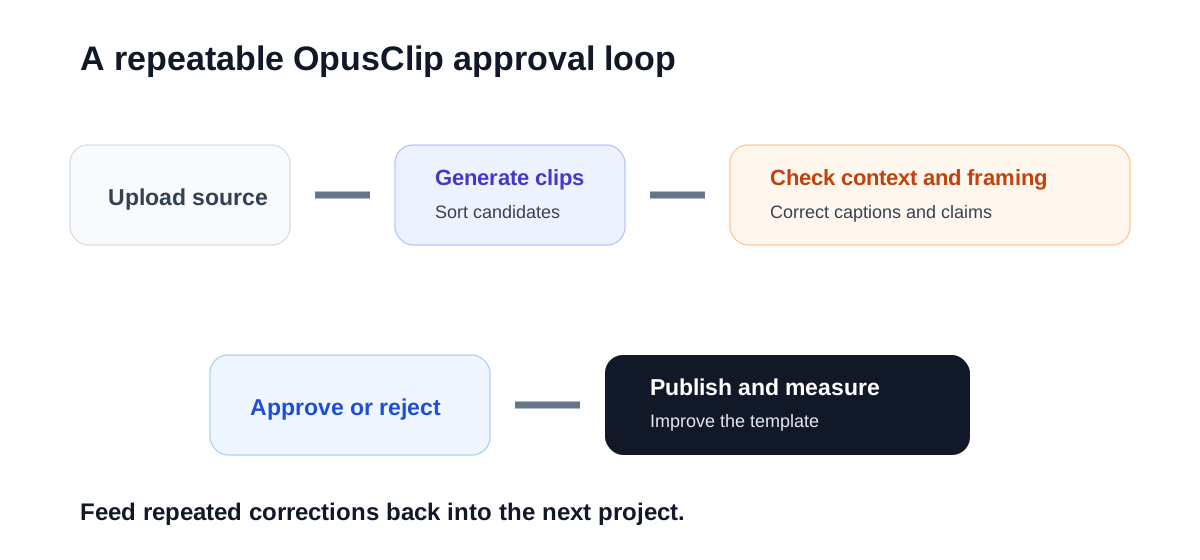
Before approving a clip, ask whether it makes sense on its own, supports the intended audience action, and represents the speaker fairly. Short-form speed should not create misleading context.
Captions need factual review
OpusClip lets users edit captions and adjust their appearance. Review names, product terms, numbers, acronyms, and calls to action carefully. A single transcription error can matter more than a sophisticated animation.
Caption density matters too. A style that looks energetic in a demo can become tiring across a technical explanation. Use line breaks, font size, positioning, and emphasis to support comprehension instead of covering the subject.
Automatic framing is only a first decision
Speaker tracking works best when the visual priority is obvious. It becomes harder when a screen share, product, second speaker, or on-screen example carries the meaning. OpusClip provides alternate layouts and manual crop controls, so budget time to correct scenes rather than assuming one automatic layout fits the entire clip.
Who should try OpusClip?
Podcast and interview teams
This is the most natural fit. A regular episode creates a predictable source, and the team can use OpusClip to find candidate exchanges, apply captions, and prepare several formats. The host or producer should still approve context and speaker intent.
Founder-led and educational creators
Creators who teach through long videos can gain a useful discovery layer. Strong source structure matters: clear chapters, concise examples, and complete answers produce better short-form material than vague transitions and unfinished thoughts.
Agencies managing recurring client content
Templates and a repeatable review checklist can help an agency scale. Keep a separate template for each client, define who approves factual claims, and track how many generated candidates are rejected. A large output count is not valuable if account managers spend hours fixing every clip.
Teams that only publish occasional videos
The benefit is weaker when there is little long-form source material. A general editor or a simpler captioning workflow may be enough. OpusClip earns its place when repurposing happens often enough for templates, review habits, and automation to compound.
How OpusClip compares with nearby alternatives
| Tool | Best starting point | Main strength | Choose it when |
|---|---|---|---|
| OpusClip | A long video with multiple possible highlights | AI clip discovery plus social formatting | Finding moments is the bottleneck |
| Klap | A long talking-head or podcast video | A focused long-video-to-shorts workflow | You want a simple candidate-to-review path |
| Submagic | A short clip that needs stronger presentation | Captions and short-form polish | The moment is chosen but the finish needs work |
| Descript | Recorded audio or video that needs editorial reshaping | Transcript-based editing of the source | You need control over the underlying story |
The boundaries overlap, and product capabilities change. The most useful distinction is where the tool enters your process. OpusClip and Klap try to find the short. Submagic is often strongest after a short already exists. Descript is broader when the long recording itself needs editing.
A fair test before paying
Use real source material instead of a vendor demo:
- Select three recent videos that represent your normal work: one strong, one average, and one difficult.
- Generate clips with the same brand and length preferences.
- Review the first ten candidates without sorting only by score.
- Track context problems, caption corrections, framing fixes, hook changes, and rejected clips.
- Publish a small approved set and compare retention, completion, saves, and qualified clicks with manually selected clips.
- Calculate approved clips per hour of human review.
- Repeat the test after improving your source structure and brand template.
This test separates novelty from operational value. If the team consistently approves several clips with minor corrections, OpusClip is doing useful work. If almost every output needs a new editorial premise, the bottleneck is not automatic formatting.
Important limitations
Feature access, processing credits, watermark rules, supported imports, storage, export options, collaboration, and social publishing connections can change by plan. Confirm current details on OpusClip’s official plan and help pages before buying.
Do not publish clips solely because they receive a high Virality Score. Check claims, consent, context, speaker representation, music and media rights, private information, and platform requirements. Connected social accounts also deserve careful access control, especially in agency or multi-client workspaces.
Final recommendation
OpusClip is a practical specialist for teams that already have long-form video and need a faster way to discover, format, and review short candidates. Its strongest value is not automatic virality. It is reducing the repetitive work between a finished recording and a credible shortlist.
Try it when editors spend too much time searching for moments, rebuilding vertical layouts, and applying the same caption treatment. Keep a human responsible for context, accuracy, framing, and final approval. If the measured result is more publishable clips per hour, the workflow is earning its cost.

