



OpusClip vs Submagic: Which Short-Form Video Workflow Saves More Editing Time?
OpusClip vs Submagic: Which Short-Form Video Workflow Saves More Editing Time?
Turning one long recording into a week of short videos sounds like a simple automation job. In practice, there are two separate problems: finding moments worth clipping and polishing those moments so they feel ready for a social feed. OpusClip and Submagic overlap, but they approach that workflow from different starting points.
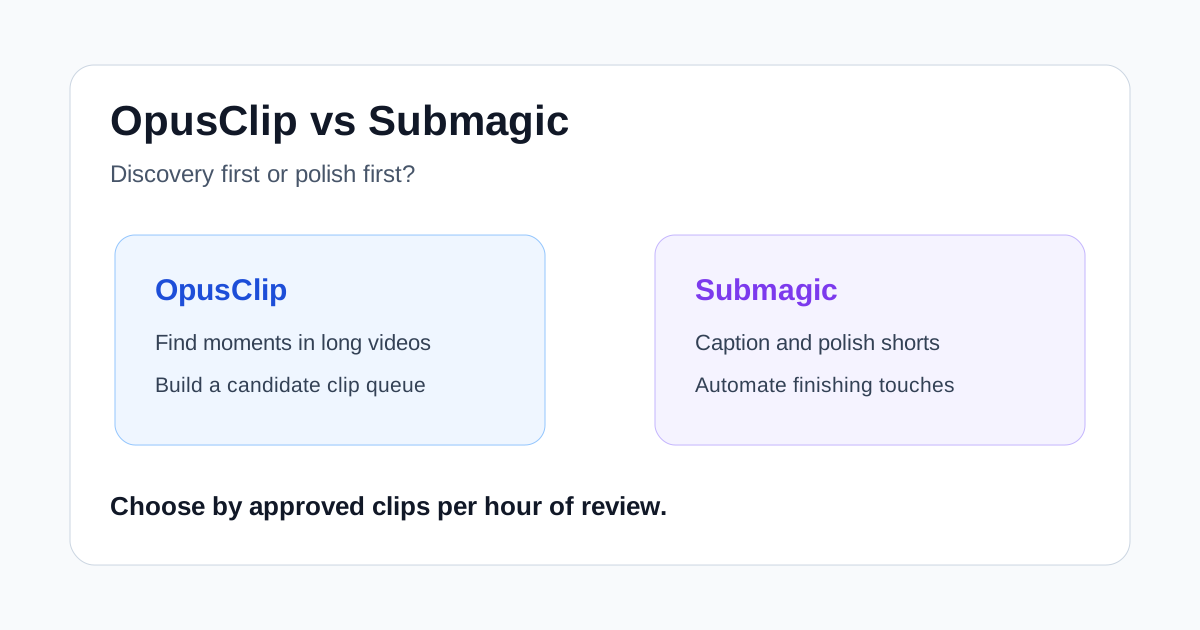
OpusClip is the stronger fit when the bottleneck is discovering candidate clips across long recordings. Submagic is more compelling when the bottleneck is making talking-head footage look polished with captions, cuts, B-roll, and motion. The useful question is not which tool has the longer feature list. It is which one removes the most expensive review step from your actual publishing process.
Quick verdict
- Choose OpusClip if you regularly start with podcasts, interviews, webinars, streams, or other long recordings and need help locating several usable moments.
- Choose Submagic if you already know what footage should become a short and care most about animated captions, removing dead air, adding B-roll, and applying a consistent social style.
- Test both on the same source video if you run a high-volume content operation. Count approved clips and correction time rather than judging the first preview.
For many solo creators, OpusClip is the cleaner first purchase for long-to-short repurposing. For coaches, agencies, and talking-head creators who already select their own moments, Submagic can remove more of the finishing work.
OpusClip vs Submagic at a glance
| Decision factor | OpusClip | Submagic |
|---|---|---|
| Best starting material | Long recordings with multiple possible highlights | Talking-head clips or recordings that need social polish |
| Main strength | Finding and reframing candidate clips | Captions and automated finishing touches |
| Typical first output | A batch of suggested short clips | A styled, edited short or a batch from Magic Clips |
| Review burden | Choosing the strongest suggestions and checking context | Checking caption accuracy, pacing, B-roll, and visual choices |
| Better fit for | Podcasts, interviews, webinars, streams, repurposing teams | Coaches, educators, agencies, and frequent short-form publishers |
| Human judgment still needed | Hook quality, context, factual completeness | Tone, brand fit, timing, and whether effects help the message |
Both products can create short-form outputs, add captions, and reduce manual editing. The difference is emphasis. OpusClip presents itself around AI clipping across varied video genres. Submagic places more weight on an automatic editor that can combine captions, B-roll, zooms, silence removal, audio cleanup, and other finishing steps.
Where OpusClip is stronger
### It starts with discovery
When a 45-minute interview contains only four moments worth publishing, the costly task is not adding subtitles. It is finding those four moments without watching and marking the entire recording manually. OpusClip is designed around that search-and-extract problem.
This makes it useful for content teams that receive long source files and need a shortlist quickly. A producer can review candidate clips, reject weak or repetitive moments, and pass the strongest ones into a light approval workflow.
### It fits varied long-form sources
OpusClip says its ClipAnything model works across formats such as interviews, explainers, gaming, sports, and vlogs. That broad positioning matters when your archive is not limited to clean, single-speaker footage.
The benefit is operational consistency: one intake process can handle a webinar this week and a customer interview next week. The limitation is that broad automated discovery still needs context checks. A clip can sound punchy while omitting a qualifier that appeared ten seconds earlier.
### It is easier to evaluate as a repurposing engine
The output can be judged with a simple metric: how many suggested clips survive review? If OpusClip finds six candidates and your team approves four with minor edits, it has created real leverage. If only one is usable, a large output batch is mostly review overhead.
Where Submagic is stronger
### It focuses on the finished short
Submagic's automatic editor combines several tasks that creators often perform after selecting a moment: captions, silence removal, B-roll, zooms, transitions, and audio cleanup. That can be more valuable than clip discovery when the creator already knows exactly what the short should say.
For a coach recording a two-minute answer, for example, the main job may be tightening pauses and making the result readable on a muted feed. Submagic is naturally aligned with that workflow.
### Caption styling and visual polish are central
Submagic offers caption templates and brand customization, plus transcript-based editing and automatic visual additions. This makes it attractive for agencies or creators who want repeatable presentation without rebuilding caption styles for every export.
Automation does not guarantee good taste. B-roll can be literal, zooms can feel excessive, and a caption style that works for entertainment may undermine a technical explanation. The fastest workflow is usually to start with restrained defaults and add emphasis only where it supports the message.
### It can consolidate several finishing tools
If your current process moves among a caption app, a silence remover, a stock library, and a basic editor, Submagic may replace several handoffs. That consolidation can matter more than a small difference in generation speed.
The tradeoff is that each automated layer introduces another approval point. Teams should decide which effects are allowed by default and which require an editor's review.
Which tool fits common workflows?
### Podcast and interview repurposing
Start with OpusClip. The source is long, the strongest moments are scattered, and discovery is usually the largest time cost. Review every candidate for context before publishing, especially when a guest discusses numbers, legal topics, or a nuanced opinion.
### Daily talking-head videos
Start with Submagic. The creator has already chosen the topic and recorded a compact take, so automated captions, dead-air removal, and restrained visual polish address the real bottleneck.
### Agency work for multiple clients
The answer depends on the service. An agency that mines webinars and podcasts will benefit from OpusClip's discovery orientation. An agency that receives preselected vertical footage may get more value from Submagic's styling and finishing workflow. Brand templates and approval discipline matter more than novelty.
### Education and expert content
Either can work, but accuracy should dominate. OpusClip can surface teachable moments from a longer lesson. Submagic can make a selected explanation easier to follow with captions and clean pacing. Avoid aggressive cuts that remove qualifications or turn a careful explanation into a misleading claim.
A fair way to test OpusClip and Submagic
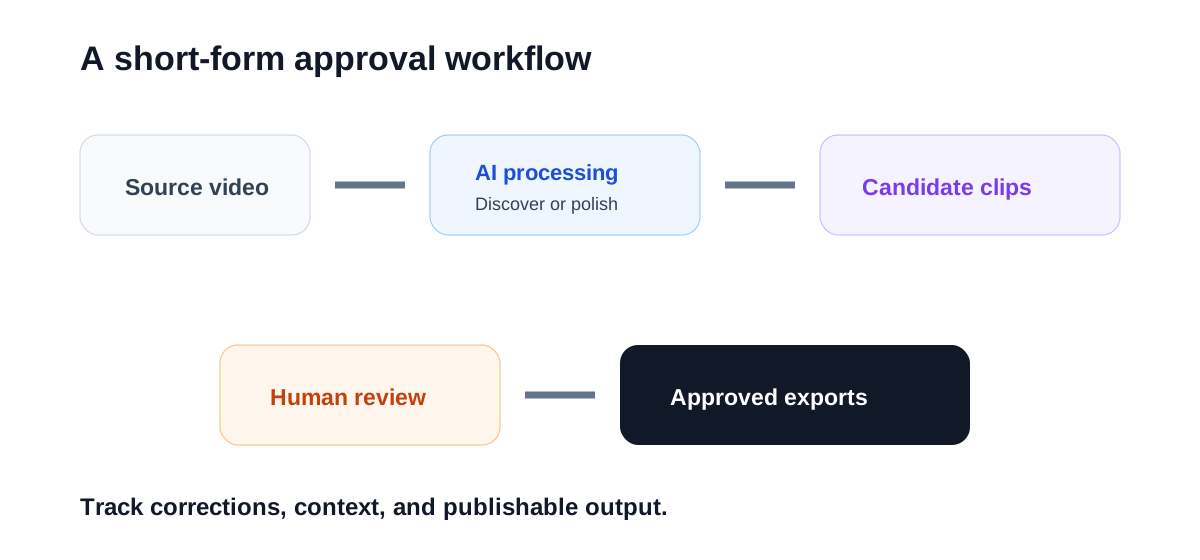
Use one representative source video rather than two different recordings. Then run this five-part test:
- Generate clips with the default settings.
- Mark every candidate you would genuinely publish.
- Record the minutes spent correcting captions, framing, pacing, and context.
- Apply your usual brand style and export settings.
- Compare approved clips per hour of human review.
This test prevents a common buying mistake: choosing the tool that produces the most impressive demo instead of the one that reduces weekly labor.
Important limitations
Neither product replaces editorial judgment. Always check names, numbers, technical terms, and sentence boundaries. Confirm that vertical reframing keeps the important subject visible. Watch the entire exported clip with sound on and off. Finally, make sure the opening promise matches what the clip actually delivers.
Pricing and plan limits can change, so compare current export allowances, maximum source length, watermark rules, team access, and brand controls on the vendors' own pricing pages before subscribing.
Final recommendation
OpusClip is the better default for teams whose workflow begins with long recordings and an empty clip queue. Submagic is the better default for creators who already know the moment they want and need a fast path to a styled, publishable short.
If the choice is still close, test both with one difficult recording. The winner is the tool that produces more approved clips with fewer corrections—not the one that generates the longest list or the flashiest first preview.
Try Submagic
If you want caption and hook work handled inside one short-form pass.

