



Best AI Video Generators for Creators and Small Teams That Need Usable Drafts
Best AI Video Generators for Creators and Small Teams That Need Usable Drafts
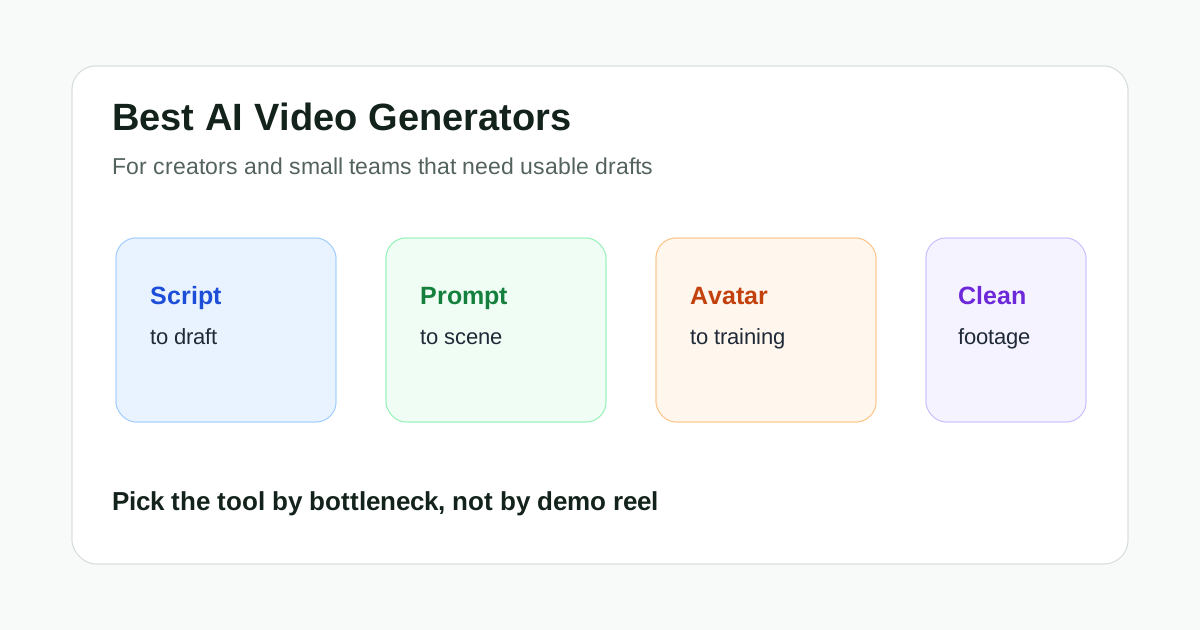
The best AI video generator is not always the one with the most dramatic demo. For creators and small teams, the better question is simpler: which tool helps you get from an idea to a usable draft without creating more cleanup work than it saves?
That distinction matters. A solo creator, a lean marketing team, or a founder recording product explainers usually does not need a lab-grade generation workflow. They need something that can turn a script, prompt, blog post, product angle, or rough visual idea into a draft that is good enough to review, edit, and publish after normal human judgment.
This guide focuses on that practical use case. It compares AI video tools by the kind of draft they are best at producing, not by who has the flashiest feature list.
Short Answer
If you need script-to-video drafts for marketing, start with InVideo. If you need cinematic visual ideas or generated scenes, test Runway. If you want prompt-based scene exploration, compare Kling AI with Runway before committing to a workflow. If your bottleneck is avatar-led training or sales content, look at Synthesia or HeyGen-style avatar tools. If you already have footage and only need better output quality, Topaz Video AI is not really a generator, but it may solve the more important problem.
For most small teams, the safest workflow is not one tool for everything. Use one tool to create or test a draft, another to polish or repurpose it, and keep a human review step before publishing.
What Makes an AI Video Generator Useful?
A useful AI video generator should reduce the distance between an idea and a reviewable video. It does not have to replace your editor, designer, or creator judgment.
The most useful tools tend to help with one of five jobs:
- turning scripts or prompts into a first marketing video draft
- generating concept clips when you do not have footage yet
- creating avatar-led videos without filming a person
- repurposing long content into shorter assets
- improving existing footage so the final result looks more usable
Those are different jobs. A tool that is strong at one may be frustrating at another. That is why broad lists of "AI video generators" can be misleading. The right choice depends on what material you already have and where your workflow slows down.
Best Overall Starting Point for Script-to-Video: InVideo
InVideo is one of the easier starting points when your input is text. That might be a product description, a rough ad angle, a blog post outline, a listicle, or a script you already wrote.
Its value is speed. You can move from a written idea into a video draft faster than if you started with a blank timeline. For small teams that publish explainers, promotional videos, social posts, or simple educational content, that can be enough to justify testing it.
InVideo is not magic. The first draft still needs review. You should expect to check the structure, adjust scenes, rewrite awkward lines, replace generic stock choices, and make sure the video actually fits the channel where it will be published.
Choose InVideo if:
- your team starts from scripts, prompts, or written briefs
- you need fast first drafts more than cinematic control
- the video is for marketing, education, social, or lightweight product explanation
- you are willing to edit the output before publishing
Skip it if your main need is highly controlled visual generation, realistic character motion, or advanced creative direction.
Related Reading: InVideo Review and InVideo vs Fliki.
Best for Visual Concept Generation: Runway
Runway is a better fit when your bottleneck is visual exploration. It can help creators and small creative teams test scenes, moods, movement ideas, and generative video concepts before deciding what is worth developing further.
This makes it useful for early creative work. You might not use every output directly in a finished campaign, but the tool can help you see options quickly. That is especially useful when a team needs visual references, pitch material, social experiments, or rough scene ideas.
The tradeoff is control. Generative video can still be inconsistent. A clip may look impressive in isolation but fail when you need continuity, exact product behavior, brand accuracy, or a predictable sequence.
Choose Runway if:
- you need visual ideas before you have footage
- you want to test generated scenes, styles, or motion concepts
- your team can tolerate iteration and imperfect outputs
- the goal is creative exploration, not fully automated publishing
Skip it if your problem is editing a script into a simple explainer or improving existing footage quality.
Related Reading: Runway Review and Runway vs Kling AI.
Best for Prompt-Based Scene Ideas: Kling AI
Kling AI belongs in the same conversation as Runway for prompt-based video ideas. It is useful when a creator wants to test motion-heavy concepts, visual prompts, or short generated scenes without filming.
The important thing is to treat it as an idea and asset-generation layer, not as a guaranteed production system. For small teams, Kling AI can help answer questions like: "Could this scene direction work?" or "Does this prompt produce a visual idea worth developing?"
That is valuable, but it still requires curation. You need to select the best outputs, discard weak attempts, and avoid building a content plan around results that cannot be repeated reliably.
Choose Kling AI if:
- you are testing prompt-based video ideas
- you need short scene options for creative exploration
- you want another reference point beside Runway
- you can review several outputs before selecting one
Skip it if you need a predictable business-video workflow with a clear script, talking points, and repeatable format.
Related Reading: Kling AI Review.
Best for Avatar-Led Business Videos: Synthesia and HeyGen-Style Tools
Avatar video tools are not the same as open-ended AI video generators. They are usually better for structured communication: training, onboarding, sales enablement, product walkthroughs, internal updates, and multilingual explainers.
That narrower focus is a strength. If a small team does not want to film a person every time it needs a video, avatar tools can turn a script into a presentable draft with less scheduling, fewer recording sessions, and more repeatable formatting.
The downside is that avatar videos can feel stiff if the script is weak or the format is overused. They work best when the content is clear, useful, and direct.
Choose avatar tools if:
- you need presenter-style videos without filming
- your scripts are structured and repeatable
- the content is training, onboarding, sales, or support focused
- consistency matters more than cinematic variety
Skip them if the video needs natural creator personality, spontaneous energy, or a highly visual product demo.
Related Reading: Best AI Avatar Video Tools and Synthesia Review.
Best When You Already Have Footage: Topaz Video AI
Topaz Video AI is not the right answer if you need a tool to invent a video from a prompt. It is a better answer when you already have footage and the footage needs improvement.
That distinction is useful. Many teams do not actually need new generated scenes. They need old footage to look cleaner, lower-resolution clips to upscale better, noisy shots to become usable, or existing material to survive a repurposing workflow.
If your workflow starts with recorded material, Topaz Video AI may be more practical than another generator. It helps after the footage exists.
Choose Topaz Video AI if:
- you already have footage
- the problem is quality, not ideation
- you need upscaling, denoising, frame interpolation, or restoration
- the source material is worth saving
Skip it if you need a first draft from text or a generated scene from a prompt.
Related Reading: Topaz Video AI Review and Topaz Video AI vs Runway.
Workflow Comparison
| Use case | Better starting point | Why |
|---|---|---|
| Script-to-video marketing draft | InVideo | Fastest path from text to reviewable video |
| Generated visual scenes | Runway or Kling AI | Better for creative exploration and prompt-based concepts |
| Training or onboarding video | Synthesia or avatar tools | Repeatable presenter format without filming |
| Existing footage cleanup | Topaz Video AI | Improves footage instead of inventing new footage |
| Long video repurposing | Clipping and polish tools | Better for extracting and finishing short clips |
The mistake is trying to force every tool into the same job. A script-to-video platform should not be judged only by cinematic scene generation. A video enhancement tool should not be judged as if it were a text-to-video generator. A prompt-based generator should not be judged by how quickly it creates a corporate training module.
How Small Teams Should Test These Tools
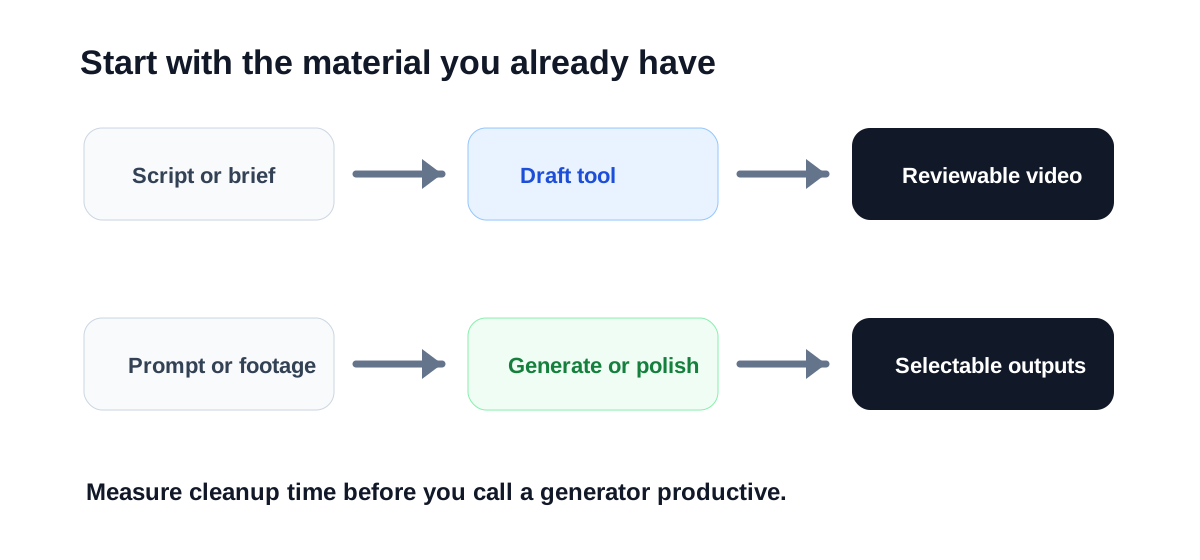
Do not test an AI video generator with a vague prompt and then judge the whole category. Use a real job your team would actually publish.
A practical test looks like this:
- Pick one real content idea.
- Write a short creative brief or script.
- Create one draft in the tool.
- Track how much editing is needed before the result feels usable.
- Compare the time saved against the cleanup required.
The cleanup step is the honest measurement. A tool that creates a nice-looking draft but takes three hours to fix may be less useful than a less glamorous tool that gives you a plain but editable structure in ten minutes.
Also test the same idea across two tools when the choice is close. For example, compare Runway and Kling AI for one visual prompt. Compare InVideo and Fliki for one script-to-video task. Compare avatar tools with a real training script, not a generic demo paragraph.
What to Avoid
Avoid building a workflow around outputs that only look good once. Small teams need repeatability. If a tool produces one excellent clip after twenty attempts, it may still be useful for creative exploration, but it may not be reliable enough for weekly publishing.
Avoid publishing AI-generated videos without review. Check factual claims, brand details, pronunciation, captions, pacing, licensing assumptions, and whether the visuals match the message.
Avoid choosing a tool only because it has more features. The better tool is the one that removes the actual bottleneck in your process.
Final Recommendation
For most creators and small teams, start with the job, not the tool.
If you need a fast video draft from text, test InVideo first. If you need visual exploration, test Runway and Kling AI side by side. If you need repeatable presenter-led business videos, look at avatar tools. If the footage already exists and looks rough, Topaz Video AI may solve the problem better than any generator.
The strongest AI video workflow is usually a stack: one tool for the first draft, one tool for polish or repurposing, and a human editor deciding what is actually good enough to publish.

