



Is Runway Actually Useful for Everyday AI Video Work?
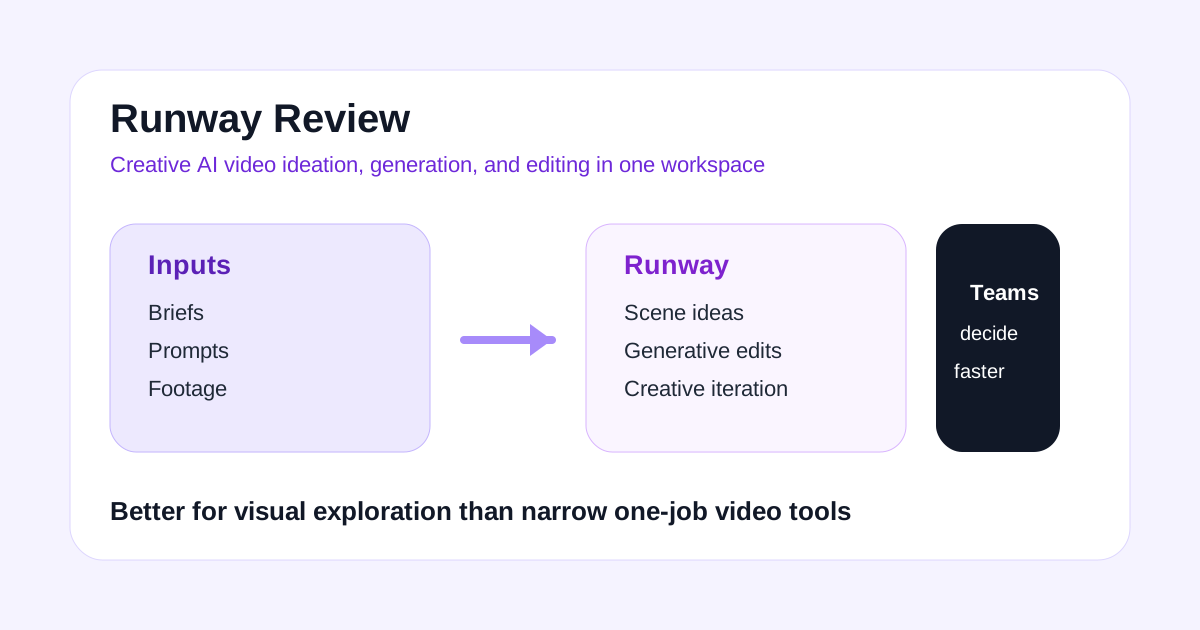
Runway is not the easiest AI video tool to explain because it does not map neatly to one narrow job.
It is not only a prompt-to-video generator. It is not only a repurposing tool. It is not only an editor. Its appeal is that creative teams can use it as a flexible AI production layer across ideation, generation, cleanup, and experimentation.
That flexibility is also the reason some buyers overestimate it. Runway can be powerful, but it is not automatically the best first tool for teams that mainly need a simple workflow like clipping, avatar videos, or article-to-video conversion.
If you want a broader creative AI video workspace, Runway is worth testing. If you want the shortest path to one specific repetitive job, a narrower tool may convert better for you.
Short Answer
Runway is a strong fit if you need:
- creative AI video experimentation
- visual concepting and scene generation
- AI-assisted editing and cleanup
- a flexible tool for producers, designers, and editors
- a workspace that sits between ideation and post-production
Runway is a weaker fit if you need:
- one-click long-video clipping
- business avatar presenter videos
- article-to-video repurposing
- a beginner-friendly fixed workflow
- simple social editing with minimal setup
The real question is not “Is Runway powerful?” It is “Does your team benefit from flexible creative tools more than it benefits from a focused workflow?”
What Runway Is Best For
Runway is best when video production involves exploration.
Some teams are not trying to automate one stable input. They are trying to:
- test visual directions
- generate scenes or motion ideas
- clean up footage
- remove distractions from a shot
- build a treatment before full production
- accelerate rough creative iterations
That is where Runway fits. It gives creative users more room to experiment than tools designed around one tightly defined output.
This makes it especially relevant for:
- agencies pitching concepts
- social creative teams
- design-forward brands
- small studios
- creators testing visual styles
- marketers building higher-concept campaign assets
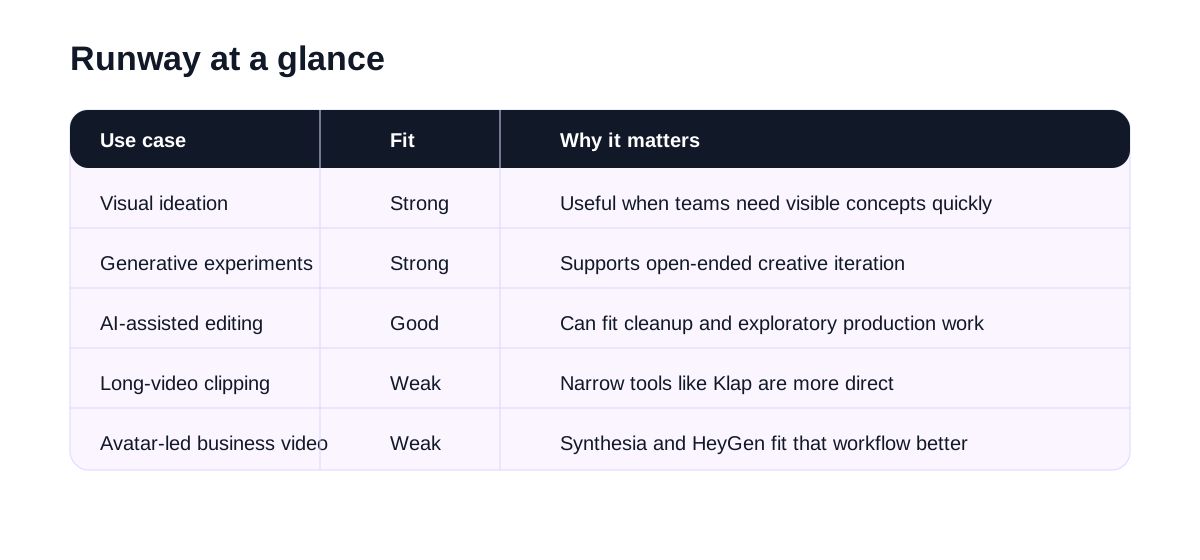
Runway at a Glance
| Use case | Fit | Why |
|---|---|---|
| Visual ideation | Strong | Runway is useful when the team needs fast concept exploration |
| Generative video experiments | Strong | It supports a more creative, open-ended workflow |
| AI-assisted editing tasks | Good | Cleanup and iterative edits can fit well into production |
| Campaign concept development | Good | Useful when making rough directions visible quickly |
| Long-video clipping | Weak | Klap is more direct for Shorts extraction |
| Business avatar videos | Weak | Synthesia or HeyGen fit that workflow better |
Where Runway Feels Useful
Runway feels useful when creative momentum matters more than operational standardization.
For example, a creative team may need:
- mood-based ad concepts
- animated product scenes
- style exploration before a real shoot
- fast mockups for internal review
- AI-enhanced footage cleanup
- a quicker route from idea to visible concept
That is different from the logic behind Pictory or Klap. Those tools solve repeatable repurposing jobs. Runway solves more exploratory jobs.
If your current bottleneck is “we need to see the concept before we can decide,” Runway can be far more relevant than a simple editor.
Where Runway May Disappoint
Runway can disappoint when buyers want a fixed output with minimal decision-making.
A flexible tool often asks more from the user:
- stronger prompt judgment
- better taste around what looks usable
- more iteration
- clearer understanding of where AI output fits into the edit
That means Runway is not automatically efficient for every team. In some cases, a specialized tool wins because it produces a narrower but more predictable result.
You should be careful about:
- whether the generated output matches your brand standard
- how much manual cleanup is still required
- whether your team has the creative bandwidth to iterate properly
- whether a simpler tool already solves the real problem
If your workflow is highly repetitive, flexibility can become overhead.
Best Audiences for Runway
Runway is easiest to justify for users who already make visual decisions for a living.
Good-fit audiences include:
- creative agencies
- brand design teams
- social creative strategists
- video producers
- editors experimenting with AI-assisted workflows
- founders or marketers building concept-heavy campaign content
Weaker-fit audiences include:
- teams that only need article-to-video conversion
- podcasters who need short clips from long episodes
- training teams that need consistent presenter videos
- beginners who want one predictable workflow with little setup
Runway vs Other AI Video Tools
Runway belongs in a different part of the stack than many affiliate-friendly AI video tools.
| Tool | Best workflow |
|---|---|
| Runway | Creative AI video ideation and flexible production workflows |
| InVideo | Prompt or script to first video draft |
| Pictory | Repurpose written and long-form content into videos |
| Klap | Turn long videos into short clips |
| HeyGen | Avatar-led presenter videos |
| Synthesia | Business training and enablement videos |
| Topaz Labs | Improve existing video and image quality |
This is why Runway can be a strong review topic even if it does not overlap perfectly with other pages. It expands the site’s AI video cluster into the creative-production side of the market.
Suggested Test Workflow
Do not test Runway with a vague art prompt and call it a day. Use a real production need.
Try this:
- Pick one creative brief, campaign concept, or scene idea your team is already discussing.
- Use Runway to generate or iterate visual directions.
- Test one cleanup or editing task alongside the generative workflow.
- Review whether the output helps decision-making or only creates novelty.
- Compare the time saved against your normal concepting or rough-edit process.
- Decide whether Runway belongs at the ideation stage, the editing stage, or both.
That will tell you whether it is a tool your team will actually keep open every week.
Operational Questions to Check Before You Buy
These are the practical questions that matter:
- Does Runway help your team make creative decisions faster?
- Can the output become usable assets, or only inspiration?
- How much iteration is required before results are worth keeping?
- Does the tool fit your existing editing and review workflow?
- Would a narrower tool solve your main use case more cheaply and predictably?
If Runway improves speed and quality at the concept or edit stage, it can justify itself quickly. If not, it may remain an occasional experiment.
Final Recommendation
Runway is worth testing when your team needs a flexible AI video workspace for ideation, scene generation, and creative iteration.
It makes more sense for agencies, brand teams, and visually driven creators than for users who just need one-step repurposing or standardized business explainers.
It is not the cleanest first tool for every buyer, but it can be the most strategically useful one if creative exploration is the bottleneck.
The best first test is simple: take one real campaign or content concept that is stuck in discussion, use Runway to make it visible, and see whether the team moves faster because of it.

