



Best AI Video Tools for Designers Who Need Motion Without a Full Editing Workflow
Best AI Video Tools for Designers Who Need Motion Without a Full Editing Workflow
Designers are often asked to add motion to work that began as something else: a key visual, campaign layout, product mockup, storyboard, interface recording, or branded social post. The request sounds small, but a traditional video workflow can introduce a timeline, codecs, audio mixing, footage management, and a long list of production decisions.
AI video tools can remove part of that overhead. The useful question is not “Which model makes the most impressive clip?” It is “Which tool lets a designer preserve composition, typography, brand rules, and reviewability while adding only the motion the asset needs?”
Short answer: start with Runway when a finished image or art direction needs controlled generative motion, Adobe Firefly when video generation must fit an Adobe-centered creative workflow, Canva when the job is branded layout animation and channel variants, Descript when motion work starts from a real recording, and InVideo when the designer needs an assembled narrative draft rather than an isolated shot.
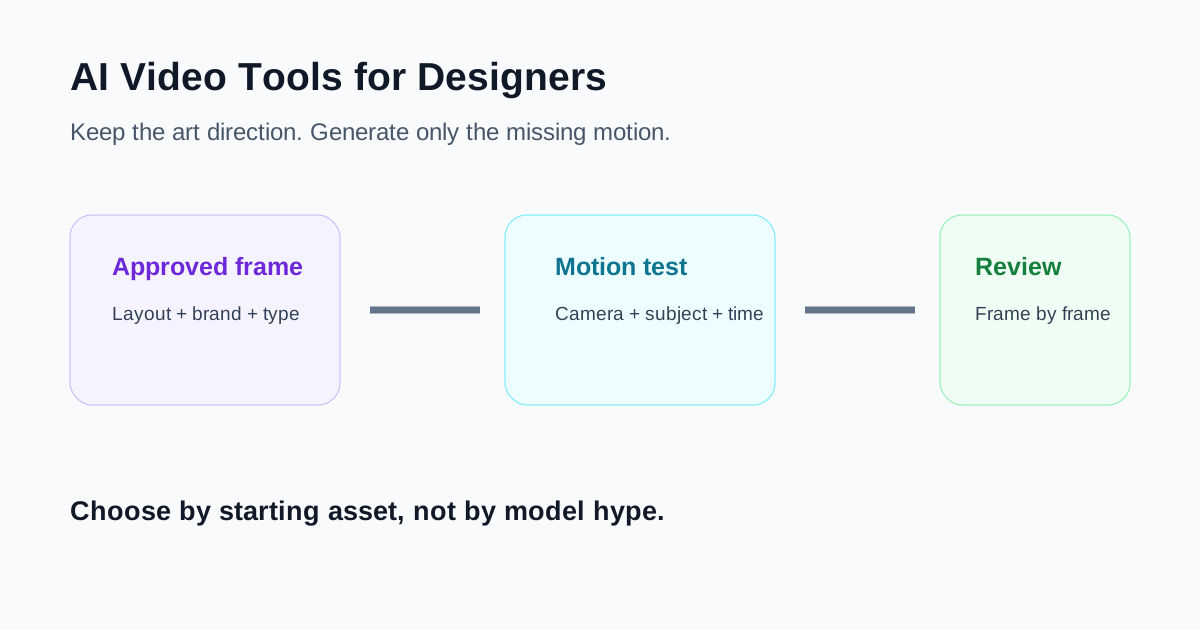
Match the tool to the design starting point
| Starting asset | Best starting point | What the tool contributes |
|---|---|---|
| Finished key visual or concept frame | Runway | Image-to-video motion and shot iteration |
| Adobe artwork and a shot brief | Adobe Firefly | Generated clips with camera, frame, and composition controls |
| Brand kit, templates, and social layouts | Canva | Layout animation, media generation, resizing, and brand consistency |
| Screen recording or on-camera explanation | Descript | Script-led editing, scenes, captions, and correction of rough sections |
| Brief or script with no assembled video | InVideo | A complete mixed-media draft to art-direct and replace shot by shot |
This distinction matters. A generative shot tool is not automatically a good campaign editor. A template editor is not automatically the right tool for cinematic movement. A transcript editor becomes valuable only when spoken content already exists. Choosing from the starting asset prevents the team from rebuilding work it has already approved.
1. Runway: best for animating an approved visual direction
Runway is a strong fit when the designer already has the look. Its image-to-video workflow uses the input image to establish composition, subject, lighting, and style, while the prompt describes movement and camera behavior. That division of labor is useful for designers: the frame carries the art direction, and the prompt can concentrate on what changes over time.
Good uses include adding subtle environmental motion to a campaign still, testing a camera move around a product concept, creating a transition shot, or exploring how a storyboard frame could behave before committing to production.
Use Runway when:
- The first frame is already close to the desired composition.
- Motion, camera direction, and timing are the main unanswered questions.
- The designer expects several iterations and can reject unstable results.
- The output will be treated as a shot, not a complete finished campaign.
The official Runway guidance recommends that image-to-video prompts focus on motion rather than redescribing the image. That is a practical discipline: describe subject action, environmental movement, camera movement, timing, and speed. If a logo, interface, or product shape must remain exact, inspect every frame. Generative movement can distort geometry, lettering, and small details even when the opening frame is correct.
Runway is less suitable when the team mainly needs precise typography, a repeatable brand template, or a long sequence of approved product claims. Those jobs benefit from a design or editing system where elements remain directly editable. See our Runway review for a broader view of its everyday workflow.
2. Adobe Firefly: best for controlled clip generation in an Adobe workflow
Adobe Firefly fits designers who want generative clips but also expect the result to continue through an Adobe production path. Its current video workflow supports text-to-video and image-guided generation, with controls that can include aspect ratio, first or last frames, composition references, camera settings, motion, and style depending on the selected model.
That makes Firefly useful for B-roll, mood shots, transition material, concept visualization, and short pieces of movement that will later be assembled or refined. A designer can use a still as a visual guide, set the intended format early, and move a chosen result into a video editor rather than pretending the generation is the final deliverable.
Use Adobe Firefly when:
- The team already works in Adobe applications.
- A generated shot needs an explicit aspect ratio or camera direction.
- First-frame, last-frame, or composition guidance is important.
- The generated material will be refined in Express, Premiere, or another editor.
Adobe’s own documentation shows that available controls vary by model. Treat that as a reason to record the model and settings used for an approved shot. Repeating only the prompt may not reproduce the same behavior later.
Firefly does not remove art direction. It accelerates shot exploration. Product proportions, interface screens, text, hands, physical interactions, and legal claims still need a frame-level review. Also verify current credit consumption before a large batch; generation is not costless simply because it happens inside a familiar creative suite.
3. Canva: best for branded motion layouts and fast variants
Canva is often the most practical choice when the asset is fundamentally a design layout that needs motion. A Brand Kit can make logos, colors, fonts, imagery, graphics, and templates available inside the editor. Designers can assemble uploaded clips, generated media, captions, shapes, transitions, and animated elements without handing every small variant to a full video editor.
This works well for paid-social variations, event announcements, product cards, launch countdowns, quote videos, lightweight explainers, and multiple aspect ratios built around the same approved visual system.
Use Canva when:
- Brand consistency matters more than cinematic generation.
- The work contains typography, logos, graphic elements, and repeatable layouts.
- Marketing teammates need controlled self-service after the master is approved.
- One design must become several channel-specific variants.
Canva’s Magic Media can generate video from a prompt, and its editor can refine the result with other design elements. Its strongest role for designers, however, is usually controlled packaging: keeping the generated or uploaded material inside an editable branded composition.
The main limitation is false confidence. A locked palette does not lock the message, and a template does not guarantee visual hierarchy. Define which elements teammates may change, provide safe text lengths, and test captions and calls to action at the smallest target size.
4. Descript: best when design work starts from a recording
Sometimes the “motion design” request is really an editing request. The team has a screen recording, product walkthrough, customer interview, or presenter clip, and the designer needs to shorten it, add structure, improve pacing, and create clean visual moments around the spoken content.
Descript is useful because the script and scenes remain central. Scenes work like visual sections tied to the recording, with layers for video, titles, images, layouts, and B-roll. A designer can organize what appears as the speaker moves through the message instead of treating every adjustment as a conventional timeline operation.
Use Descript when:
- Spoken content defines the sequence.
- The source is a real screen or camera recording.
- Captions, titles, screenshots, and B-roll must follow the script.
- Reviewers need to approve wording as well as visuals.
Descript’s Regenerate tools can smooth rough edits or, with the required voice and consent setup, change limited spoken sections without a complete rerecording. The current video regeneration workflow has important limits, including single-speaker and language constraints. Consent is not a checkbox to hide in production notes; it is part of the asset’s approval record.
Descript is not the first choice for highly choreographed graphic animation. It is the better choice when the recording is the source of truth and design supports the message. Our Descript review covers its transcript-led editing model.
5. InVideo: best for a complete draft a designer can art-direct
InVideo solves a different problem. When the input is a brief or script and the team needs to see a complete sequence, its AI workflow can assemble narration, captions, stock or generated media, and scenes into a draft.
For a designer, the value is not that every generated choice is correct. The value is that an entire narrative becomes visible early. The designer can identify weak visual metaphors, replace generic stock, correct hierarchy, and decide where custom animation or product footage is worth the effort.
Use InVideo when:
- There is an approved script but no assembled sequence.
- The team needs an end-to-end draft before detailed art direction.
- Stock and generated media are acceptable temporary stand-ins.
- Someone will review every claim, shot, caption, and pronunciation.
Do not use a polished-looking first draft as evidence that the design work is finished. Generated scenes may have inconsistent style, and automatic media choices may be only loosely related to the product. Treat the draft as a visual brief with timing—not as a master file. See our InVideo review for more detail.
A lightweight workflow from still design to approved motion
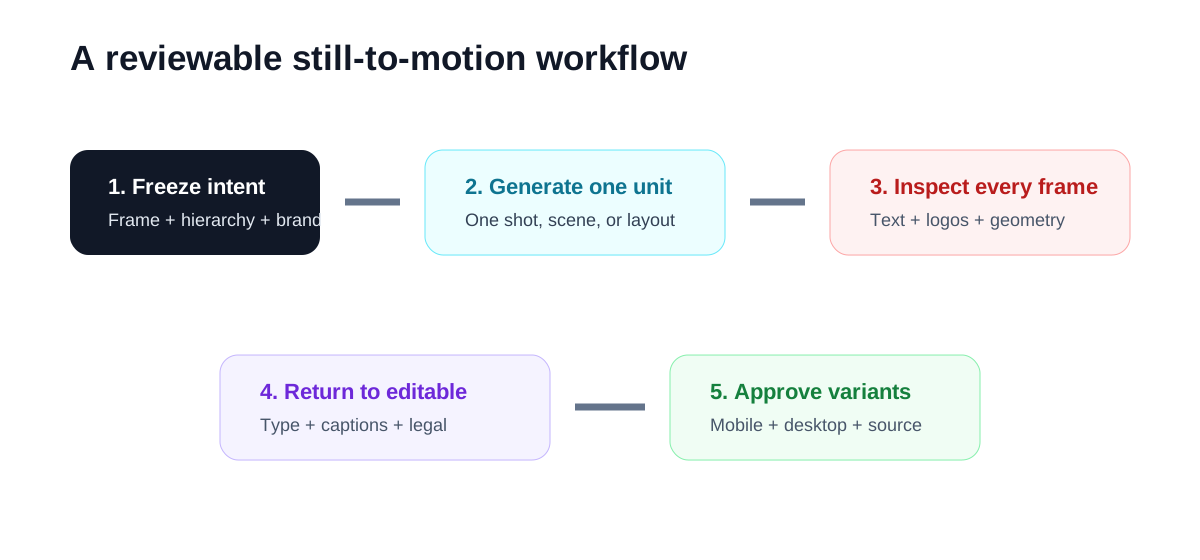
- Freeze the design intent. Save the approved key frame, hierarchy, palette, typography, product geometry, and non-negotiable brand elements.
- Name the missing motion. Specify subject action, environmental motion, camera movement, transition, pacing, or narration. Avoid a vague request to “make it dynamic.”
- Generate the smallest useful unit. Test one shot, one scene, or one layout before creating a full batch.
- Review frame by frame. Check logos, text, faces, hands, product shapes, interfaces, and unintended background changes.
- Return to an editable composition. Add accurate typography, captions, legal text, and calls to action in a tool where those elements remain controllable.
- Test the delivery formats. Review the smallest mobile crop as carefully as the desktop master.
- Record provenance. Keep the source asset, tool, model when visible, generation date, prompt, reviewer, and final usage rights together.
How designers should compare AI video tools
Use the same approved asset and score the tools on the work that remains after generation:
- Fidelity to composition and product geometry.
- Stability of logos, text, faces, and interface elements.
- Control over camera movement and subject motion.
- Time to obtain one usable shot, including rejected generations.
- Ability to replace or revise only one element.
- Ease of adding accurate typography and captions.
- Brand consistency across aspect ratios.
- Handoff quality for another designer or editor.
- Provenance, consent, and usage-right documentation.
Generation speed alone is a poor metric. A ten-second clip that takes five attempts and then requires logo repair may cost more design time than a simple animation assembled from approved elements.
Which tool should a designer choose first?
Choose Runway when an approved frame needs expressive motion. Choose Adobe Firefly when controlled clip generation should continue through an Adobe workflow. Choose Canva when branded layout animation and fast variants are the real deliverable. Choose Descript when the source is a recording and the script controls the edit. Choose InVideo when a brief needs to become a complete sequence before detailed art direction begins.
Most design teams do not need all five. Pick one tool for the unresolved job, keep text and brand-critical elements editable, and evaluate the output by how little repair it needs—not by how surprising the first generation looks.
Related reading
- Runway Review: Is It Actually Useful for Everyday AI Video Work?
- Best AI Video Tools for Product Marketing Teams That Need More Campaign Assets
- Descript Review: Is It Still the Easiest Way to Edit Video From a Transcript?
- InVideo Review: Is It a Good AI Video Tool for Fast Draft Creation?
- Best AI Video Tools for Creators: What to Use When You Actually Need to Make Videos Faster
*Product capabilities were checked against official Runway, Adobe, Canva, Descript, and InVideo documentation on July 31, 2026. Features and usage limits can change; verify the current product before committing a production batch.*

