



Runway Aleph Review: Can Marketing Teams Edit Campaign Footage Without Rebuilding Every Shot?
Runway Aleph Review: Can Marketing Teams Edit Campaign Footage Without Rebuilding Every Shot?
Marketing video revisions often arrive after the shoot: change the product color, replace a distracting background, create a seasonal version, adjust the light, or remove an object. Traditional fixes can require a reshoot, rotoscoping, compositing, or a specialist editor. Runway Aleph is designed to modify existing footage with generative instructions, so its real value is not making another impressive demo. It is whether a team can produce more approved campaign versions from footage it already owns.
This is an evidence-based workflow review, not a claim of a completed hands-on benchmark. Runway's current official materials describe Aleph 2.0 as an in-context video editing model that can change a selected element while preserving other parts of a clip. They also describe Edit Studio support for footage up to 30 seconds at 1080p. Availability, limits, plan access, and credit costs can change, so verify them in the product before budgeting a campaign.
Quick verdict
Runway Aleph is worth evaluating when a marketing team already has useful footage but needs controlled visual variations: background changes, product colorways, seasonal treatments, object removal, relighting, or style adjustments. The image-preview-first workflow may reduce wasted video generations because a reviewer can inspect the intended edit before committing to the full result.
It is not a replacement for a conventional editor, factual review, brand approval, rights clearance, or a reshoot when performance, dialogue, product behavior, or camera coverage is wrong. Generative editing remains variable. Runway itself notes that generated media can require iteration.
What Aleph is designed to do
Runway's official Aleph 2.0 guide calls it an in-context editing model. The workflow centers on editing a frame, then applying that change through the video while attempting to preserve the surrounding scene. Official examples include changing backgrounds, wardrobe, weather, lighting, objects, and visual style.
That framing matters. Aleph is not simply a text-to-video generator. It begins with footage and a requested transformation. For campaign teams, this shifts the question from "Can AI make a video?" to "Can AI revise this approved source asset without damaging what already works?"
A practical marketing workflow
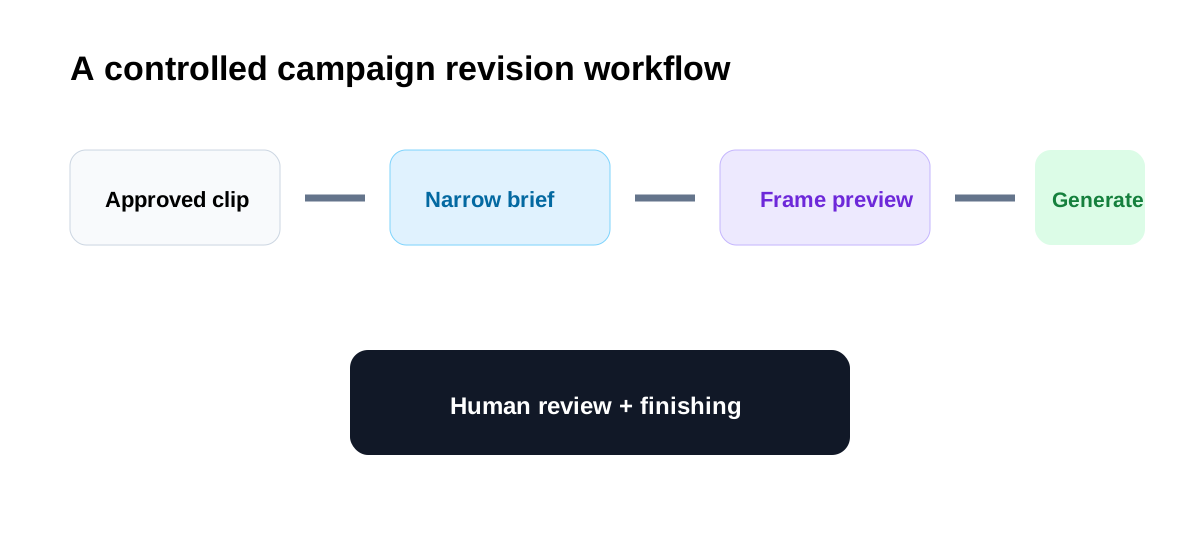
Use Aleph inside a controlled revision process:
- Select a source clip that already has acceptable framing, performance, motion, and product visibility.
- Write one narrow change request, such as changing a package color or replacing the background.
- Create and review the edited reference frame before generating the full video.
- Compare the result with the source for unwanted changes to faces, logos, labels, product geometry, motion, lighting, and continuity.
- Export only approved versions into the normal editing timeline for sound, captions, legal text, color, and delivery.
- Retain the source clip, prompt, output, reviewer, and approval record.
Where Aleph may save time
Product color and packaging variations
A team may need a visual for a colorway that was not available during the shoot. Aleph's object and product replacement workflow is relevant when the motion and composition are already useful. The review must be exact: packaging text, proportions, reflections, hands, and contact points can expose an incorrect generation.
Seasonal campaign versions
Changing a setting from summer to winter or adjusting time of day can extend the useful life of existing footage. This is attractive for social and paid creative testing, but the generated environment still needs brand, regional, and factual review. A seasonal background should not imply a product capability or location that does not exist.
Background cleanup and replacement
Replacing a location or removing a distraction can avoid manual masking for some shots. Simple, stable subjects may be easier than fast motion, transparency, complex hair, reflections, or overlapping objects. Use a short representative clip before processing an entire campaign.
Lighting and visual treatment
Relighting or restyling can help explore a creative direction before a full finishing pass. Treat it as a versioning tool, not automatic color accuracy. Product colors, skin tones, safety colors, and regulated visuals require comparison with approved references.
What to measure in a real test
Do not rank Aleph by the number of outputs. Use a small benchmark with three approved source clips and three revision briefs. Measure:
- Time to an acceptable reference-frame preview.
- Generations required before the requested change is correct.
- Unrequested changes introduced elsewhere in the frame.
- Continuity errors across motion and cuts.
- Brand, legal, and accessibility corrections.
- Time required after export in the normal editor.
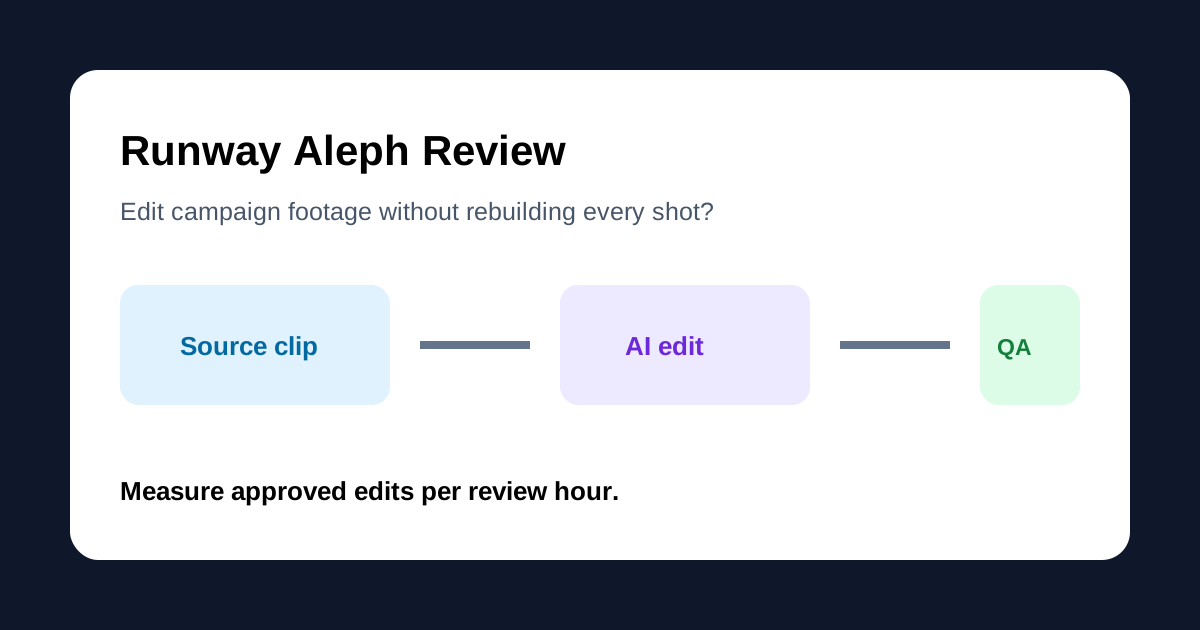
- Approved edits per review hour.
No score is assigned here because we have not completed that controlled test under a documented account, credit budget, source set, and review rubric.
Strengths for marketing teams
- Starts from footage the team already understands and may already have approved.
- Supports targeted requests such as add, remove, replace, relight, and restyle.
- Provides an image-preview step before the full video generation.
- Can support multiple campaign versions without planning a new shoot for every visual change.
- Fits social, advertisement, and short-form revision scenarios where the source performance is already usable.
- Can connect to broader Runway sessions, Apps, Agent, timelines, and node-based Workflows.
Limitations and risks
Preservation is a goal, not a guarantee
Official descriptions emphasize preserving what was not requested, but generative output still needs frame-by-frame review. A small logo, label, face, hand, reflection, or background detail may drift even when the prompt targets something else.
Short-form limits shape the workflow
Runway currently describes Edit Studio support for sequences up to 30 seconds at 1080p. That is useful for ads and social posts, but longer projects need shot selection, segmentation, timeline assembly, and continuity management. Last verified: August 14, 2026.
Credits and access can change
Runway says app credit costs vary and can be reviewed in the interface. Do not hard-code a cost-per-approved-shot without verifying the current plan, model, resolution, duration, preview behavior, and regeneration rate. Last verified: August 14, 2026.
Rights still depend on the inputs
The ability to transform footage does not grant rights to people, trademarks, locations, music, stock assets, or customer material in the source. Confirm that the organization can upload and modify every asset. Keep client confidentiality and data-processing rules in the approval path.
Synthetic changes can alter meaning
Replacing a product, environment, or condition can create a misleading demonstration. Do not use generative edits to fabricate performance, customer evidence, safety outcomes, product availability, or documentary events.
Who should consider Aleph
Aleph is a strong evaluation candidate for product marketing teams creating colorway or seasonal variants, social teams adapting approved clips, agencies making controlled client revisions, and creative teams exploring a visual treatment before conventional finishing.
It may be less suitable for teams that need long-form editing, precise dialogue repair, complex compositing, guaranteed frame accuracy, regulated evidence, or a fix to the underlying performance and camera coverage. Those cases still point to a normal editor, VFX workflow, or reshoot.
Aleph versus generating a new shot
When the source action, framing, and timing already work, editing the existing clip can preserve more of the campaign's approved foundation. A new text-to-video or image-to-video shot may be better when the required camera move, performance, setting, or composition never existed.
Use Aleph when the brief says "keep this shot, change one thing." Use a generator when the brief says "create a different shot." Use a conventional editor when the change is primarily timing, sound, captions, transitions, or assembly.
Recommended approval checklist
- Confirm the source footage and upload rights.
- Record the exact requested transformation.
- Compare the preview with an approved product and brand reference.
- Review the full output frame by frame at delivery resolution.
- Check faces, hands, logos, labels, product geometry, reflections, and shadows.
- Confirm no edit creates a false product or customer claim.
- Finish captions, audio, disclaimers, and accessibility in the normal production workflow.
- Archive the source, prompt, output, reviewer, and final approval.
Final recommendation
Runway Aleph should be evaluated as a controlled revision layer, not an automatic campaign editor. Its strongest proposition is turning one approved source clip into more useful variants while preserving the parts that already work. The preview-first approach and targeted edit vocabulary make that proposition practical enough for a structured test.
Start with three short clips and narrow, verifiable changes. Measure approved edits per review hour, not generation speed. If Aleph repeatedly preserves products, people, motion, and brand details while reducing manual compositing or reshoots, it can earn a place before the conventional finishing stage. If reviewers keep finding unwanted changes, the apparent speed disappears into verification and repair.
Official sources
- Runway Aleph 2.0 Prompting Guide
- Runway Aleph 2.0 product page
- Runway AI Video Editor
- Runway Apps guide
- Runway Workflows introduction
Last verified: August 14, 2026.

