



InVideo vs OpusClip: Should You Create a New Video or Repurpose One You Already Have?
InVideo vs OpusClip: Should You Create a New Video or Repurpose One You Already Have?
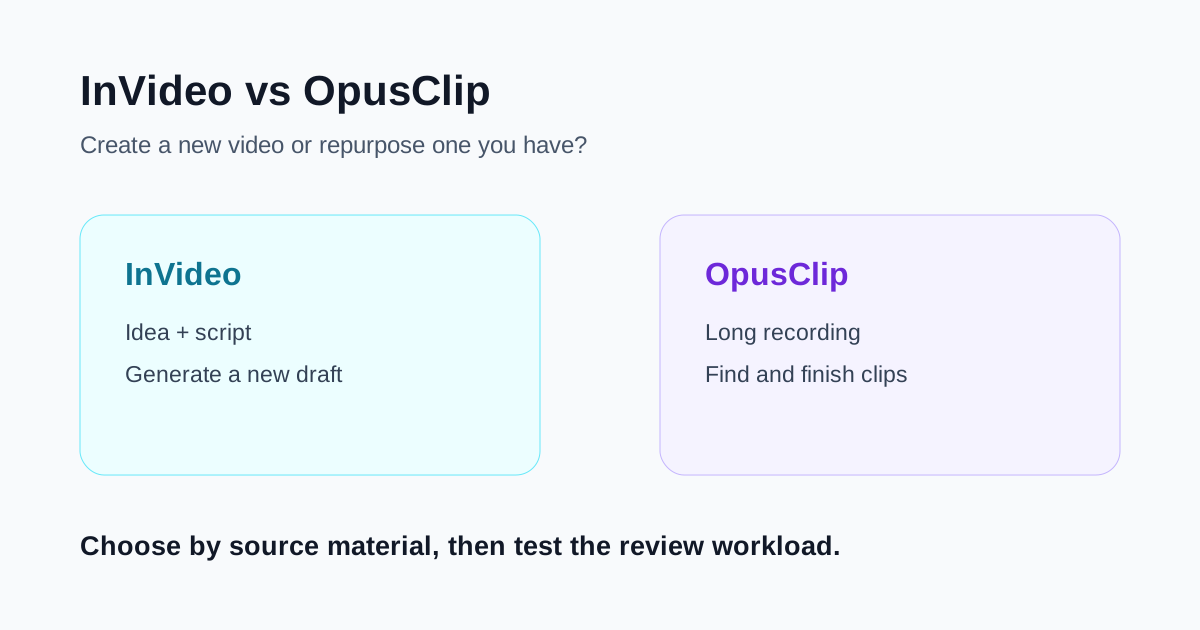
InVideo and OpusClip can both accelerate social video production, but they solve different problems. InVideo is the more natural starting point when you have an idea, prompt, or script and need to create a new video draft. OpusClip is the more focused choice when you already have a webinar, podcast, interview, vlog, or other long recording and want to find useful short clips inside it.
That source-material distinction is the quickest way to choose. If your team keeps comparing templates, captions, and AI features before deciding whether it is creating or repurposing, the evaluation will become more complicated than the workflow itself.
Quick verdict
- Choose InVideo when the bottleneck is turning a prompt or script into a usable first video draft with scenes, narration, media, and captions.
- Choose OpusClip when the bottleneck is reviewing long recordings, finding promising moments, reframing them, and packaging them as short clips.
- Use both when one campaign needs new top-of-funnel videos and a second stream of clips repurposed from interviews, events, or customer conversations.
- Test with real inputs. A polished demo does not reveal how much fact-checking, caption correction, reframing, or brand review your content will require.
The core difference
InVideo AI is oriented toward creation. You describe the video you want, then the system can assemble a draft with a script, generated or stock media, voiceover, subtitles, music, and transitions. The draft can be revised through prompts and editing controls. This makes it useful when there is no finished recording to cut.
OpusClip is oriented toward curation and repurposing. You upload a file or provide a supported video link, then its clipping models analyze the source and produce short candidates. Its current workflow includes prompt-guided clipping, automatic reframing, captions, browser editing, brand templates, social scheduling, and XML export for further work in professional editors.
In plain terms, InVideo asks, “What video should we make from this message?” OpusClip asks, “Which short videos are already hiding inside this recording?”
Where InVideo is stronger
### Building a draft without filming first
InVideo is useful for marketers, small teams, and creators who have a campaign brief but lack finished footage. A prompt can establish the topic, audience, platform, length, and tone. The system then gives the team something concrete to review instead of leaving it with a blank timeline.
This is especially helpful for explainers, list-style videos, simple ads, product-introduction drafts, and narrated social content. The first result should still be treated as a draft. Check every factual statement, visual, pronunciation, logo, and claim before publication.
### Combining generated and stock media
When the message requires scenes that were never recorded, InVideo has the more relevant workflow. Its editor can work with generated media and other assets in a project, and the current help center documents controls for downloading generated media and changing subtitle presentation.
The risk is visual specificity. Generic stock footage may not prove a product claim, and generated scenes may introduce details that do not match the real product. Use actual screenshots or approved brand assets whenever accuracy matters.
### Prompt-led revisions
Teams that think in scripts and briefs may find prompt-led changes faster than rebuilding a timeline. A reviewer can request a shorter opening, different subtitle treatment, or a revised scene, then inspect the updated output.
Prompting does not replace version control. Keep the approved script and factual claims outside the generator so that a new draft does not quietly reintroduce an old error.
Where OpusClip is stronger
### Finding moments in long recordings
OpusClip is designed to process existing long-form video and produce short candidates. Its official documentation describes uploading from local files or supported online sources, adding instructions through its AI copilot, and using ClipAnything for different video genres, including material with limited dialogue.
That makes it a better fit for podcasts, interviews, webinars, live streams, conference sessions, customer conversations, sports, and vlogs. The practical value is not merely making a vertical crop. It is reducing the time spent searching a long source for moments worth reviewing.
### Reframing and finishing clips
Short-form repurposing requires more than selecting timestamps. OpusClip can reframe moving subjects, add and edit captions, trim or extend a candidate, remove fillers, add B-roll, and apply brand templates. Editors can then download the result or export XML for additional work in Adobe Premiere or DaVinci Resolve.
Automatic framing still needs a visual check. Screen shares, two-person conversations, product demonstrations, and fast motion can require manual correction even when the active speaker is tracked correctly.
### Publishing a repeatable clip stream
OpusClip includes direct publishing and scheduling workflows for connected social accounts. That can reduce handoffs for teams turning every long recording into a regular set of short posts.
Do not automate approval away. A selected moment can be technically strong but misleading outside its original context. Someone should confirm that the hook, body, and ending preserve the speaker's meaning.
Side-by-side comparison
| Decision point | InVideo | OpusClip |
|---|---|---|
| Best starting input | Prompt, idea, or script | Existing long video |
| Core job | Create a new video draft | Extract and package short clips |
| Strong use case | Explainers, ads, narrated social drafts | Podcasts, webinars, interviews, vlogs |
| Main time saver | Avoid a blank production timeline | Avoid watching and cutting the full source manually |
| Review focus | Facts, media accuracy, narration, brand fit | Context, clip selection, framing, captions |
| Professional handoff | Export the finished draft/media | XML export for Premiere or DaVinci Resolve |
When using both makes sense
These products can occupy different stages of one content system. A company might use InVideo to make a scripted product explainer, then record a detailed webinar with a real expert and use OpusClip to turn that session into short answers for social channels. A creator might build a narrated overview in InVideo while using OpusClip to mine interviews for authentic supporting clips.
The combined workflow works best when the content types remain distinct. Do not send a synthetic draft through a clipping tool simply to create artificial variety. Define which assets are original campaign videos, which are excerpts from long-form recordings, and which source owns the approved facts.
A fair seven-day test
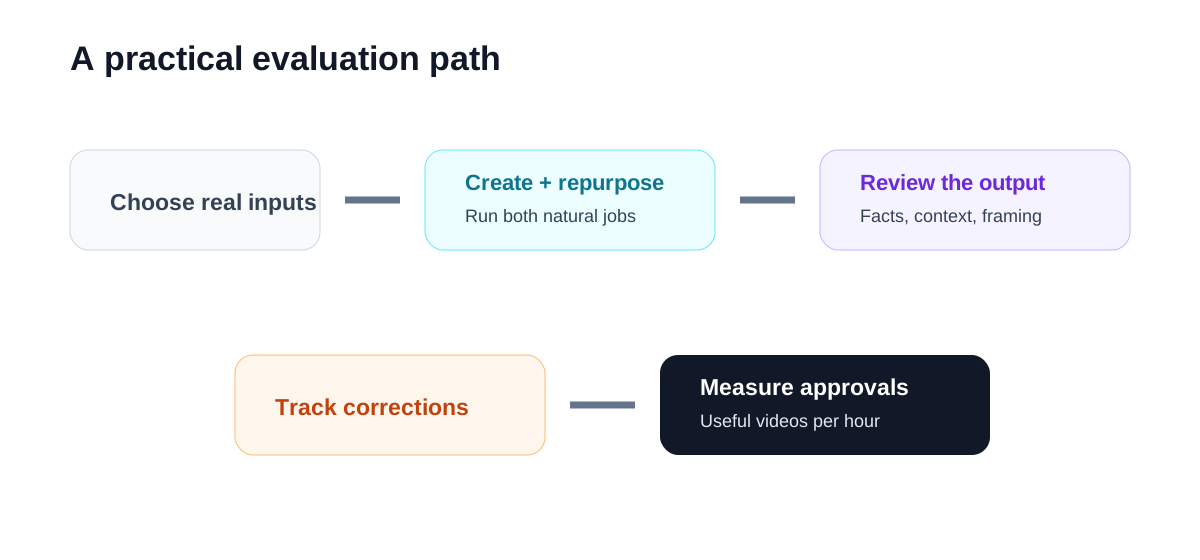
Run two small production jobs instead of forcing both products to process the same input.
- Give InVideo one approved 60-second brief for a product or educational topic that has not been filmed.
- Give OpusClip one representative 30- to 60-minute recording that your team already owns.
- Ask each system for three publishable candidates in the platform formats you actually use.
- Track setup, generation, review, caption correction, media replacement, reframing, and export time separately.
- Have a second person review factual accuracy, visual continuity, context, and brand compliance.
- Publish only the approved outputs and note which corrections repeat.
- Compare approved videos per hour and the usefulness of each output, not raw generation volume.
This test respects the products' actual jobs. InVideo should be judged on how quickly it turns a message into a credible new draft. OpusClip should be judged on how efficiently it finds and finishes moments that a human editor would genuinely choose.
Important limitations
Both products change features, credits, plan limits, export rules, supported integrations, and model behavior. Confirm current terms on the official product and help pages before adopting either workflow at scale.
AI-generated scripts and media require factual review. Do not publish a product demonstration that shows a feature the real product does not have. Long-form clipping requires context review. Do not turn a nuanced statement into a stronger claim by removing the sentence that qualified it.
Caption accuracy also varies with audio quality, accents, product names, and overlapping speakers. Review every proper noun, number, URL, and call to action. For client or employee footage, confirm that your team has permission to upload, edit, and distribute the source.
Neither tool replaces editorial judgment. InVideo can generate a coherent-looking draft that says little, while OpusClip can find an energetic moment that does not support the campaign goal. Start with the audience decision and approval standard.
Final recommendation
Choose InVideo when you need to create a video that does not exist yet. It is the better fit for turning a brief or script into a first draft that a small team can review and improve.
Choose OpusClip when you already have valuable long-form footage and need a reliable way to discover, reframe, caption, and distribute short excerpts. It is the better fit for a repurposing engine built around podcasts, webinars, interviews, and other recorded sources.
If your operation does both jobs, use each product for its natural starting point. Keep one source of truth for approved claims, require human review, and measure how many useful videos reach publication rather than how many the software can generate.

