



Descript vs OpusClip: Do You Need a Full Editor or a Faster Clip Pipeline?
Descript vs OpusClip: Do You Need a Full Editor or a Faster Clip Pipeline?
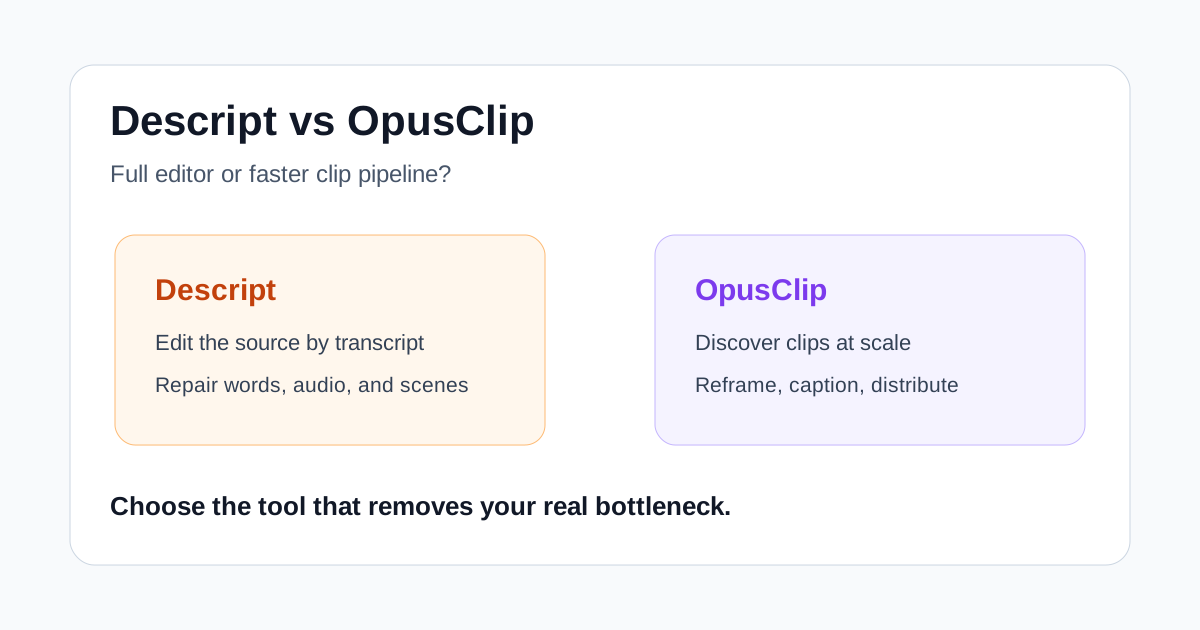
Descript and OpusClip can both turn a long recording into short social videos, but they are built around different jobs. Descript is an editor where the transcript becomes the main control surface. OpusClip is a clipping system designed to search a long source, propose highlights, reframe them, and move a batch toward publishing.
That difference matters more than any single AI feature. Choose Descript when you expect to rewrite, tighten, repair, and reshape the source. Choose OpusClip when the source is already good and your main problem is finding enough promising shorts without watching the whole recording again.
Quick verdict
- Choose Descript for podcasts, interviews, screen recordings, and explainers that need transcript-level cleanup before you make clips.
- Choose OpusClip for a repeatable long-to-short pipeline where highlight discovery, vertical reframing, captions, and distribution are the larger bottlenecks.
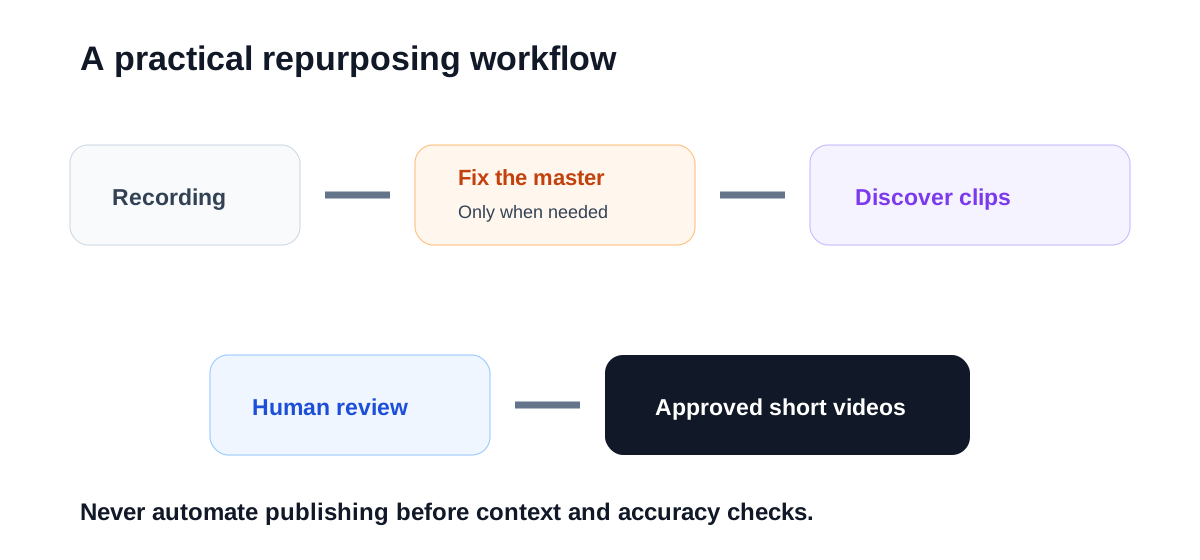
- Use both carefully only when volume justifies the handoff: clean the master in Descript, then send the approved long edit to OpusClip for clip discovery.
For a solo creator producing one carefully edited show, Descript is usually the more flexible first tool. For a team processing several finished webinars, interviews, or streams each week, OpusClip can remove more repetitive review time.
Descript vs OpusClip at a glance
| Decision factor | Descript | OpusClip |
|---|---|---|
| Core job | Edit audio and video through a transcript | Find and produce short clips from long video |
| Best input | Recordings that still need editorial cleanup | Finished or nearly finished long-form video |
| Main advantage | Precise text-based editing and source repair | Batch clip discovery, reframing, and social workflow |
| Typical review | Words, pacing, audio, scenes, and captions | Context, hooks, framing, and clip selection |
| Better fit | Podcasters, educators, marketers, internal video teams | Repurposing teams, agencies, social teams, high-volume creators |
| Main risk | Spending time polishing material that will not become a clip | Approving a punchy clip that loses necessary context |
The overlap is real. Descript can find good clips and create social compositions. OpusClip includes an editor, captions, brand templates, and automation. But the center of gravity remains different: Descript starts with editing the recording; OpusClip starts with extracting outputs from it.
Where Descript is stronger
### Editing the meaning, not just the frame
Descript transcribes a recording and lets you cut or rearrange the media by editing text. That is useful when the source has false starts, repeated explanations, filler words, or a section that needs a tighter sequence. You can work at the sentence level without treating the transcript as a separate reference document.
This is the important advantage for expert content. A good short may require a sentence from minute 12, a clearer setup from minute 14, and the removal of a detour between them. A tool focused primarily on automated extraction may find the moment, but Descript gives an editor a more direct way to rebuild it.
### It handles the master edit
Descript covers more of the process before clip generation: recording, transcription, audio cleanup, filler-word removal, captions, scene editing, and export. Its current product pages also position Underlord as an AI co-editor and include tools for creating clips from recordings.
If your team wants one workspace for a podcast episode, its transcript, the full video, and several derivative assets, that breadth can reduce handoffs. It also makes corrections easier because the source project remains editable.
### Better when accuracy needs active correction
Names, product terms, acronyms, and technical claims often require manual fixes. In Descript, correcting the transcript is part of the editing workflow rather than a final caption cleanup step. That is especially useful for training, product education, and business content where a visually polished typo can still damage trust.
Where OpusClip is stronger
### Finding candidates at scale
OpusClip is designed around turning one long video into multiple short candidates. Its ClipAnything model uses visual, audio, and sentiment cues, and the company says it can work with interviews, explainers, vlogs, gaming, sports, and footage with little dialogue.
That orientation helps when the expensive task is discovery. A social producer can start with a queue of proposed clips instead of scrubbing through every source. The time saving is real only if a meaningful share of those proposals survives review, so track approved clips rather than total generations.
### Reframing and publishing are part of the pipeline
OpusClip emphasizes automatic reframing, animated captions, brand templates, team workspaces, social connections, and scheduled or automatic posting. These features are less about repairing the source and more about moving several outputs through a repeatable production system.
For an agency or a small social team, that can be the deciding factor. A tool that saves five minutes on one edit is less valuable than a system that keeps formats, branding, review, and distribution consistent across dozens of clips.
### It accepts a broader definition of a highlight
Transcript-first tools naturally excel when speech carries the meaning. OpusClip's multimodal positioning is more relevant for sports, demonstrations, travel footage, or other scenes where the useful moment may be an action rather than a quotable sentence. Natural-language prompts can also steer the model toward a particular event or topic.
The tradeoff is editorial control. Visual excitement does not prove that a clip is accurate, fair, or useful to the audience. Every suggested clip still needs a full watch before publishing.
Which tool fits common workflows?
### A weekly interview podcast
Start with Descript if the episode itself needs editing. Clean the conversation, repair obvious audio issues, confirm names, and create a strong master. Its clip tools may be enough when you need only two or three deliberate excerpts.
Consider OpusClip when the finished episode is already approved and the team needs a larger candidate queue for Shorts, Reels, and TikTok. Do not feed an unapproved rough recording into an automated publishing workflow.
### Webinars and customer interviews
OpusClip is attractive when a marketer has a library of finished sessions and wants to surface moments quickly. Descript is stronger when customer quotes need careful trimming or when a product explanation must be restructured before it can stand alone.
### Training and internal communications
Descript is usually the safer fit. Training content benefits from transcript correction, controlled pacing, and the ability to update a line without rebuilding the entire project. Short clips may support the course, but accuracy matters more than output volume.
### Agency repurposing
Choose according to the service promise. If clients send polished long videos and expect many social outputs, OpusClip aligns well with the operation. If the agency also edits the master, repairs dialogue, and develops the narrative, Descript offers a better foundation. High-volume agencies may use both, but only with a defined handoff and one source of truth.
A fair seven-day test
Use two representative long videos and keep the evaluation simple:
- Create a clean master and note the minutes spent fixing transcript, pacing, and audio.
- Ask each tool to produce the same number and approximate length of clips.
- Reject any clip that loses context or makes a claim misleading.
- Record caption, framing, hook, and brand corrections for every surviving clip.
- Export and watch each result on a phone with sound on and off.
- Count only clips you would genuinely publish.
- Compare approved clips per hour of human work.
This prevents a flashy demo from deciding the purchase. The useful tool is the one that reduces the bottleneck your team actually has.
Important limitations
Neither platform removes the need for an editor. Transcripts can miss names and technical terms. Automated cuts can remove qualifiers. Vertical reframing can follow the wrong person or hide a demonstration. Captions can cover important on-screen text.
Plan details also change. Before paying, confirm current processing limits, export resolution, watermark rules, storage, brand templates, team seats, social connections, and API access on the vendors' own pricing pages. A feature on a product page may not be included in the plan that fits your budget.
Final recommendation
Descript is the better first choice when your recording still needs editorial work and you want the transcript to control the full audio-video project. OpusClip is the better choice when your master video is already solid and the costly step is finding, formatting, and moving many short clips toward publication.
If you are unsure, look at last week's process. When most hours went into fixing words and structure, try Descript. When most hours went into searching for moments, reframing, captioning, and scheduling, try OpusClip.

