



Is Kling AI Worth Trying for Prompt-Based Video Ideas?
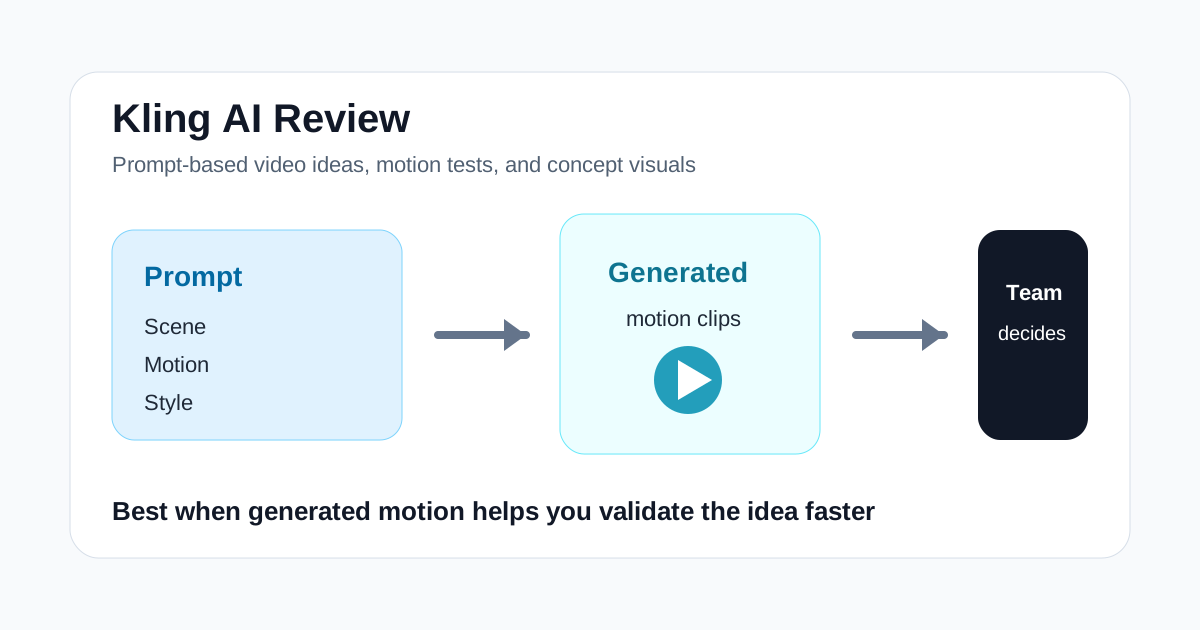
Kling AI is interesting because it sits in a part of the AI video market that many practical tools do not cover well.
It is not mainly for clipping YouTube videos. It is not mainly for building avatar explainers. It is not mainly for turning blog posts into stock-footage drafts.
Its appeal is prompt-based video generation: turning ideas, scenes, motions, and visual concepts into generated output that can help creators, marketers, and design teams move faster from concept to visible result.
That does not automatically make it the right tool for every buyer.
Kling AI is easiest to justify when your bottleneck is generating visual material or testing motion concepts. It is much harder to justify if your actual problem is editing, content repurposing, or production efficiency around an existing video library.
If you judge it by the right job, it becomes much easier to evaluate.
Short Answer
Kling AI is a strong fit if you need:
- prompt-based video generation
- concept visuals for campaigns or creative testing
- stylized scene exploration
- motion-heavy AI video experiments
- faster idea validation before production
Kling AI is a weaker fit if you need:
- long-video clipping
- avatar-led presenter videos
- article-to-video conversion
- timeline-first editing
- predictable production from existing footage
The real question is not whether Kling AI looks impressive. It is whether generated video helps your workflow enough to justify the iteration time.
What Kling AI Is Best For
Kling AI is best for users who need visible motion concepts before they commit to full production.
That can include:
- creative teams exploring ad directions
- marketers visualizing campaign concepts
- founders prototyping product stories
- creators testing stylized video ideas
- design teams building mood-driven scenes
- agencies pitching visual directions
In these situations, the tool is valuable because it compresses the time between:
idea -> rough moving visual -> decision
That is very different from the value offered by tools like Klap, Pictory, or Topaz Labs.
Kling AI at a Glance
| Use case | Fit | Why |
|---|---|---|
| Prompt-based video generation | Strong | It is built around generated visual motion rather than editing old footage |
| Creative concepting | Strong | Teams can turn ideas into visible motion concepts quickly |
| Campaign scene exploration | Good | Useful for testing visual directions before full production |
| Storyboard-style ideation | Good | Helps teams make abstract concepts easier to review |
| Long-video repurposing | Weak | Klap or Pictory fit that workflow better |
| Training or avatar explainers | Weak | Synthesia or HeyGen are more direct choices |
Where Kling AI Feels Useful
Kling AI feels useful when the team needs to show an idea, not just describe it.
For example:
- a marketer needs to pitch a campaign direction internally
- a creator wants to test whether a visual concept is worth developing
- an agency needs mood-based motion ideas before a real shoot
- a founder wants to turn a product story into a short concept sequence
- a social team wants experimental visual hooks
In these cases, the output does not always need to be the final asset. Sometimes it only needs to make decision-making faster.
That distinction matters. Buyers who expect a finished ad from every generation will judge the tool too harshly. Buyers who need faster concept validation may find it extremely useful.
Where Kling AI May Disappoint
Kling AI can disappoint when the workflow requires control, consistency, and low-iteration output.
Generated video tools often introduce tradeoffs:
- you may need multiple attempts to get usable motion
- brand consistency can be difficult
- scene control may be weaker than a traditional production workflow
- cleanup may still be required
- final assets may need other tools for finishing work
This means Kling AI is not the cleanest answer for teams that need reliable volume output with minimal experimentation.
You should be careful about:
- how often results are good enough to keep
- whether iteration costs too much time
- whether the style aligns with your brand
- whether your team needs concept visuals or final deliverables
- how the generated footage fits into the rest of your stack
Best Audiences for Kling AI
Kling AI is easiest to justify for users with concept-driven creative work.
Good-fit audiences include:
- creative agencies
- brand marketers
- experimental creators
- product storytellers
- visual design teams
- founders testing ad concepts
Weaker-fit audiences include:
- podcast clip teams
- training teams
- repurposing-heavy content teams
- editors who need tight timeline control
- businesses that mainly optimize existing footage
Kling AI vs Other AI Video Tools
Kling AI belongs in the generative side of the stack.
| Tool | Best workflow |
|---|---|
| Kling AI | Prompt-based generated video and motion concepts |
| Runway | Broader creative AI video workspace with generation plus editing workflows |
| InVideo | Script or prompt to first marketing-style draft |
| Pictory | Repurposing articles and long-form content |
| Klap | Turning long videos into short clips |
| HeyGen | Avatar-led presenter videos |
| Topaz Labs | Enhancing existing footage |
Kling AI and Runway will attract some overlapping readers, but the framing is different. Runway is easier to position as a creative workspace. Kling AI is easier to position as a generated-video-first tool for visual experimentation.
Suggested Test Workflow
Do not test Kling AI with a random cinematic prompt.
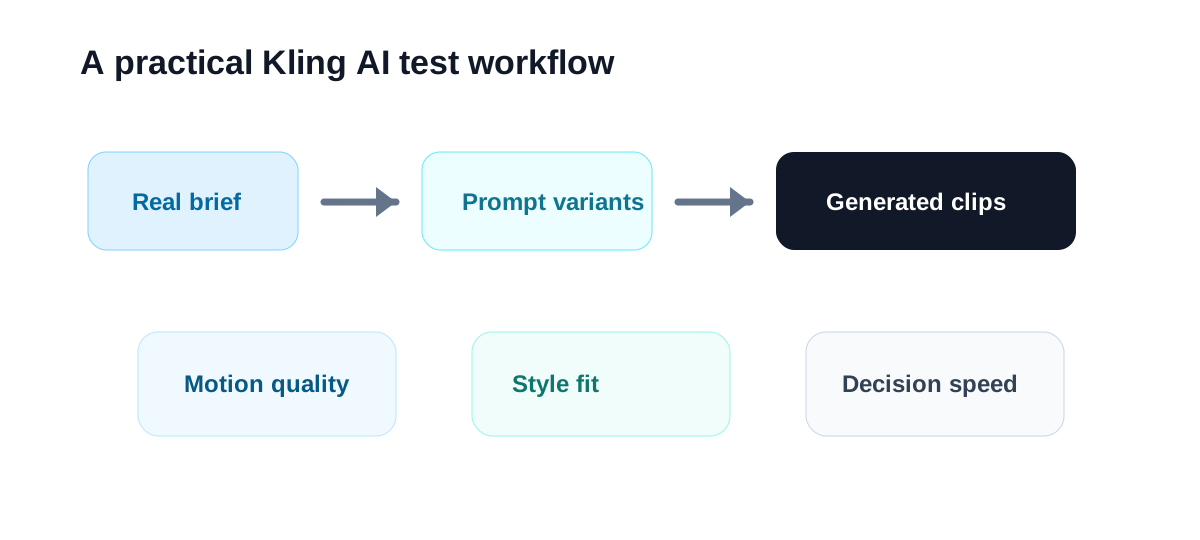
Try this:
- Pick one real campaign concept, product scene, or visual hook your team wants to explore.
- Write two or three prompt variations around the same idea.
- Generate outputs and review them for motion quality, style consistency, and usefulness.
- Ask whether the results help the team decide faster, pitch better, or prototype more clearly.
- Compare that against the time it would take to storyboard or mock up the concept manually.
- Decide whether Kling AI belongs at the concept stage, the asset stage, or neither.
That is the fairest way to evaluate it.
Operational Questions to Check Before You Buy
These are the practical questions that matter:
- Does Kling AI help your team visualize ideas faster?
- Are the results usable as final assets, concept assets, or only inspiration?
- How much prompt iteration is required before outputs are worth keeping?
- Can the tool fit into your existing review and editing workflow?
- Would a more focused tool solve your actual bottleneck better?
If the tool shortens the path from concept to decision, it can earn its place even if every output is not final-publish quality.
Final Recommendation
Kling AI is worth testing when your team wants prompt-driven video generation for visual exploration, campaign concepts, and motion-heavy experiments.
It makes less sense for teams whose real needs are editing, repurposing, training videos, or predictable production workflows based on existing material.
The best first test is simple: take one visual concept your team is actively discussing, generate several versions, and see whether the output improves decision speed enough to matter.
If the answer is yes, Kling AI can become strategically useful even when it is not the only tool in the stack.

