



Best AI Video Tools for Product Marketing Teams That Need More Campaign Assets
Best AI Video Tools for Product Marketing Teams That Need More Campaign Assets
Product marketing teams rarely need “more video” in the abstract. They need a launch story that sales can reuse, a short product demo for social, a presenter-led explainer for onboarding, localized versions for regional teams, and clips that still make sense when separated from the full campaign.
That is why the best AI video tool is not necessarily the one that generates the most scenes. It is the tool that removes a specific bottleneck without making review, brand control, or factual accuracy harder.
Short answer: start with InVideo when the team needs a complete mixed-media draft from a brief, HeyGen when a consistent presenter or localized version is central, Descript when the source is a real recording that needs transcript-led editing, OpusClip when the team already has a webinar or demo and needs short candidates, and Canva when approved brand assets must be turned into many campaign formats.
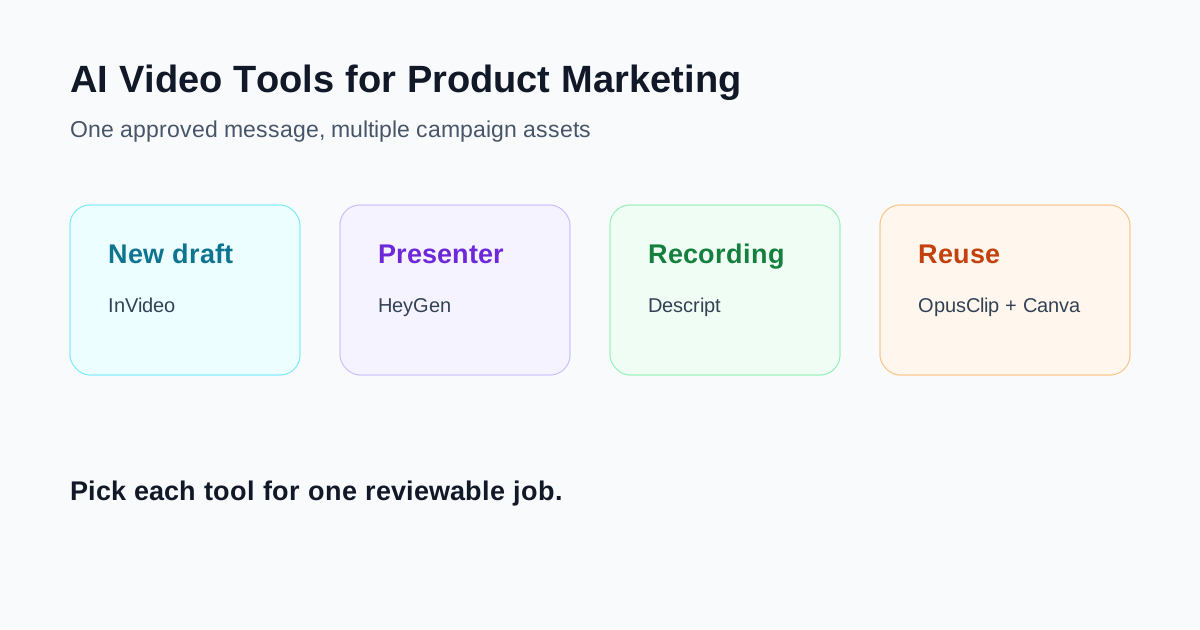
The five product marketing jobs that require different tools
| Campaign job | Best starting point | Why |
|---|---|---|
| Generate a full first draft from a brief | InVideo | Combines script, voice, stock, and generated media into one draft |
| Create a presenter-led or localized explainer | HeyGen | Centers the workflow on avatars, voice, and translation |
| Edit a real demo, interview, or screen recording | Descript | Transcript-first editing keeps the source recording visible |
| Find social clips in a webinar or long demo | OpusClip | Starts with existing long-form video and proposes short moments |
| Build many on-brand campaign variants | Canva | Brand Kit, templates, captions, resize, and design controls fit asset reuse |
These products overlap, but their starting assumptions are different. A prompt-to-video generator assumes the team wants a new draft. A transcript editor assumes the team already recorded something. A clipping tool assumes the long video contains useful moments. A design platform assumes approved brand assets should stay consistent across formats.
1. InVideo: best for a complete campaign draft from a brief
InVideo is the strongest starting point when a product marketer has an approved brief or script but no assembled video. Its AI workflow can accept a prompt, script, article, or link, then combine voice, captions, stock media, and generated media into a first draft.
That makes it useful for launch overviews, feature explainers, paid-social concepts, and top-of-funnel videos where the team needs to see the whole narrative before deciding which shots deserve more work.
The practical advantage is breadth. Instead of generating one isolated clip, the team can review an end-to-end sequence. The risk is the same: a complete-looking draft can hide unsupported product claims, irrelevant visuals, or a voice that sounds authoritative while saying something the product cannot actually do.
Use InVideo when:
- The launch brief is already approved.
- The team needs a full draft before commissioning custom footage.
- Stock and generated media are acceptable starting materials.
- A marketer can perform a scene-by-scene factual review.
Do not confuse InVideo AI with InVideo Studio. The company describes them as separate products with separate subscriptions: AI is the prompt-led generator, while Studio is the manual template and timeline editor. Read our InVideo review for the broader workflow.
2. HeyGen: best for presenter-led explainers and localization
HeyGen fits campaigns where the presenter is part of the message. A product team can write a script, select or create an avatar, choose a voice, and generate a presenter-led video without scheduling repeated filming sessions.
This format works especially well for product introductions, release summaries, training, customer onboarding, and regional explainers. The presenter provides continuity while screenshots, product footage, or supporting graphics explain the feature.
HeyGen also has video translation workflows, which can be valuable when regional teams need localized versions of the same approved source. Localization still needs human review. Product names, plan limits, technical terms, and calls to action can be mistranslated even when the voice and lip sync look convincing.
Use HeyGen when:
- A presenter makes the message easier to follow.
- The team needs consistent versions across languages or regions.
- Reshooting a spokesperson would slow each product update.
- Identity, voice, and consent controls are already defined.
The current product uses a mix of plan allowances and premium credits, while API usage is purchased separately. Compare the exact avatar, translation, and export workflow instead of relying on the headline word “unlimited.” See our HeyGen review and InVideo vs HeyGen comparison for the format choice.
3. Descript: best when the product footage is already real
Many product marketing videos should not begin with generated scenes. A feature walkthrough, customer interview, executive message, or screen recording already contains the evidence. The job is to shorten it without changing what happened.
Descript’s transcript-first workflow is useful here. Editors can work from spoken text, remove sections, repair pacing, add captions, and create clips while staying connected to the source recording. That is helpful when reviewers care about exact wording or need to compare the edit with the original statement.
Use Descript when:
- The source is a screen recording, interview, webinar, or podcast.
- Reviewers want to approve words before visual polish.
- The team needs captions and multiple edits from one recording.
- Preserving the original speaker and product evidence matters more than generating new scenes.
Transcript editing is not automatic accuracy. Product names, acronyms, and numbers can still be transcribed incorrectly. Always compare captions and edited claims with the source. Our Descript review explains the workflow in more detail.
4. OpusClip: best for finding campaign clips in long-form video
OpusClip starts after the long-form asset exists. A product team can upload a webinar, customer conversation, launch presentation, or demo and use the tool to identify short-form candidates, reframe them, and add captions.
This is valuable when the campaign problem is not creation but discovery. A 45-minute webinar may contain a strong objection-handling moment, a clear feature explanation, and a customer quote, but finding those sections manually can delay distribution.
Use OpusClip when:
- The team has a substantial library of long-form recordings.
- Social and demand-generation teams need clip candidates quickly.
- A human reviewer can restore context and approve claims.
- The original material is stronger than a newly generated script.
The main risk is context loss. A short clip can remove the condition that made a claim accurate, separate a customer quote from its qualification, or begin after the audience needed an explanation. Treat AI-selected clips as review candidates, not automatically publishable assets. See our OpusClip review.
5. Canva: best for on-brand variants and campaign finishing
Canva is a different kind of recommendation. It is less about choosing one AI video model and more about turning approved design components into repeatable campaign assets.
Brand Kit can centralize logos, colors, fonts, imagery, and templates. Canva’s video tools can assemble uploaded footage, generate or edit media, create branded captions, animate elements, and adapt a design for different channels. For product marketing, that makes Canva useful after the message and core visuals are approved.
Use Canva when:
- The team already has screenshots, product footage, logos, and campaign design rules.
- Social, sales, and regional teams need multiple aspect ratios or formats.
- Non-designers must create within approved brand boundaries.
- The priority is consistency and reuse rather than a cinematic generated sequence.
Canva can also generate short media, but its strongest role in this stack is often packaging and controlled variation. Brand templates do not guarantee message consistency, so lock the approved product claims as carefully as the visual identity.
A practical campaign workflow
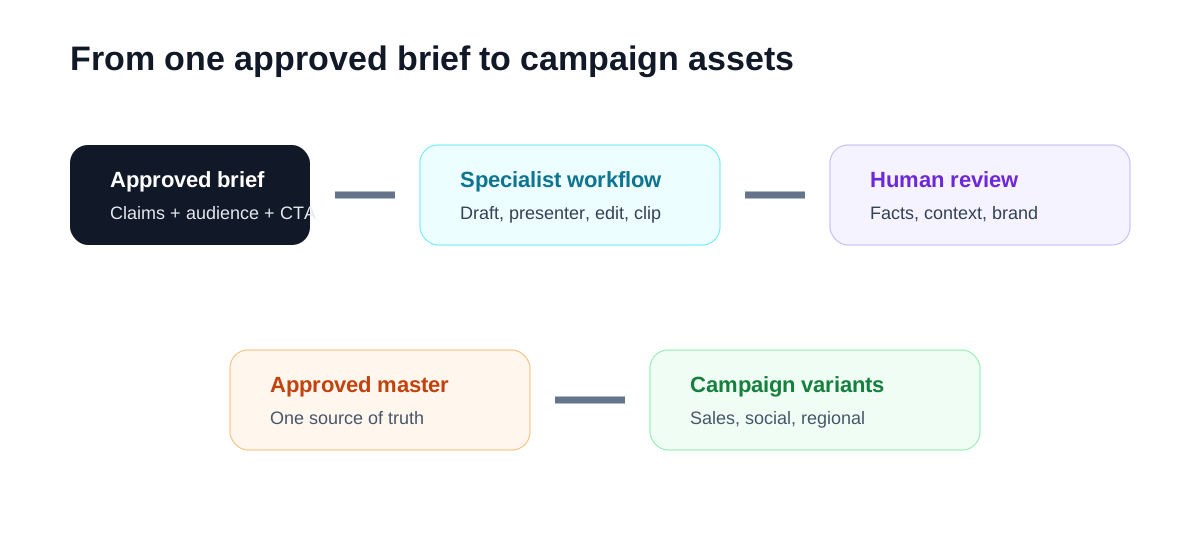
- Freeze the message. Approve the audience, problem, product proof, limitations, and call to action before opening a video tool.
- Choose the correct starting material. Use a generator for a new narrative, a transcript editor for real recordings, a clip finder for long video, and a design system for variants.
- Build one representative asset. Test the hardest campaign format before producing ten versions.
- Track corrections. Record incorrect claims, missing context, unsuitable visuals, pronunciation problems, and brand fixes.
- Approve a source version. Regional and social derivatives should trace back to one reviewed master.
- Reuse deliberately. A webinar clip, presenter version, and social animation can share the same claim set without sharing the same production workflow.
How to compare tools fairly
Do not compare generation counts alone. Use one approved product brief and score each workflow on:
- Time to a reviewable first draft.
- Number and severity of factual corrections.
- Ability to preserve approved terminology.
- Brand consistency across variants.
- Accessibility and caption quality.
- Localization review effort.
- Ease of replacing one scene or sentence.
- Export formats and handoff to the next team.
A tool that creates ten drafts but requires hours of claim correction may be less useful than a tool that produces one modest draft the team can approve quickly.
Which tool should your team start with?
Choose InVideo if the immediate problem is turning an approved brief into a complete mixed-media draft. Choose HeyGen when a presenter and localization are central. Choose Descript when the evidence already exists in a recording. Choose OpusClip when long-form content needs distribution-ready moments. Choose Canva when the core message and visuals are approved and the team needs consistent variants.
Most mature product marketing teams will use more than one of these tools. The goal is not to build the largest stack. It is to give each tool one clear job, preserve a single approved claim set, and make every output easier to review than the asset it replaces.
Related reading
- InVideo Review: Is It a Good AI Video Tool for Fast Draft Creation?
- HeyGen Review: When AI Avatar Videos Actually Make Sense
- Descript Review: Is It Still the Easiest Way to Edit Video From a Transcript?
- OpusClip Review: Is It a Practical Way to Turn Long Videos Into Shorts?
- Best AI Avatar Video Tools for Teams That Need Videos Without Filming
