



Notion AI Meeting Notes Review: Can Project Teams Turn Calls Into Reliable Follow-Up?
Notion AI Meeting Notes Review: Can Project Teams Turn Calls Into Reliable Follow-Up?
Meeting transcription is easy to demonstrate and difficult to operationalize. A project team does not merely need a transcript; it needs decisions that can be traced, action items with owners, unresolved questions, and a safe route from a private conversation into the shared project system. Notion AI Meeting Notes brings recording, transcription, AI summaries, and workspace storage into one flow.
This review evaluates whether that flow produces reliable follow-up for project teams. The answer is promising when meetings already live near Notion projects and the team applies consent, access, and verification rules. It is not a substitute for accountable owners or a source of unquestioned facts.
Quick verdict
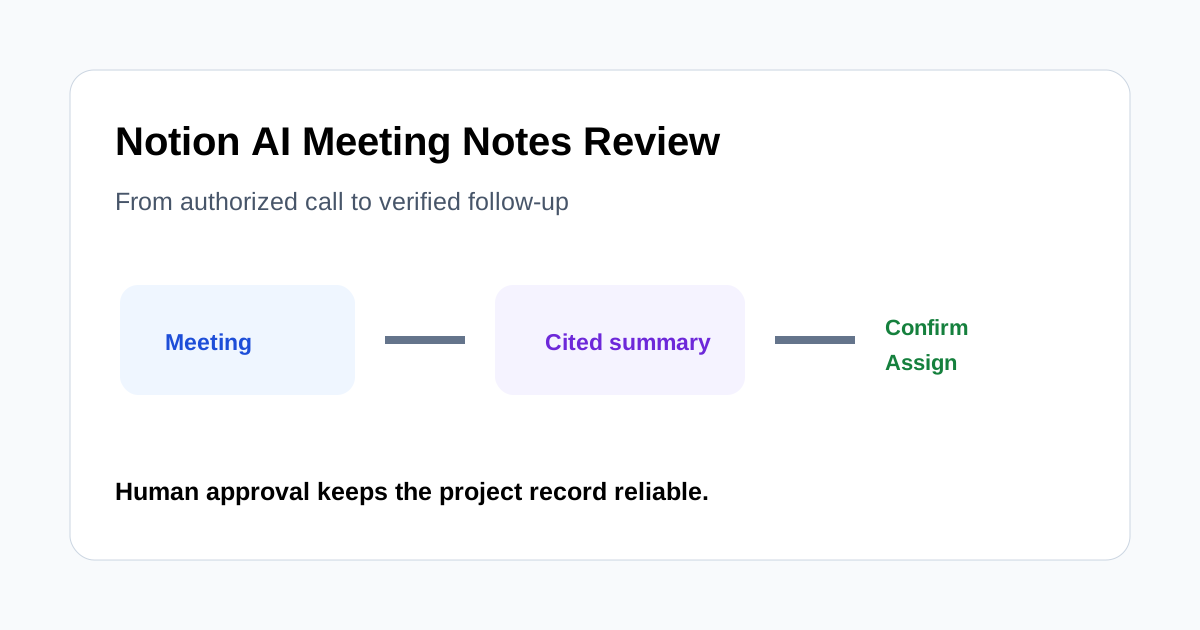
Notion AI Meeting Notes is strongest when a team wants the meeting record and the project workspace in the same system. It can transcribe a call, identify key points and action items, attach citations back to transcript lines, use meeting-specific summary instructions, and store notes in a designated database.
Its value depends on capture quality and governance. Desktop use is generally better for virtual meetings because it can capture microphone and system audio, while browser and mobile capture have important limitations. Speaker labels can also be less reliable in group or shared-microphone settings. The feature remains labeled beta in Notion's current help material, so teams should verify availability and terms before adopting it broadly.
What the workflow includes
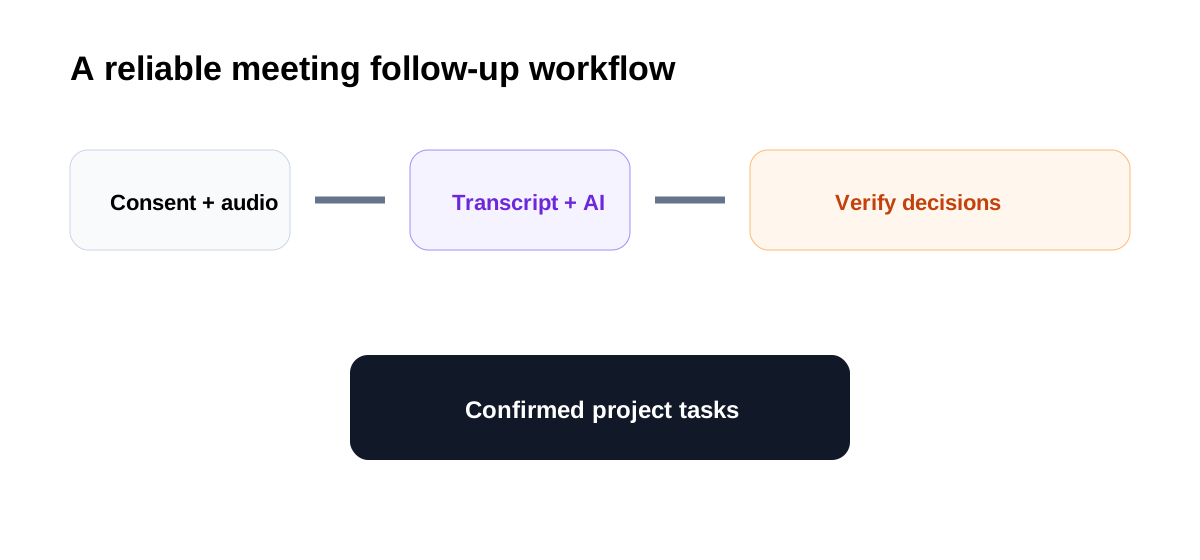
A meeting note can start from a Notion page or calendar entry. The team can add agenda context before the call, start transcription after obtaining consent, stop when the meeting ends, and receive an AI-generated summary. Existing audio can also be uploaded in supported formats for transcription and summarization.
The useful differentiator is what happens next. Notes can live in a default meetings database, be shared through normal workspace permissions, connect to calendar events, and become part of a project's searchable history. That reduces copy-paste work, but only if the database and ownership model are defined in advance.
A practical three-meeting test
Test the tool with three authorized recordings:
- A weekly project stand-up with several short updates.
- A client call containing commitments, dates, and open questions.
- A cross-functional review where multiple people debate one decision.
For each meeting, prepare the same evaluation sheet: transcript accuracy, speaker attribution, decision capture, action-item completeness, owner accuracy, due-date accuracy, citation usefulness, sharing correctness, and minutes of human correction. This reveals where the system saves work and where it merely moves review downstream.
Capture quality comes first
No summary can repair missing audio. Notion's desktop app is the safer choice for virtual calls because it can capture system audio and microphone input when permissions are configured. Browser capture is centered on microphone input, and mobile recording depends on what the phone microphone can hear. Headphones, remote desktops, shared microphones, and group rooms can all change what reaches the transcript.
Run a short capture check before an important call. Confirm that both sides are visible in the transcript and that device permissions are correct. If the meeting contains sensitive information, confirm that the organization's policy allows the chosen capture path before recording.
Transcript and speaker labels
Speaker labels make a transcript easier to audit, but they should not be treated as perfect attribution. Notion notes that labeling works best in certain desktop one-to-one setups and may be limited in group meetings, shared-microphone conversations, browser sessions, or mobile use.
Review every statement that becomes a commitment. If the summary says a specific person approved a scope change, open the cited transcript line and listen to the surrounding context when necessary. For high-impact decisions, ask the named owner to confirm in writing.
Summaries, decisions, and action items
AI summaries are helpful for compression, especially when custom instructions define the structure. A project team can request sections such as decisions, risks, action items, blocked work, and questions for the next meeting. Consistent instructions also make notes easier to compare across a recurring series.
The summary still needs an editor. Models can merge separate topics, omit a qualification, infer an owner, or turn a suggestion into a decision. Use transcript citations as an audit path. The meeting facilitator should approve the decision log and action list before it becomes project truth.
Turning notes into project follow-up
The best implementation separates the raw record from the execution layer:
- Keep transcript and AI summary on the meeting page.
- Copy only approved decisions into the project decision log.
- Create tasks in the team's task database with explicit owners and dates.
- Link tasks back to the meeting note for context.
- Mark uncertain items as “needs confirmation” rather than guessing.
This pattern prevents a generated summary from silently changing a project plan. It also gives future readers a route from task to decision and from decision to source discussion.
Consent and privacy
Consent is a mandatory workflow step, not a banner to dismiss. Notion provides text, spoken, and automatic consent-message options, and its interface reminds users to disclose recording. Teams must also follow applicable laws, contracts, workplace policies, and client requirements.
Decide who may create recordings, which meetings may never be recorded, how long notes are retained, who can access them, and how external participants are informed. Meeting pages are private by default according to Notion's current documentation, but auto-sharing and manual sharing settings can expand access. Verify permissions after every sensitive call.
Where it saves time
The strongest savings appear in recurring meetings with predictable structure. The facilitator can stay engaged, the team receives a searchable transcript, and an approved summary can be linked directly into project work. Custom instructions and a default meeting database reduce formatting and filing work.
Savings disappear when capture is incomplete, every speaker label is wrong, or the team creates duplicate tasks manually in another system. Measure verified action items per review minute and the percentage of tasks requiring correction after handoff.
Who should use it
It fits teams already using Notion for projects, documents, or knowledge management; teams with recurring authorized meetings; and managers willing to define a review owner. It is especially useful when searchable context matters as much as the immediate recap.
It is a weaker fit for organizations that cannot record sensitive conversations, teams whose task system is elsewhere with no reliable handoff, meetings dominated by shared-room audio, or workflows that require courtroom-level transcription accuracy.
Approval checklist
- Everyone consented before recording began.
- The capture includes all required speakers.
- Names, dates, numbers, product terms, and commitments were checked.
- Each decision has supporting transcript context.
- Every action item has a confirmed owner and due date or is marked unresolved.
- Sensitive information is stored and shared under the correct permissions.
- Approved tasks were entered into the project system exactly once.
- A named human approved the final recap.
Final recommendation
Notion AI Meeting Notes can become a practical bridge between conversation and project follow-up, particularly for teams whose work already lives in Notion. Its advantage is not automatic prose; it is the ability to keep the recording, transcript, cited summary, database, and project context close together.
Adopt it through a controlled pilot. Test different meeting types, measure correction time, and audit consent and sharing. If the team can consistently turn cited summaries into confirmed tasks without duplicate entry, the feature can reduce coordination cost. If audio capture, attribution, or permissions remain unreliable, keep it as a private drafting aid rather than an authoritative project record.
