



ChatGPT Projects Review: Can Content Teams Keep Research, Briefs, and Drafts in One Reliable Workspace?
ChatGPT Projects Review: Can Content Teams Keep Research, Briefs, and Drafts in One Reliable Workspace?
Content operations break down when research lives in one chat, audience rules in another document, drafts in personal folders, and approvals in messages. ChatGPT Projects is designed to keep related chats, files, and project instructions together so repeated work can retain useful context.
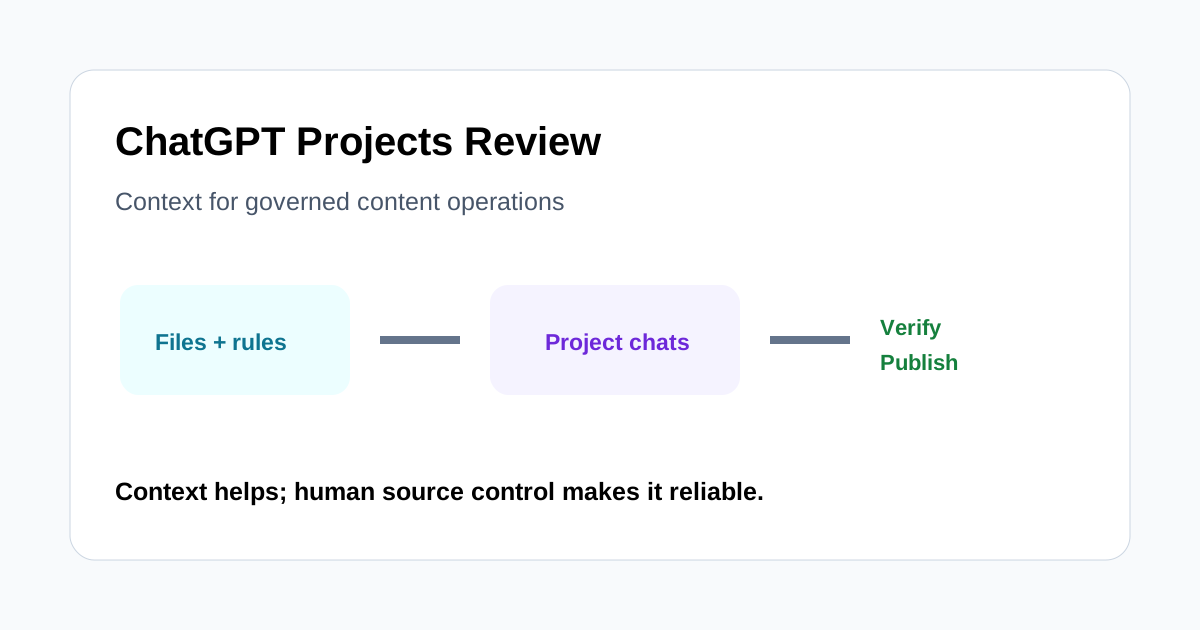
This review asks whether that organization is reliable enough for a content team managing an evolving campaign. The answer is useful for research, planning, and drafting, but only when the project is treated as a working context—not the final system of record or an automatic fact-checker.
Quick verdict
Projects can reduce repeated prompting and context hunting. A team can group relevant chats, upload reference files, add project-specific instructions, and continue work over time. Shared projects can also help eligible workspaces collaborate around the same context.
The limitation is governance. Files may become stale, instructions can conflict, generated claims can still be wrong, and a polished draft does not prove that its sources are current. Teams need named owners, dated sources, a review checklist, and a separate publishing record.
What a Project changes
A normal one-off chat is easy to start but difficult to maintain across a campaign. A Project creates a container for the effort. The team can keep conversations, reference material, and persistent instructions near one another, making it easier to resume work without reconstructing the brief every time.
That is particularly helpful for monthly editorial programs, product launches, research series, and multi-channel repurposing. It does not automatically create a workflow, approval state, or canonical database. Those responsibilities still require deliberate structure.
A realistic one-month test
Create one Project for a real campaign and include:
- A dated positioning brief and audience definition.
- Approved terminology, voice rules, and claims policy.
- Primary research files with source dates and owners.
- Separate chats for research, briefs, drafting, repurposing, and review.
- A visible instruction that uncertain facts must be flagged.
Run four weekly content cycles and measure time spent rebuilding context, number of factual corrections, instruction violations, duplicate work, and review minutes per approved asset.
Project instructions
Project instructions can standardize audience, tone, output structure, forbidden claims, citation expectations, and handoff format. This is more reliable than pasting the same long prompt into every new conversation.
Keep instructions short and testable. Separate permanent rules from campaign-specific facts. If an instruction says “use current pricing,” it creates risk; instead require the writer to verify pricing from the official source on the day of publication. Review instructions whenever the strategy changes.
Files as working context
Files can keep briefs, research, style guidance, and product documentation close to the conversations that use them. Each file should have a date, owner, and status such as approved, working, or archived. Replace ambiguous names like final-v2 with a clear version and effective date.
Uploading a source does not guarantee every answer uses it correctly. Ask for source-specific reasoning, inspect citations where available, and compare important claims with the original file. Remove obsolete documents or label them clearly so old positioning does not compete with current guidance.
Research and source control
Projects are useful for developing questions, comparing evidence, and keeping research threads organized. They are not a substitute for primary-source verification. Web information changes, uploaded reports may be outdated, and generated summaries can omit qualifications.
Maintain a claim ledger outside the prose draft. For each consequential claim, record the exact source, date checked, supporting passage or data point, and reviewer. If the evidence is unavailable, mark the claim unresolved rather than allowing fluent language to hide uncertainty.
Brief creation
A Project can generate consistent briefs when the team supplies a stable template: search intent, reader problem, unique angle, required evidence, workflow example, related reading, conversion goal, risks, and approval owner. A brief should define what the article must prove, not merely list headings.
Review briefs for overlap with existing content. The model may propose a familiar structure that duplicates another page. Human editors should check search intent, differentiation, and cannibalization before drafting.
Drafting and revision
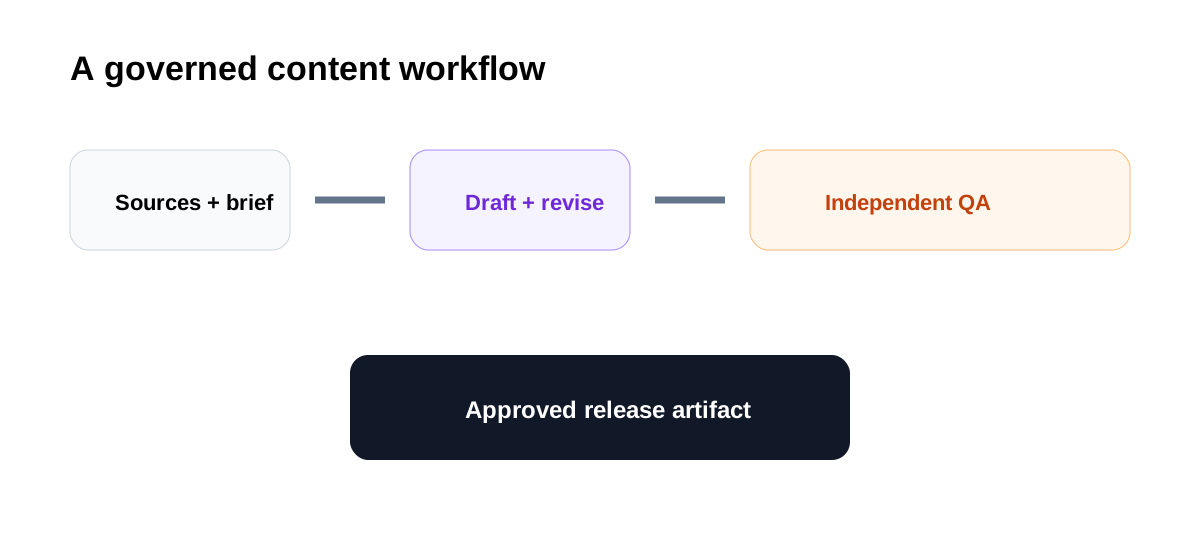
Keeping the brief, research, and previous decisions together can reduce context loss during revision. Separate chats by purpose so a long brainstorming thread does not become the only place where final decisions live. At the end of each stage, save a concise approved decision summary.
Do not treat the most recent generated draft as canonical. Move approved copy into the team's document or content management workflow with version history, comments, and publication status. This creates a clear boundary between AI workspace and release artifact.
Shared projects and permissions
Shared Projects can help eligible teams collaborate, but sharing expands the audience for uploaded files and conversations. Confirm workspace policy, membership, link settings, and data sensitivity before inviting others. Use the smallest necessary access scope and remove people when the campaign ends.
Do not upload secrets, customer records, confidential contracts, or regulated data unless the organization's approved configuration and policy explicitly permit it. Content convenience does not override information governance.
Memory and context drift
Persistent context reduces repetition, but it can also preserve outdated assumptions. Schedule a weekly context audit: remove superseded files, update the positioning summary, close resolved questions, and record new constraints. Ask the model to identify conflicting instructions, then verify the result manually.
For long-running projects, create an approved “current state” document. It should contain active goals, decisions, sources, owners, and open risks. This gives humans a compact reference and reduces dependence on reconstructing history from many chats.
Handoff to publishing
A reliable handoff includes the approved brief, final draft, claim ledger, image rights, internal-link check, SEO metadata, reviewer, and publication date. Projects can help assemble this package, but the CMS and editorial tracker should remain the publication truth.
Before release, perform an independent check outside the drafting conversation. Verify URLs, product availability, dates, numbers, quotes, names, and claims against current primary sources. Scan for private notes, unsupported promises, and unfinished copy markers.
Where Projects saves time
- Recurring campaigns with shared instructions and reference files.
- Research programs that need multiple focused conversations.
- Repurposing one approved source into several channel formats.
- Teams that repeatedly lose time reconstructing audience and tone.
- Long-running planning where approved decisions are summarized regularly.
Where to be cautious
- Rapidly changing facts without a same-day verification step.
- Sensitive data without approved workspace governance.
- Workflows that need formal task status and immutable approvals.
- Large file collections with no owner, date, or archival rule.
- Teams expecting persistent context to guarantee factual accuracy.
Approval checklist
- Project instructions are current, specific, and non-conflicting.
- Every active source has an owner, date, and status.
- Important claims were verified against primary sources.
- The brief has distinct search intent and does not duplicate live content.
- The final draft contains no private editorial notes or unsupported claims.
- Access is limited to authorized collaborators.
- Approved content was moved into the official publishing workflow.
- A named human signed off on the exact release artifact.
Final recommendation
ChatGPT Projects is a practical context and collaboration layer for content operations. It can keep research, briefs, drafts, and instructions together, reducing repetitive setup and making an evolving campaign easier to resume.
Its reliability comes from the team's operating model, not the container alone. Run a month-long pilot, measure context-rebuilding time and factual corrections, and enforce a source ledger plus independent release review. If the team saves coordination time without increasing correction risk, Projects can become a useful upstream workspace while the editorial tracker and CMS remain the final truth.

