



HeyGen vs Descript: Should You Generate a Presenter or Edit the Recording?
HeyGen vs Descript: Should You Generate a Presenter or Edit the Recording?
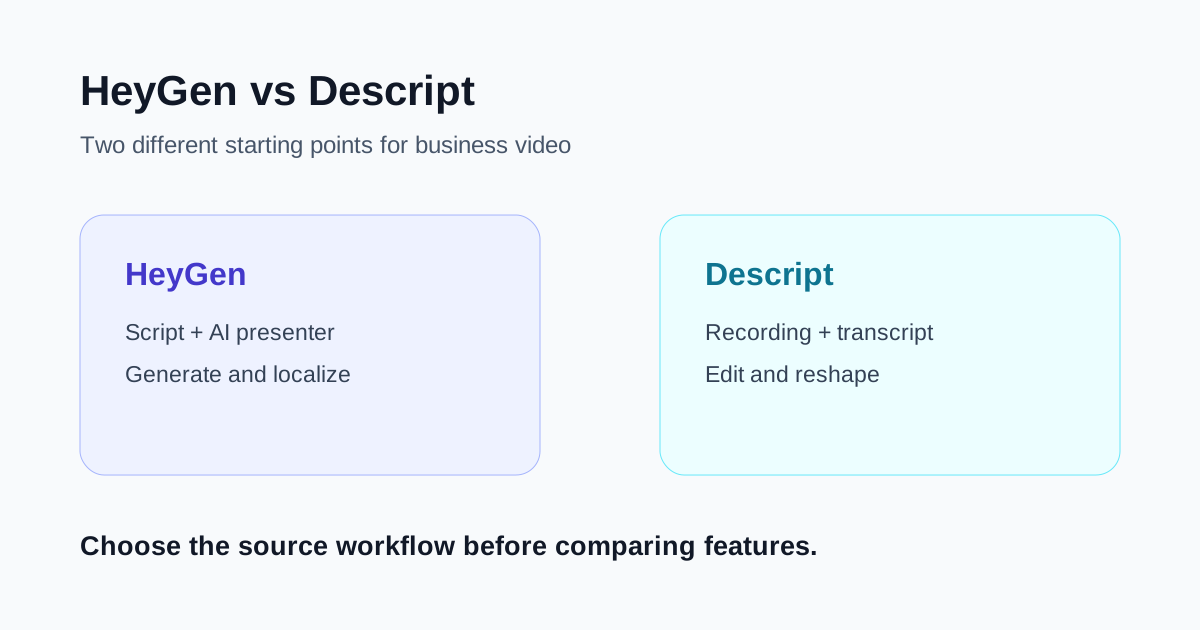
HeyGen and Descript can both shorten the path from a script to a finished business video, but they begin with different raw material. HeyGen is strongest when you want to create a presenter-led video without filming every version. Descript is strongest when you already have a recording, or plan to make one, and want to edit it through the transcript.
That distinction matters more than a long feature checklist. A training team replacing repeated studio sessions has a different problem from a podcast producer cutting an interview. Choosing the tool that matches the source usually saves more time than choosing the one with the most impressive demo.
Quick verdict
- Choose HeyGen when the deliverable is a scripted presenter video, especially when you need many updates or localized versions without repeated filming.
- Choose Descript when a real conversation, screen recording, podcast, interview, or narration is the source and transcript-based editing will speed up revisions.
- Use both when an AI presenter supplies repeatable A-roll and Descript is the finishing workspace for pacing, supporting visuals, and recorded segments.
- Do not choose by generation speed alone. Measure the human review time required to approve the final video.
The fundamental difference
HeyGen turns a script into presenter-led video. You can choose a stock avatar or create a custom avatar, select a voice, assemble scenes, and generate the delivery. Its current product pages also emphasize video translation with voice preservation, subtitles, and lip synchronization across many languages and dialects. The appeal is repeatability: change the script, generate a new version, and avoid booking another shoot.
Descript treats speech as editable text. Import or record audio and video, let the application transcribe it, then remove or move words in the transcript to change the underlying media. Its editor also includes scenes, visual layers, a timeline, captions, audio cleanup, and AI-assisted tools. The appeal is editorial control over material that already exists.
In plain terms, HeyGen asks, “How can we produce this presenter?” Descript asks, “How can we improve this recording?”
Where HeyGen is stronger
### Repeatable presenter videos
HeyGen fits onboarding modules, product explainers, internal announcements, sales enablement, and other formats where a speaker delivers a controlled script. The team can standardize an avatar, background, voice, and visual style, then update individual scenes when the message changes.
This avoids some production logistics, but it does not remove production judgment. The script still needs conversational phrasing, sensible pauses, pronunciation review, and visual variation. A technically clean avatar video can feel monotonous if every sentence uses the same framing and cadence.
### Localization at scale
HeyGen's translation workflow is designed to dub existing footage or avatar videos while matching the voice and lip movement. That can be valuable when a team needs several language versions and cannot organize a new recording for every market.
Localization still requires native-language review. Product names, legal statements, idioms, numbers, and calls to action should be checked by someone who understands the audience. Lip sync makes a translation look finished; it does not prove that the wording is accurate or culturally appropriate.
### Fast script revisions
For compliance updates, changed product screens, or a revised training process, regenerating a scene may be easier than bringing the original presenter back. This advantage compounds when the content has a long maintenance life.
The tradeoff is consistency. Review pronunciation, voice tone, gestures, lighting, and scene transitions after each regeneration. Small differences are more noticeable when only one section changes.
Where Descript is stronger
### Editing interviews and recordings through text
Descript links the transcript to the media. Deleting a sentence from the text removes that section from the recording, while moving text can reorder the corresponding media. This is intuitive for editors who think in ideas and sentences before they think in timecodes.
It is particularly useful for interviews, podcasts, talking-head lessons, screen recordings, and narrated demos. A producer can find a repeated point, shorten an answer, or restructure a section without scrubbing through the entire timeline first.
### Preserving a real performance
When trust depends on a recognizable founder, teacher, customer, or expert, the original recording may carry details an avatar cannot reproduce: timing, emphasis, spontaneous reactions, and physical demonstrations. Descript helps tighten that performance rather than replacing it.
This also makes it the more natural choice for testimonial and interview material. Editing must remain fair: do not reorder sentences in a way that changes the speaker's meaning.
### A broader finishing workspace
Descript combines the script editor with scenes, visual layers, and a timeline. That makes it better suited to mixing a presenter with screen captures, B-roll, titles, music, and other recorded material. Fine timing and complex motion work may still call for a dedicated nonlinear editor, but Descript covers more post-production than a generator-centered workflow.
Side-by-side comparison
| Decision point | HeyGen | Descript |
|---|---|---|
| Best source | A finished script | Recorded audio or video |
| Core job | Generate a presenter-led video | Edit media through its transcript |
| Strong use case | Training, explainers, localization | Podcasts, interviews, screen recordings |
| Main time saver | Avoid repeated filming | Avoid slow timeline-first rough cuts |
| Human review focus | Delivery, pronunciation, translation, realism | Transcript accuracy, edits, pacing, visual continuity |
| Likely limitation | Generated delivery can feel uniform | It cannot replace footage you never captured |
When using both makes sense
The products are not mutually exclusive. A team could generate a short presenter introduction in HeyGen, combine it with a real screen demonstration, and use Descript to assemble and polish the complete lesson. Another team could translate an approved presenter segment in HeyGen and use Descript to add market-specific screen recordings and captions.
This combined workflow is useful only when ownership is clear. Decide which system holds the approved script, where final captions are corrected, and which export is the master. Passing versions back and forth without a rule creates duplicated corrections.
A fair test for your team
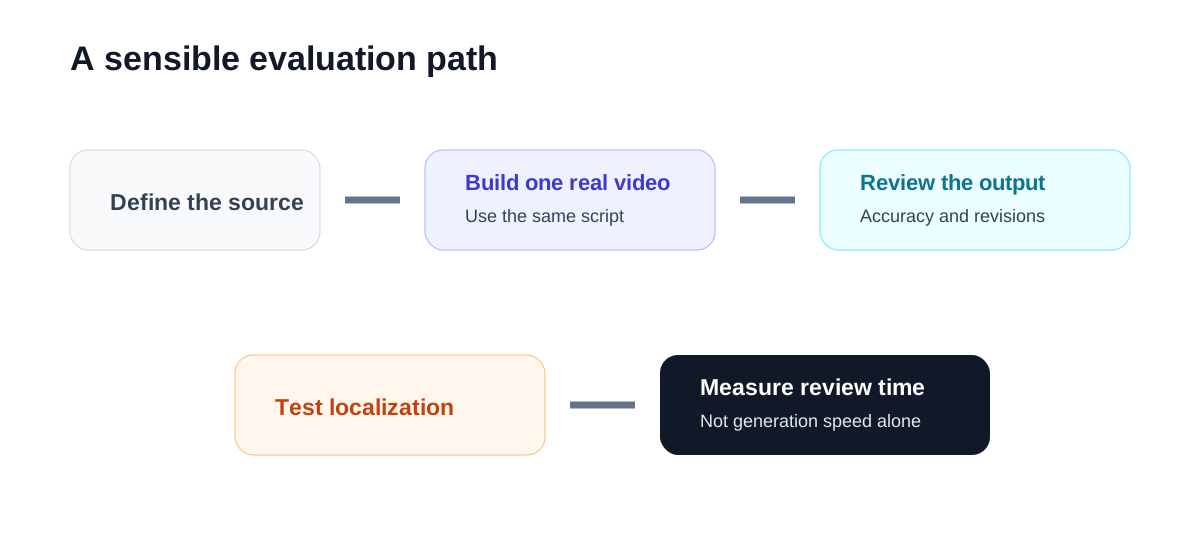
Use one real two-minute script rather than a generic sample.
- Build a presenter version in HeyGen using the voice and visual style you would actually approve.
- Record a human version once, then edit it in Descript through the transcript.
- Add the same title card, supporting visual, captions, and call to action.
- Make one script change after the first draft and track how long the revision takes.
- Ask a reviewer to log pronunciation, pacing, caption, continuity, and brand corrections.
- If localization matters, produce one additional language and have a qualified reviewer check it.
- Compare approved output per hour, not the time to the first automated preview.
The result may vary by content type. A policy update may strongly favor HeyGen because it must be revised often. A founder story may favor Descript because the original performance is the value.
Important limitations
Both products change features, plan limits, credits, export rules, collaboration options, and AI capabilities over time. Confirm the current terms on the official product and help pages before committing a production workflow.
Avatar and voice workflows also require consent and access controls. Define who may create or use a custom likeness, how source recordings are stored, and who approves generated output. For translated content, require linguistic and subject-matter review. For recorded interviews, preserve context and obtain the appropriate permissions.
Neither tool removes the need for a clear script. AI generation cannot rescue an unfocused message, and transcript editing cannot create an explanation that was never recorded. Start with the audience decision, then write or record only what supports it.
Final recommendation
Choose HeyGen when your bottleneck is producing and maintaining scripted presenter videos. Its value grows when you need frequent updates, consistent delivery, or several localized versions without organizing a new shoot.
Choose Descript when your bottleneck is turning recorded speech into a tighter story. It is the better fit for interviews, podcasts, lessons, and demos where the real performance should remain at the center.
If both needs exist, use HeyGen to generate the repeatable presenter layer and Descript to edit the wider production. Keep one approved script, one master export, and a human review gate for every version.
