



InVideo vs HeyGen: Should You Generate a Full Video Draft or Start With an AI Presenter?
InVideo vs HeyGen: Should You Generate a Full Video Draft or Start With an AI Presenter?
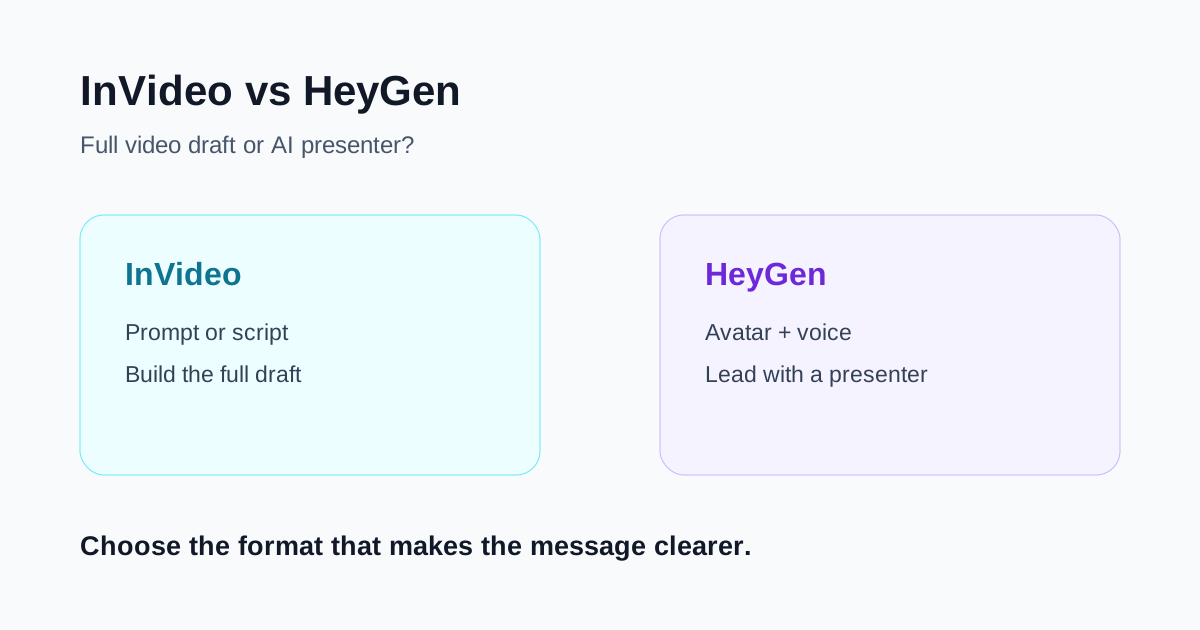
InVideo and HeyGen can both turn a script into a finished-looking video, but they organize the work around different centers. InVideo is the more natural choice when you want AI to assemble a complete mixed-media draft from a prompt or script. HeyGen is the more natural choice when an AI presenter, consistent voice, or translated on-camera delivery is the main asset.
That distinction matters more than a long feature checklist. A marketing team making a narrated product roundup has different needs from a training team that wants the same presenter to deliver ten lessons in several languages. Start with the role the person—or the absence of a person—plays in the video.
Quick verdict
- Choose InVideo when you want to move from a brief or script to a complete first draft with scenes, media, narration, subtitles, music, and transitions.
- Choose HeyGen when a presenter should carry the message, especially for explainers, training, announcements, sales outreach, or multilingual versions.
- Consider both when a campaign needs mixed-media social videos as well as presenter-led product education.
- Test the review workload. The better tool is the one that produces approved videos with fewer script, visual, pronunciation, and brand corrections.
The core difference
InVideo begins with the video as a whole. Its documented script workflow lets a user bring an exact script, choose media, background music, subtitle style, and language, then generate a draft. The result is useful when the storytelling depends on a sequence of scenes rather than one recurring speaker.
HeyGen begins more naturally with the person delivering the message. Its Quick Avatar Video flow centers on choosing an avatar, adding a script, selecting a voice and motion option, choosing portrait or landscape, and generating the video. Its Studio workflow adds scenes and more detailed editing, while voice and translation tools support consistent delivery across versions.
In practical terms, InVideo asks, “How should this message become a complete video?” HeyGen asks, “Who should deliver this message, and how should that delivery appear?”
Where InVideo is stronger
Creating a full first draft
InVideo is a better fit when the team starts with a campaign idea, article, outline, or approved script but no finished footage. It can give reviewers a complete sequence to react to instead of asking them to make every scene choice from a blank timeline.
This is useful for list videos, narrated explainers, lightweight promotional videos, social posts, and first-pass ads. The draft may combine media, voiceover, subtitles, and music, so it can expose pacing problems early.
The convenience also creates review work. A coherent-looking scene may still be generic, inaccurate, or poorly matched to a specific product claim. Replace questionable visuals with real screenshots, product footage, or approved brand assets before publication.
Working without a visible presenter
Not every message needs a host. A product comparison may be clearer with screenshots and examples. A destination video may rely on scenery. A short educational video may need diagrams and captions more than a face on screen.
For these jobs, InVideo's mixed-media orientation is usually the cleaner starting point. The tool can still use narration, but the voice does not have to become the visual identity of the entire piece.
Prompt-led iteration
Teams that write briefs rather than edit timelines can use prompt-led generation and revision to get to a reviewable version quickly. The useful measure is not how impressive the initial generation looks. It is how quickly the team can correct the opening, scene choices, factual claims, pronunciation, subtitles, and call to action.
Keep the approved script in a separate document. If a revision changes the generated script, compare it with the approved source rather than assuming the new wording preserved every qualification.
Where HeyGen is stronger
Presenter-led explainers and training
HeyGen is a stronger fit when the video should feel like a person is addressing the viewer. Its avatar-first workflow can support short marketing clips, internal announcements, onboarding, training snippets, and product explainers without filming every version.
That consistency is valuable for a learning library or campaign series. The same presenter style, framing, and voice can create a recognizable format across many scripts.
An avatar does not make a weak script persuasive. Write for spoken delivery, keep sentences short, and give the viewer a reason to continue within the opening lines. Review hand movement, eye contact, pauses, and pronunciation before approving the video.
Voice consistency and multilingual delivery
HeyGen's voice workflows support public and custom voices, while its translation tools are built around dubbing existing video into other languages and can include lip synchronization, captions, and terminology controls.
This makes HeyGen relevant for teams localizing an established presenter-led message. The advantage is not simply generating more language versions. It is maintaining a recognizable delivery format while reducing the need to record each version from scratch.
Every localized output still requires a native-language review. Product names, legal statements, measurements, dates, and calls to action can be technically translated but commercially wrong. A glossary helps, but it does not replace approval by someone who understands the market.
Reusable presenter formats
A presenter-led template can lower production friction for recurring updates. Sales enablement, onboarding, customer education, and internal communication often benefit from a predictable structure: presenter introduction, key points, demonstration or supporting visual, and next step.
HeyGen is generally more aligned with that format because the presenter is not just an optional layer. The presenter is the organizing element of the video.
Side-by-side comparison
| Decision point | InVideo | HeyGen |
|---|---|---|
| Best starting input | Prompt, idea, article, or script | Script plus presenter or avatar choice |
| Core job | Assemble a complete mixed-media draft | Generate presenter-led delivery |
| Strong use case | Narrated social videos, list videos, explainers, draft ads | Training, onboarding, product education, multilingual presenters |
| Visual center | Scenes, media, captions, and narration | Avatar, voice, script, and supporting scenes |
| Main review risk | Generic or inaccurate media and claims | Unnatural delivery, pronunciation, translation, or avatar fit |
| Best success metric | Approved mixed-media videos per production hour | Approved presenter-led versions per script |
Which is better for marketing teams?
Choose based on the campaign asset, not the department name.
InVideo is the more direct choice for a marketer who needs several visually varied drafts from campaign briefs: a top-five list, a narrated feature summary, a lightweight promotional video, or an educational social post. It helps when the story moves across products, examples, or locations.
HeyGen is the more direct choice when the campaign needs a spokesperson-like format: a personalized introduction, a product walkthrough led by a host, a translated announcement, or a repeatable expert-style series.
A marketing team may reasonably use both. The important boundary is editorial. Define which format owns each message so the same script is not turned into several nearly identical videos simply because the tools make generation easy.
Which is better for training and onboarding?
HeyGen usually has the clearer advantage when a stable presenter, consistent delivery, and multiple language versions matter. A recurring host can help a training library feel coherent even when modules are produced at different times.
InVideo can be better when the lesson depends on many examples, screenshots, or visual sequences and the presenter would add little value. A software tutorial, safety procedure, or process explanation may need accurate demonstrations more than avatar presence.
For either tool, maintain the approved learning objective and script outside the platform. Training content can become outdated quickly, so record the source, owner, and review date for every generated module.
A fair seven-day test
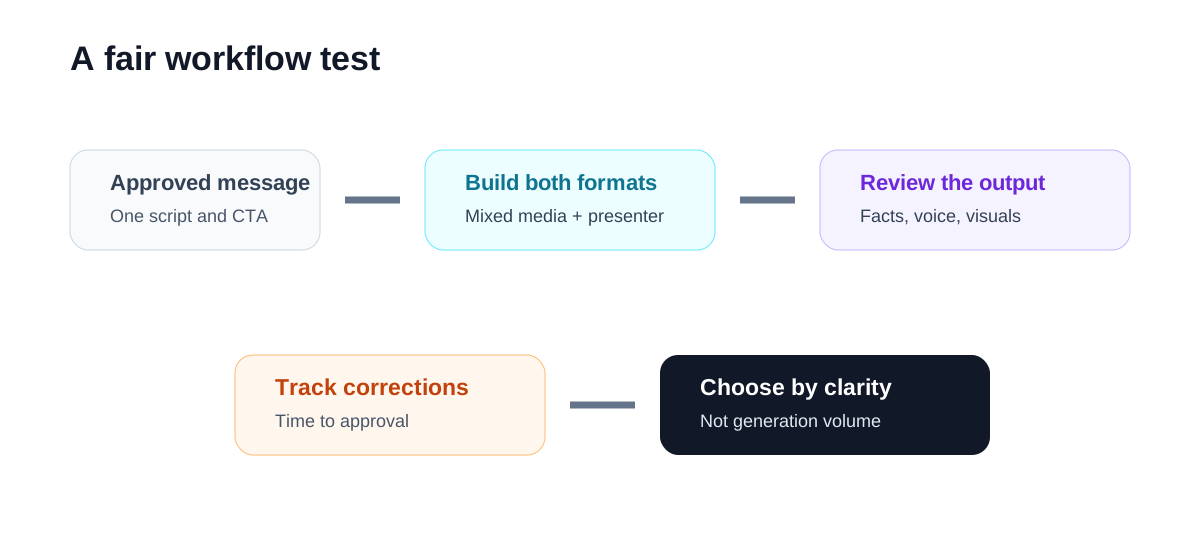
Do not ask both tools to imitate the same style. Give each one the job it is designed to handle.
- Prepare one approved 60- to 90-second campaign script with clear product facts and a single call to action.
- Build an InVideo version that uses mixed media and narration, without making a presenter the center.
- Build a HeyGen version in which an avatar delivers the same core message.
- Create one revision of each after feedback from a second reviewer.
- Track generation time, media replacement, script corrections, pronunciation fixes, subtitle edits, and brand adjustments.
- Ask three representative viewers which format makes the message easier to understand and trust.
- Compare approved output and correction time, not the number of drafts generated.
Important limitations
Both products change features, credits, plan limits, export rules, languages, models, and integrations. Confirm current details on official product and help pages before making a purchasing decision.
AI-generated video requires factual review. Do not allow an attractive scene to imply a product capability that the real product does not have. Presenter-led video adds a different trust question: viewers should not be misled about whether a real person recorded the message.
Voice cloning and avatar use also require clear authorization. Confirm that your team has the right to use a person's image and voice, and define who can generate new content with those assets.
Translation needs human review. Lip synchronization can make a localized version feel polished, but it cannot confirm that the language is accurate, culturally appropriate, or compliant. Review all numbers, names, claims, and calls to action.
Neither product removes the need for a content owner. Someone must approve the script, source media, final cut, and distribution context.
Final recommendation
Choose InVideo when your main problem is producing a complete video draft from an idea or script. It is the better fit when varied scenes, media, narration, and pacing carry the story.
Choose HeyGen when a presenter is the primary delivery mechanism. It is the better fit for repeatable explainers, training, onboarding, announcements, and multilingual presenter-led content.
If both formats matter, use each tool for its natural job and keep one approved source for facts and brand language. The winning workflow is the one your team can review, approve, and publish consistently—not the one that generates the most footage.
Try InVideo
If the work is script-to-video drafts rather than avatar-led presentation.

