



Klap Review: Is It the Fastest Way to Turn Long Videos Into Shorts?
Reader offer: If you want to test Klap for long-video repurposing, Use code MILY for 30% off your first payment.
Klap is easiest to understand when you stop comparing it to broad AI video platforms.
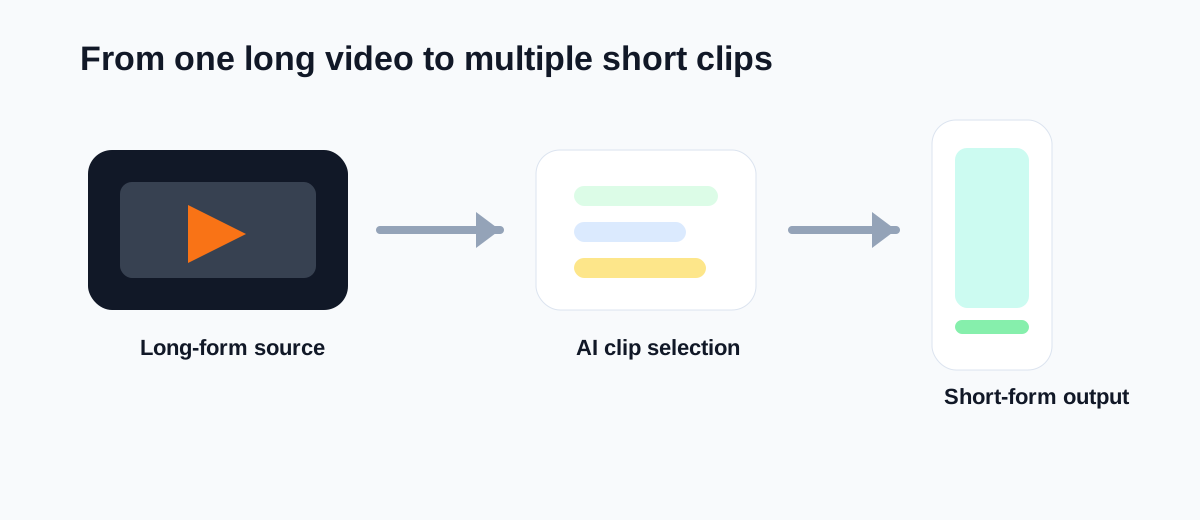
It is not trying to be a full editor, a text-to-video generator, or an avatar tool. Its core promise is much narrower: upload a long video and get short clips that are closer to publishable.
That makes it relevant for YouTube creators, podcasters, interview channels, coaches, agencies, and marketing teams that already have long-form footage but do not want to manually hunt for highlight moments every time.
If your real problem is clip production speed, Klap is worth testing. If your real problem is creating brand-new videos from scripts or prompts, it is the wrong first tool.
Short Answer
Klap is a strong fit if you need:
- short clips from podcasts, webinars, interviews, or long YouTube videos
- faster Shorts, Reels, and TikTok production from existing footage
- AI help with highlight selection, framing, and captions
- a simpler clipping workflow than a full timeline editor
Klap is a weaker fit if you need:
- article-to-video workflows
- text-to-video generation
- AI avatar presenter videos
- deep manual editing and motion design
- all-in-one content repurposing across multiple input types
The fastest way to judge Klap is simple: run one real long-form video through it and count how many clips you would actually publish with only light cleanup.
What Klap Is Best For
Klap is best for creators and teams that already know their source material works.
The bottleneck is not ideation. The bottleneck is extraction.
You already have:
- a podcast episode
- a webinar replay
- an interview
- a tutorial
- a coaching call
- a long YouTube upload
Now you need short-form assets from that material without reviewing every minute manually.
That is where a specialized clip tool can make sense. Instead of asking an editor to scan a 40-minute recording for a few strong moments, you use AI to narrow the field and create usable first-pass clips.
Klap at a Glance
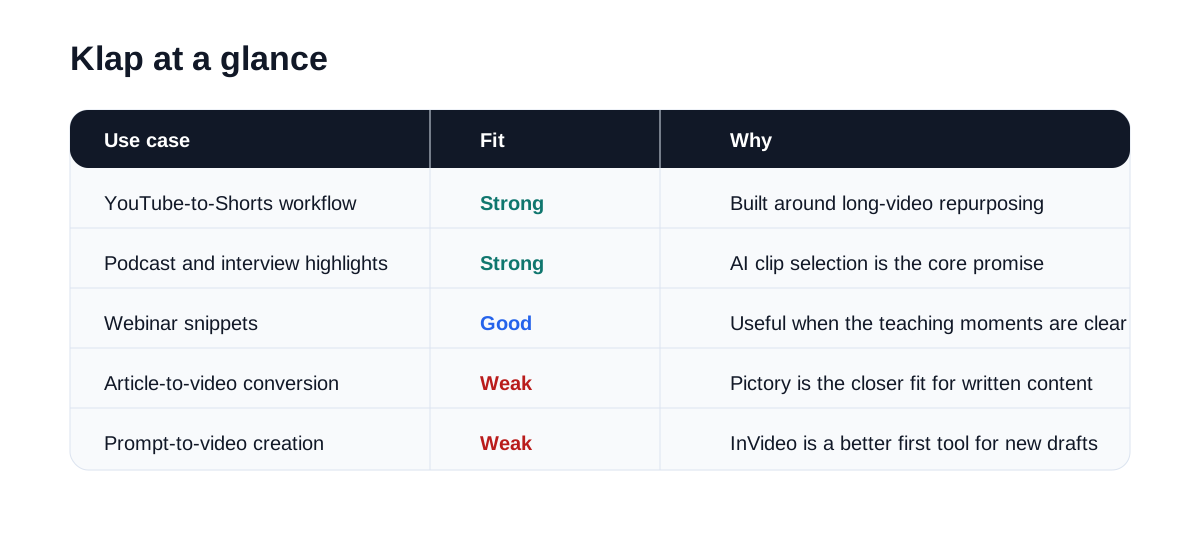
| Use case | Fit | Why |
|---|---|---|
| YouTube-to-Shorts workflow | Strong | Klap is built around long-video repurposing |
| Podcast and interview highlights | Strong | Highlight extraction is central to the product promise |
| Webinar snippets | Good | Works well when there are clear teaching moments |
| Agency clipping services | Good | Specialized workflow can reduce editing time |
| Article-to-video conversion | Weak | Pictory is better suited for written-content repurposing |
| Prompt-to-video creation | Weak | InVideo is the closer fit |
Where Klap Feels Useful
Klap becomes easier to justify when the workflow repeats every week.
For example, a creator may publish:
- one long YouTube video
- one podcast interview
- one webinar or livestream
If each of those assets can produce three to seven short clips, the clipping step becomes a real production layer. That is where manual editing starts to feel expensive.
Klap is useful because it narrows the job from "make short-form content" to "find and package the strongest moments from what already exists."
That focus matters. It keeps the product promise easy to understand and easy to test.
Where Klap May Disappoint
Klap is not a complete content repurposing system.
If your team also needs article-to-video, script-based video generation, landing-page explainers, or broad multi-format output, a tool like Pictory or InVideo may fit the overall stack better.
It can also disappoint if the source footage is weak. A clipping tool cannot create strong moments that are not there. If the original recording has poor pacing, weak hooks, messy audio, or low energy, the output clips may still require real editorial judgment.
That is why Klap should be judged on your own footage, not on polished demo examples.
Best Audiences for Klap
Klap is easier to justify for users with a steady long-form publishing rhythm.
Good-fit audiences include:
- YouTube educators
- podcasters
- interview channels
- webinar marketers
- coaches and consultants
- agencies selling clip packages
- small media teams repurposing founder content
Weaker-fit audiences include:
- blog-first content marketers
- teams that mostly start from written content
- businesses that need avatar presenters
- creators who need precise cinematic editing
- beginners without any long-form source library
Klap vs Other AI Video Tools
Klap makes the most sense when compared by workflow, not by raw feature count.
| Tool | Best workflow |
|---|---|
| Klap | Long video to short clips |
| Pictory | Repurpose articles, webinars, and long content more broadly |
| InVideo | Turn scripts or ideas into new video drafts |
| HeyGen | Create avatar-led presenter videos |
| Topaz Labs | Improve or restore source footage |
| CapCut | Finish and polish short-form edits manually |
This is also why Klap can outperform broader tools for a narrower job. If your business depends on clipping long videos into Shorts quickly, specialization can beat versatility.
Suggested Test Workflow
Do not start with your best-performing episode. Start with a normal piece of content.
Use this test:
- Upload one 20- to 60-minute video you would genuinely like to repurpose.
- Review the clips Klap selects.
- Check whether the opening hooks feel strong enough for Shorts.
- Review captions, framing, speaker tracking, and vertical composition.
- Count how many clips are usable with only light edits.
- Compare total time against your manual clipping process.
That gives you a real answer fast.
Operational Questions to Check Before You Buy
The main Klap evaluation questions are practical:
- Does it consistently find moments you would also choose?
- Are the captions accurate enough to avoid heavy correction?
- Does the vertical reframing keep the speaker or key action centered?
- Can you produce enough usable clips per upload to justify the subscription?
- Does the output still need another editor before publication?
If the answer to most of those questions is yes, Klap may be a good fit. If not, it may only move the work around rather than reduce it.
Final Recommendation
Klap is worth testing when long-video clipping is the bottleneck you repeat every week.
It is not the broadest AI video tool, but that is part of its value. The product promise is focused, and focused tools often convert better for audiences with a clear pain point.
If your content engine starts with YouTube videos, podcasts, webinars, or interviews and ends with Shorts, Reels, and TikToks, Klap belongs near the top of the shortlist.
If your workflow starts with articles, scripts, or business explainers, start with a different tool first.
The best first test is simple: upload one real long-form asset and ask whether Klap gives you enough publishable clips to save meaningful time every week.
Klap is worth testing if your content starts as podcasts, webinars, interviews, or long YouTube videos.
Use code MILY for 30% off your first Klap payment.
