



Klap vs OpusClip: Which AI Clip Maker Fits Long Videos Better?
Klap vs OpusClip: Which AI Clip Maker Fits Long Videos Better?
Klap and OpusClip solve the same obvious problem: you have a long video, webinar, podcast, interview, or talking-head recording, and you do not want to spend a full afternoon hunting for short clips.
The better question is not which tool looks more impressive in a demo. The better question is which one fits the way your team actually ships short-form content. Some creators need fast candidate clips from YouTube videos. Some agencies need a repeatable clipping workflow across many client recordings. Some marketers need better control over captions, hooks, and review before anything goes live.
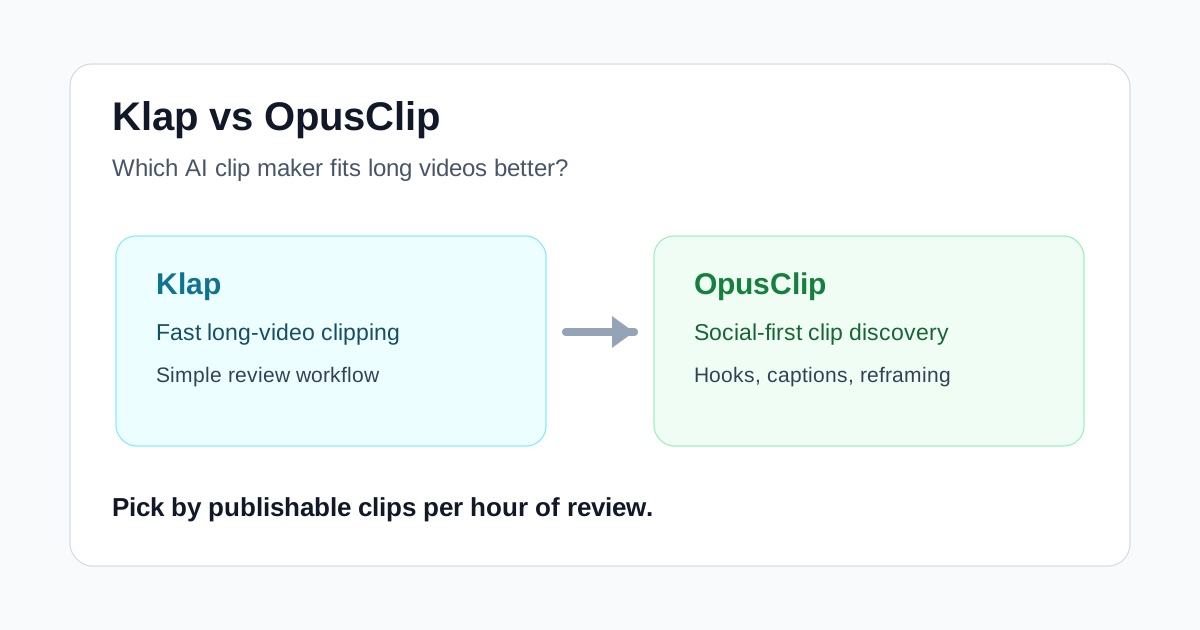
Short answer
Choose Klap if you want a simple, fast clipping workflow for long videos and you care most about getting usable shorts with minimal setup. It fits solo creators, lean marketing teams, podcasters, educators, and small agencies that need to test more clips without rebuilding every edit manually.
Choose OpusClip if your main workflow is built around finding viral-style moments from longer talking videos and you want a clipping system that emphasizes hooks, scoring, reframing, captions, and repeatable social outputs.
Neither tool removes the need for editorial judgment. The important clips still need a human pass for context, brand fit, pacing, and whether the short makes sense without the surrounding conversation.
Where Klap feels stronger
Klap is easiest to understand when you treat it as a fast long-video-to-shorts tool. You give it a longer video, let it find candidate moments, then review the outputs and polish the ones that are worth posting.
That makes Klap useful for creators who already have source material but do not have enough editing time. If you publish podcasts, webinars, tutorials, talking-head videos, or interviews, the main bottleneck is often not filming. It is finding the usable 30- to 90-second moments hidden inside the longer recording.
Klap is a good fit when your workflow looks like this:
- You publish long-form video regularly.
- You want several short clip candidates from each recording.
- You do not want to build every vertical edit from scratch.
- You value speed and simplicity over deep editing control.
- You still plan to review the final short before publishing.
That last point matters. Klap can reduce the search and formatting work, but it should not be treated as a fully autonomous social media editor. The strongest results usually come when you use Klap to find and shape the first draft, then make a human decision about which clips are actually worth posting.
Where OpusClip feels stronger
OpusClip is often discussed as a clipping tool for viral short-form content. Its appeal is the idea that a long recording can be broken into promising clips, reframed for vertical platforms, captioned, and prepared for social distribution faster than a manual workflow.
That positioning makes OpusClip useful when your team cares about clip selection and packaging. If you are working from interviews, podcasts, creator videos, webinars, or educational recordings, the tool can help identify moments that might stand alone as short social videos.
OpusClip is a stronger fit when your workflow looks like this:
- You want many possible short clips from one source video.
- You care about hooks and social-first clip packaging.
- You need vertical framing and captions handled quickly.
- You are testing which moments deserve distribution.
- You want a repeatable process for content repurposing.
The tradeoff is similar to Klap: the more your content depends on nuance, brand voice, claims, or careful context, the more you need review. A clip can be technically clean and still be the wrong excerpt to publish.
Feature comparison
| Question | Klap | OpusClip |
|---|---|---|
| Best use case | Fast long-video clipping for creators and lean teams | Finding and packaging social clips from long videos |
| Strongest workflow | Turn existing recordings into short candidates quickly | Discover clip-worthy moments and prepare them for short-form distribution |
| Editing depth | Better for simple review-and-publish workflows | Better when clip selection, hooks, captions, and social framing matter |
| Best team type | Solo creators, small teams, podcasters, small agencies | Creators, content teams, agencies, social media teams |
| Main risk | Publishing clips that still need stronger human selection | Trusting clip scores or hooks without checking context |
| Human review needed | Yes | Yes |
How to choose by source material
If your source videos are clean, focused, and already structured, Klap can be enough. For example, a founder interview with clear answers, a tutorial with distinct steps, or a podcast with obvious segments can produce short candidates quickly.
If your source videos are messy, long, or conversation-heavy, OpusClip may be more useful because the value is not only in resizing the video. The value is in finding excerpts that have a hook, a complete idea, and enough standalone context for social platforms.
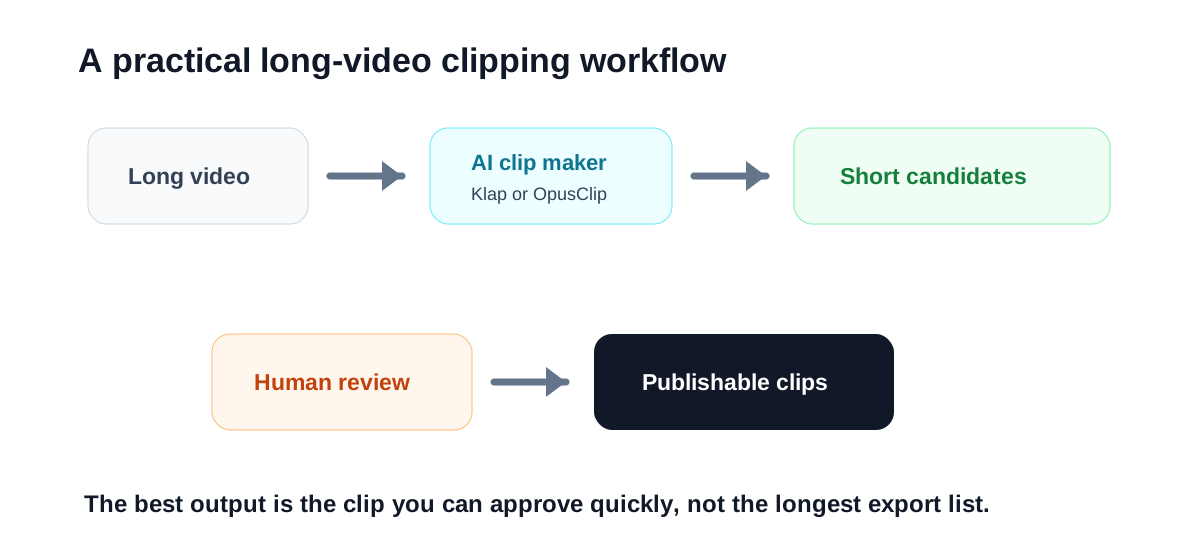
The best test is simple: take the same long video and run it through both tools. Do not judge the result by how many clips each tool creates. Judge it by how many clips you would actually publish after a five-minute review.
How to choose by team workflow
A solo creator often needs speed more than control. If you are recording one or two long videos per week and want a handful of Shorts, Reels, or TikToks, Klap is attractive because it keeps the workflow simple.
An agency or social team may care more about repeatability. If you process many long videos across several clients or channels, OpusClip may be more useful because the review process can be organized around clip candidates, hooks, captions, and social formats.
For marketing teams, the choice depends on risk. If the video includes product claims, customer stories, pricing, legal-sensitive topics, or executive commentary, neither tool should publish directly. Use the AI output as a first pass, then route it through the same review standard you would use for any public content.
What both tools still need from you
AI clipping tools can find likely moments, resize the frame, add captions, and create a first draft. They cannot always understand why a moment matters to your audience.
Before publishing any AI-generated short, check four things:
- Does the clip make sense without the previous two minutes of context?
- Does the opening line create a reason to keep watching?
- Are captions accurate enough for names, numbers, and product terms?
- Does the clip represent the speaker or brand fairly?
This is where many teams overestimate automation. The tool can save editing time, but the editorial decision is still the difference between useful repurposing and random content output.
Which one should creators try first?
If your main goal is to move faster from long video to short clips, start with Klap. It is the cleaner first test for many solo creators and small teams because the workflow is easy to understand and the value is immediate: fewer manual clipping steps.
If your main goal is to mine long videos for social-first moments, start with OpusClip. It is especially relevant when you have a large archive of interviews, podcasts, webinars, or talking-head videos and want to test which moments can become standalone short posts.
If you already use a separate editing tool for final polish, the decision becomes simpler. Use Klap or OpusClip for discovery and rough clip creation, then do final brand polish elsewhere.
Practical recommendation
For most creators and small teams, Klap is the simpler starting point. It fits the everyday need: turn a long video into several short candidates without building each clip manually.
OpusClip is the better test when your short-form strategy depends on finding strong social hooks across a lot of long-form footage. It may be the stronger fit for teams that treat clipping as an ongoing content operation rather than an occasional editing shortcut.
The safest workflow is not to ask which tool can produce the most clips. Ask which one gives you the most publishable clips per hour of review.
Try Klap with code MILY
If clip discovery and captions matter more than a full timeline editor. Use code MILY for 30% off your first payment.
Related Reading
- OpusClip Review
- Klap Review: Is It the Fastest Way to Turn Long Videos Into Shorts?
- Klap vs Submagic: Do You Need Fast Clipping or Better Short-Form Polish?
- Is Submagic Worth Using for Captions and Short-Form Video Polish?
- Best AI Tools to Turn Long Videos Into Shorts Without Re-editing Everything
- Best AI Video Generators for Creators and Small Teams That Need Usable Drafts
- InVideo vs Fliki: Which One Turns Scripts Into Usable Videos Faster?

