



Klap vs Submagic: Do You Need Fast Clipping or Better Short-Form Polish?
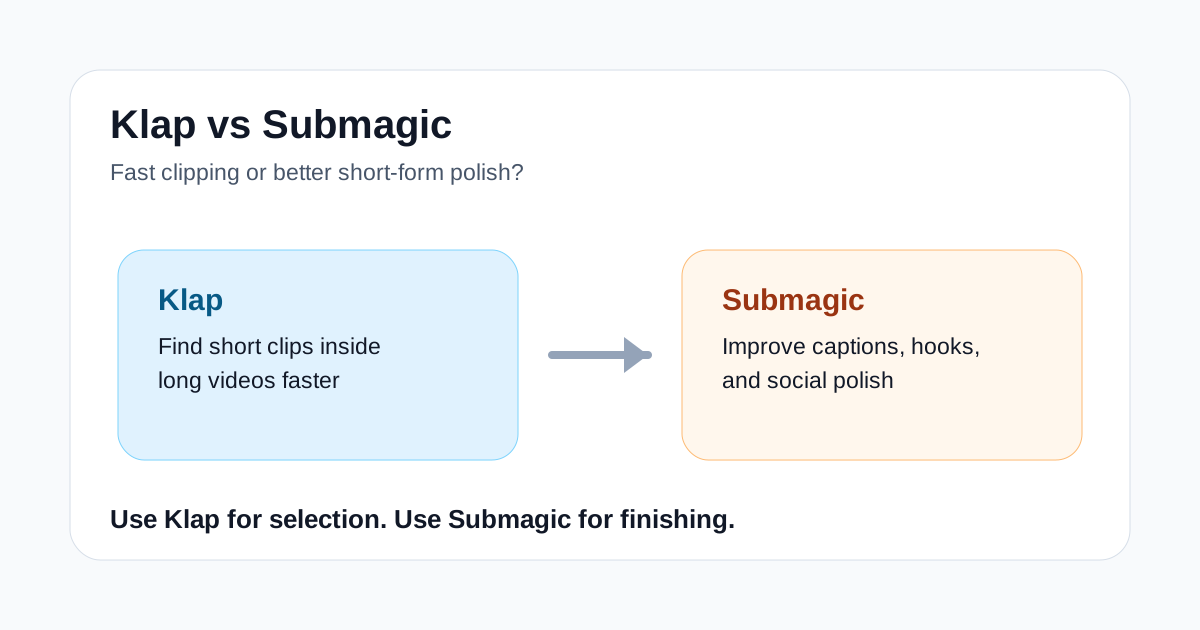
Klap and Submagic both sit in the short-form video workflow, but they solve different parts of the job. Klap is closer to a clipping tool: give it a longer video, and it helps find moments that can become Shorts, Reels, or TikToks. Submagic is closer to a finishing tool: start with a short clip, then improve captions, hooks, pacing cues, and social packaging.
That difference matters because most creators do not need another generic AI video tool. They need the right tool for the exact bottleneck in their workflow. If the hard part is finding usable clips inside a podcast, webinar, interview, livestream, or YouTube video, Klap should usually be tested first. If the hard part is making an already selected clip look more native to short-form feeds, Submagic is often the better first test.
This comparison is written for creators, agencies, marketers, and small content teams that already publish short-form video or want to repurpose longer recordings without rebuilding every asset manually.
Quick Verdict
Choose Klap if you have long videos and need help turning them into short clips faster. It is the better fit for repurposing podcasts, interviews, webinars, educational videos, and YouTube content into social cuts.
Choose Submagic if you already know which clip you want to publish and need stronger captions, hook text, B-roll suggestions, and short-form polish. It is the better fit when the edit exists but still feels flat, slow, or unfinished.
For many teams, the cleanest workflow is not Klap or Submagic. It is Klap first, Submagic second: use Klap to find and cut potential clips, then use Submagic to make the strongest clips easier to watch in-feed.
Klap vs Submagic At a Glance
| Workflow question | Better first tool | Why |
|---|---|---|
| I have a long podcast and need short clips | Klap | It focuses on extracting short-form moments from long videos |
| I already have a clip but captions look weak | Submagic | Caption styling and short-form readability are central to the product |
| I want to repurpose webinars or interviews | Klap | The starting point is long-form source footage |
| I want a talking-head clip to feel more polished | Submagic | It helps with hooks, captions, and visual finishing |
| I need a full script-to-video generator | Neither | Start with a broader video generation tool instead |
| I run an agency editing many social clips | Depends | Klap helps with selection; Submagic helps with final packaging |
Where Klap Fits Best
Klap is useful when the source material is longer than the final asset. A creator might have a 40-minute podcast, a 25-minute tutorial, a customer interview, or a recorded webinar. The problem is not only trimming the video. The real problem is deciding which moments are worth turning into short-form posts.
In that workflow, Klap can save time because it is oriented around clipping. You are not starting from a blank prompt or trying to design a video from scratch. You are asking: which moments from this existing video have enough context, hook value, and standalone clarity to become a short?
Klap is strongest when:
- the long video has clear spoken segments;
- the content includes opinions, explanations, reactions, lessons, or strong takeaways;
- the team publishes clips regularly and needs a repeatable repurposing process;
- speed matters more than full manual control over every frame;
- the final goal is social distribution, not cinematic production.
Klap is weaker when the source content is messy, low energy, badly structured, or not really clip-worthy. AI can help find moments, but it cannot turn every long recording into a strong short. If the original video has no clear hooks or useful segments, Klap may simply make the weakness visible faster.
Where Submagic Fits Best
Submagic becomes more interesting after the clip has already been chosen. Its value is less about finding the moment and more about making that moment easier to watch on social feeds.
Short-form video often fails because the content is not packaged well enough. Captions are hard to read. The hook appears too late. The clip feels visually plain. The viewer understands the point, but only after several seconds, which is often too late. Submagic is built around that layer of work.
Submagic is strongest when:
- the clip is already selected and mostly edited;
- captions need better styling, pacing, or readability;
- the first few seconds need clearer hook text;
- a talking-head video needs more visual movement;
- the team wants social polish without manually designing every caption and cue.
Submagic is weaker when the main problem is clip discovery. If you have a one-hour source video and no idea which parts to post, Submagic is not the most direct starting point. It can improve short clips, but it is not primarily a long-video mining tool.
The Practical Workflow: Use Both for Different Jobs
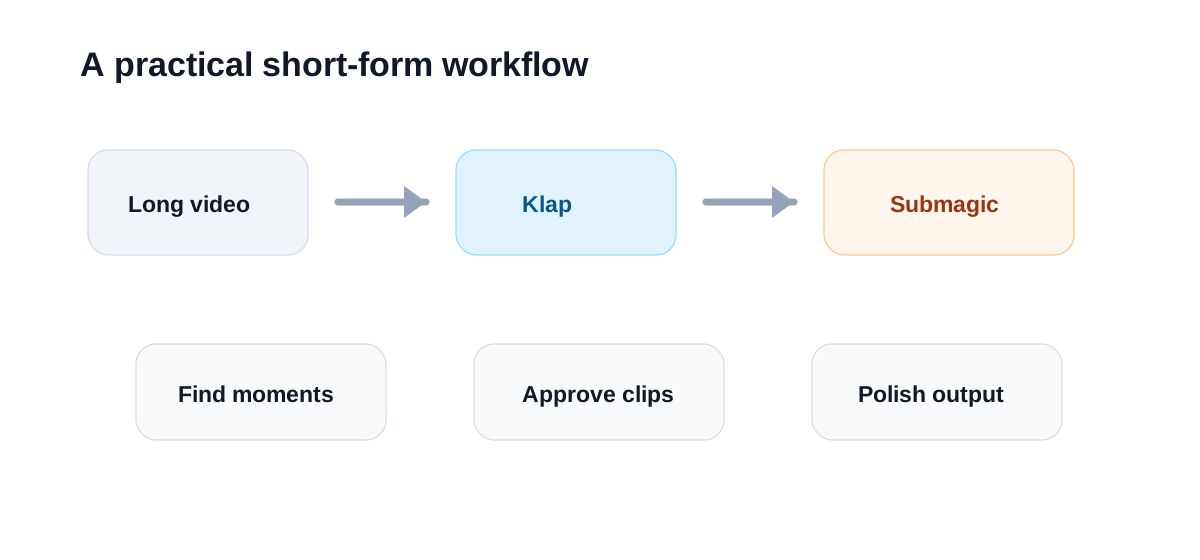
The best way to compare Klap and Submagic is to place them in order:
- Start with a long video: podcast, interview, webinar, course clip, livestream, or YouTube upload.
- Use Klap to identify short-form candidates and create rough clips.
- Review the clips manually and keep only the ones that have a clear point.
- Use Submagic to improve captions, hook text, pacing cues, and visual polish.
- Publish the final clips across YouTube Shorts, TikTok, Instagram Reels, LinkedIn, or other short-form channels.
This stack makes sense because clipping and finishing are not the same job. A clip can be well selected but poorly packaged. A clip can also be beautifully captioned but based on a weak moment. Good short-form production needs both judgment points.
Which Tool Is Better for Creators?
Solo creators should usually start with the bottleneck they feel every week.
If you already record long videos and hate searching for highlights, test Klap first. It can make the weekly repurposing process more manageable, especially if you publish thought leadership, interviews, podcasts, or educational content.
If you already know which clips you want to post but they do not look native to short-form feeds, test Submagic first. It can help when captions, hooks, and finishing details are slowing you down.
Creators should be careful not to over-automate taste. Both tools can speed up production, but neither replaces the decision of whether a clip is actually worth posting.
Which Tool Is Better for Agencies and Teams?
Agencies and small content teams may get more value from using both tools in a defined workflow. Klap can help reduce the time spent scanning long source videos. Submagic can help make approved clips more consistent before delivery.
For client work, that separation is helpful. One person can review and approve the clip choices, while another handles caption polish and final packaging. The team can create a more predictable pipeline instead of treating every short video as a one-off edit.
Teams should still keep a human review step between the two tools. Not every AI-selected clip deserves finishing work. The best process is to reject weak clips early, then spend Submagic-style polish only on the clips that have a real chance of performing.
Pricing and ROI Lens
Do not judge Klap or Submagic only by the feature list. Judge them by time saved per usable short.
Klap makes sense if it reduces the hours spent finding clips in long recordings. Submagic makes sense if it reduces the time spent captioning, styling, and packaging short clips. The ROI is weaker if you only publish occasionally or if your source videos rarely contain strong short-form moments.
A practical test is simple:
- take one long video you would normally repurpose;
- create clips with your current process;
- create clips with Klap;
- polish the best clip manually;
- polish the best clip with Submagic;
- compare time spent, final quality, and whether the output feels publishable.
That test will tell you more than a feature checklist.
Final Recommendation
Klap is the better first choice for long-video repurposing. Submagic is the better first choice for short-form polish. They overlap in the broad category of AI short-form video tools, but they do not replace each other cleanly.
If your weekly pain is "I have too much footage and not enough time to find clips," start with Klap. If your weekly pain is "the clips are chosen, but they still do not look good enough for social," start with Submagic. If you publish short-form video consistently, test the two-step workflow: Klap for clip discovery, Submagic for finishing.
