



Pictory vs OpusClip: Which Webinar Repurposing Workflow Produces More Usable Campaign Assets?
Pictory vs OpusClip: Which Webinar Repurposing Workflow Produces More Usable Campaign Assets?
A webinar is not a bag of interchangeable social clips. It contains a promise, product context, speaker qualifications, objections, and often a useful question-and-answer section. The right repurposing workflow preserves those elements while making the recording easier to distribute.
Pictory and OpusClip both begin with long-form video, but they encourage different operating models. Pictory is a stronger fit when a team wants a transcript-led editorial pass that can clean up the full recording and turn approved sections into several formats. OpusClip is a stronger fit when the immediate job is finding short, attention-worthy moments, reframing them for social placements, and giving an editor a fast review queue.
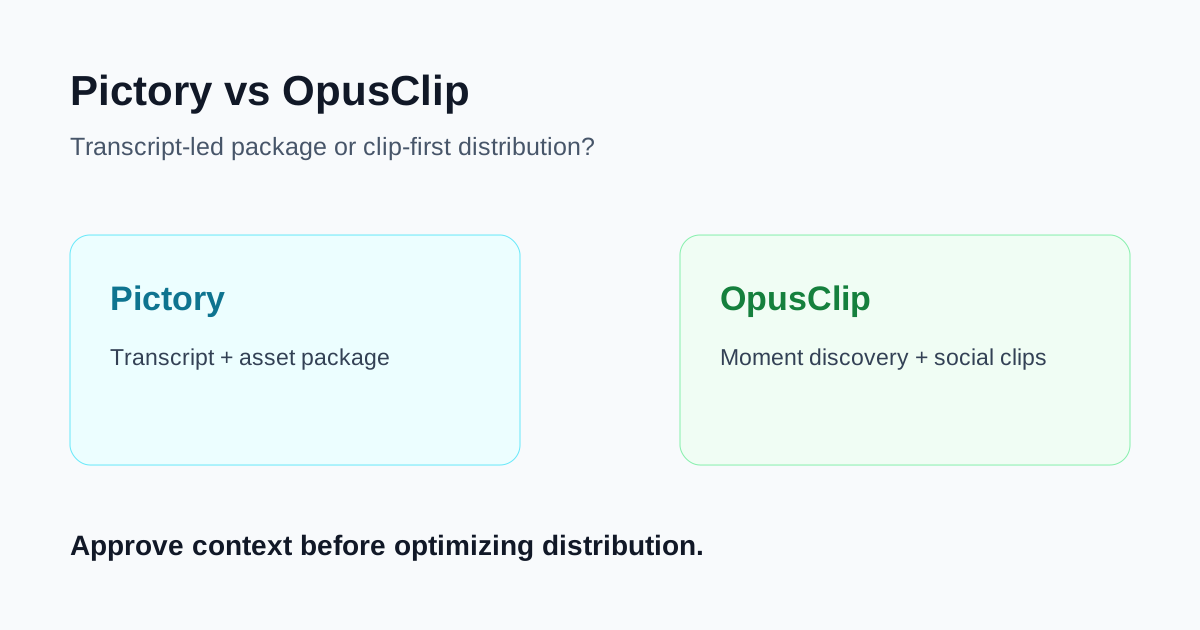
Quick verdict
- Choose Pictory when the webinar needs to become a durable asset package: a cleaned recording, searchable transcript, captions, selected excerpts, and an editorially controlled recap.
- Choose OpusClip when the team needs a rapid queue of short social candidates from a recording and has an editor who can reject weak context, claims, or cuts.
- Use both only with a defined handoff: decide which tool owns the transcript, source timestamps, brand rules, and final approval. Two independent clip queues usually create duplicate review work.
The decision is asset coverage, not clip count
Before uploading a 45-minute webinar, write down the assets the campaign actually needs. A demand-generation team may need a full replay, a landing-page excerpt, two LinkedIn clips, a sales follow-up clip, a customer quote, captions, and a transcript that customer-facing teams can search. A creator-style clipping metric alone does not tell you whether those assets preserve the speaker's intended meaning.
Pictory's current materials emphasize video-to-text editing: upload a recording, work from an editable transcript, remove unneeded passages, create captions, and select highlights. That transcript-first model is useful when the webinar contains product names, technical terms, regulated claims, or a multi-speaker discussion that needs an accountable editorial record.
OpusClip's current materials emphasize automated moment selection, captions, reframing, and social-ready formats. That is valuable when the source has several strong standalone statements and the campaign needs a quick batch of vertical candidates. It does not remove the need to check what came immediately before and after a selected statement.
When Pictory is the better webinar workflow
You need a source of truth for the whole session
Start with Pictory when the team needs to correct transcription errors, label speakers, remove filler, and keep a readable record of what was actually said. This matters for product launches and customer education: a short clip can only be approved confidently when reviewers can return to the full answer and its timestamp.
Use the transcript to mark three kinds of material: supported product demonstrations, customer-safe proof points, and ideas that need a disclaimer or should not become social copy. Then create excerpts from the approved set. This is slower than accepting an automatic ranking, but it lowers the chance that a dramatic sentence becomes misleading when removed from its explanation.
The webinar must support more than social distribution
Pictory is a good fit when one recording needs to supply a recap article, enablement notes, captioned excerpts, and a cleaned replay. The output is not just a set of clips; it is an editorial package. Keep a simple asset ledger with the source timestamp, intended audience, claim owner, reviewer, and channel.
Brand and terminology need careful checking
For webinars with product screens, acronyms, customers, or legal language, make transcript review a required gate. Check speaker labels, subtitles, on-screen screenshots, names, and any performance claim before adding branding or publishing a clip. AI can shorten the mechanical editing work, but it cannot establish that a claim is still accurate after the context has been cut.
When OpusClip is the better webinar workflow
You need social candidates quickly
Choose OpusClip when the source has several concise answers, demonstrations, or useful contrarian points and the campaign needs vertical social candidates quickly. Its clip-first workflow helps a team move from a long recording to a reviewable queue instead of asking an editor to scrub the entire timeline.
This works best for a webinar with clear sections and strong speakers. A vague panel discussion, a product walkthrough with essential visual context, or an answer that relies on a previous slide will require more manual intervention regardless of the tool.
Platform framing is the immediate constraint
Short-form distribution often needs vertical reframing, readable captions, and safe-area checks. OpusClip is useful when those format changes are the main bottleneck. Review each output on a phone with sound off, then confirm that a viewer can identify the subject, source, and next step without the missing minutes of the webinar.
You can staff an explicit approval queue
Automatic moment selection is useful as a prioritization signal, not a publishing decision. Give a reviewer a short checklist: Does the clip preserve the question? Is the claim supported? Are the captions accurate? Does a product screenshot match the current product? Does the ending make sense without a clickbait promise? If any answer is no, revise or reject the clip.
Side-by-side choice
| Decision point | Pictory | OpusClip |
|---|---|---|
| Best starting need | Transcript, cleanup, and a complete asset package | Fast shortlist of social clip candidates |
| Core control surface | Editable spoken text and full-recording context | Moment selection, captions, reframing, short formats |
| Strong campaign use | Webinar recap, enablement, approved excerpts, searchable record | LinkedIn, Shorts, Reels, and teaser distribution |
| Main review risk | Treating a clean transcript as proof that every claim is current | Treating an engaging moment as meaningful without context |
| Useful success measure | Approved assets per webinar with traceable timestamps | Approved short clips per reviewer hour |
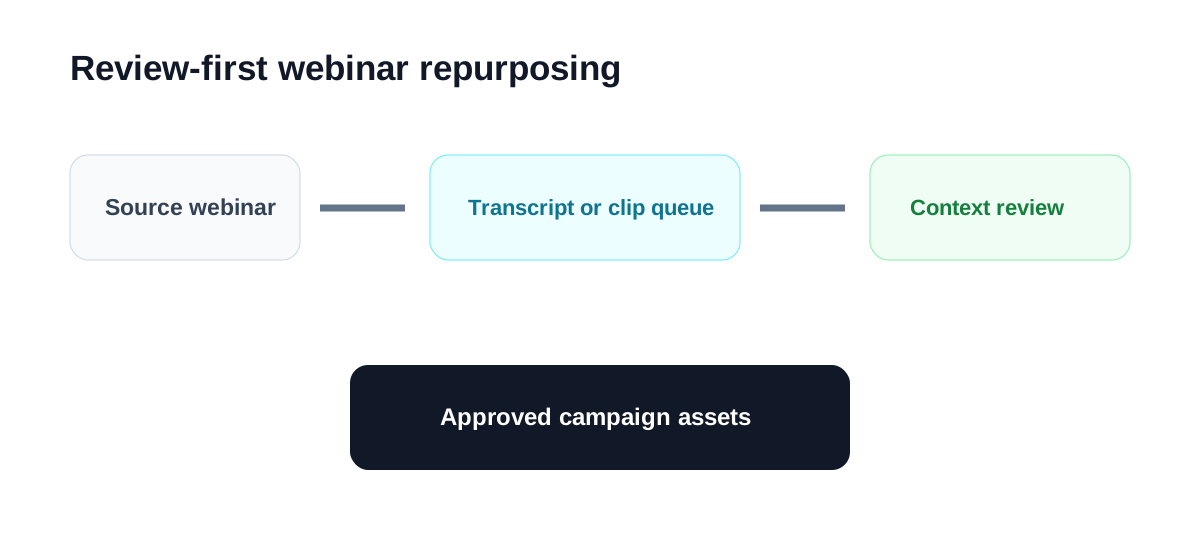
A review-first workflow for one webinar
- Define the campaign promise. Write the one supported idea each asset should communicate. Do not begin with a tool's automatic rankings.
- Keep the source recording and timestamps. Record the original URL or file, speaker permissions, and the location of each approved statement.
- Choose the primary workflow. Use Pictory for transcript-led cleanup and wider reuse; use OpusClip for a short-form discovery queue.
- Review the complete answer. Watch at least the sentence before and after every selected moment. Preserve qualifiers, product version context, and conditions.
- Check the export in its destination. Review captions, faces, screen recordings, safe areas, branding, and the call to action on the actual channel format.
- Measure approval burden. Track not only clips exported but clips rejected, rewrites required, and minutes to final approval.
Common mistakes
Publishing a quote without the question
A customer or expert answer can sound stronger after its question has been removed. Add a brief on-screen context line or choose a longer opening so the claim is not mistaken for a blanket promise.
Using generated captions as final copy
Captions are customer-facing text. Correct product names, punctuation, speaker changes, numbers, and terminology before publishing. For a product demo, compare captions directly with the screen and current documentation.
Optimizing for volume rather than campaign utility
Ten similar clips can compete with each other and exhaust the review team. Prefer a small set with distinct jobs: a problem statement, a product explanation, a proof point, and an invitation to the full replay.
Which should your team choose?
Choose Pictory when full-session accuracy, transcript editing, and an editorially governed asset package matter most. Choose OpusClip when social clip discovery and platform-ready framing are the urgent bottlenecks and a reviewer can evaluate each candidate in context.
The better workflow is the one that turns a webinar into useful campaign assets without making the team lose the speaker's meaning. Keep source timestamps, assign approval ownership, and publish only the clips that remain clear when watched alone.
