



Canva vs Adobe Express: Which AI Design Workflow Fits Fast Social Content Better?
Canva vs Adobe Express: Which AI Design Workflow Fits Fast Social Content Better?
Fast social design is not a contest to generate the most layouts. A marketing team needs one approved campaign idea, consistent brand treatment, reliable channel variants, accurate copy, and a review process that does not collapse under daily output. Canva and Adobe Express both combine templates, AI-assisted creation, brand tools, resizing, and collaboration, but their workflows feel different.
This comparison tests them as production systems for a one-week social campaign. Canva is often the easier choice for broad template-led collaboration and rapid variation. Adobe Express is compelling for teams that already use Adobe creative assets and want lightweight social production connected to that ecosystem.
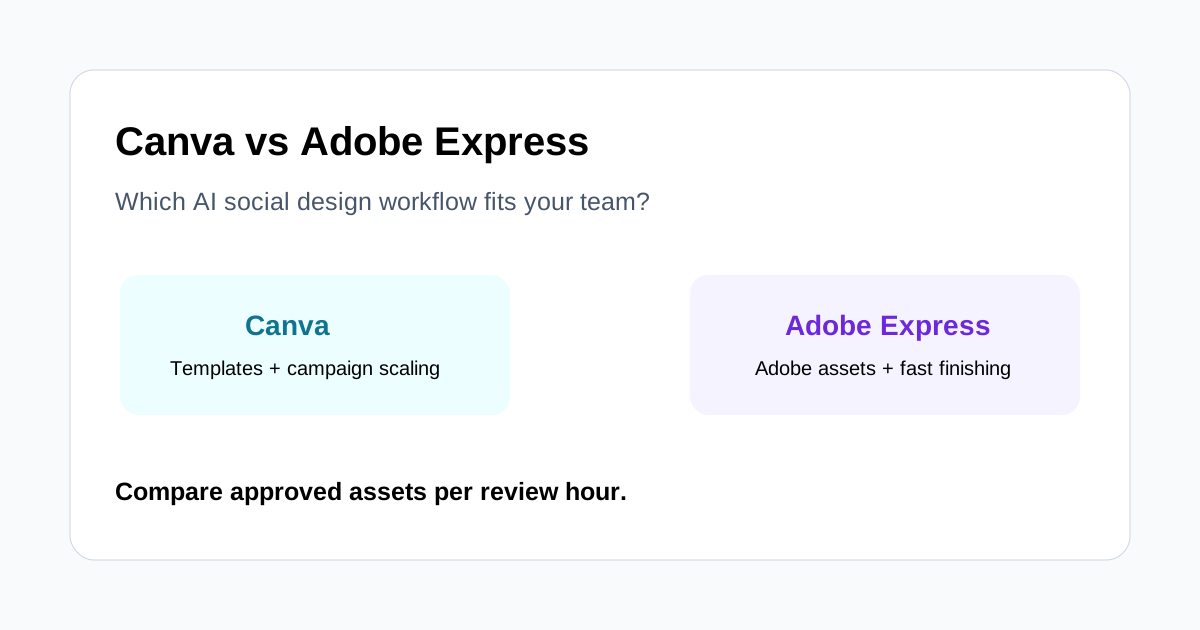
Quick decision
Choose Canva when non-designers need a large template ecosystem, shared brand patterns, quick layout generation, and a simple route from master design to many channel formats.
Choose Adobe Express when approved assets originate in Adobe workflows, the team values quick finishing around Firefly-assisted media and Adobe libraries, or designers need a bridge between specialist creation and marketer-operated adaptation.
Neither platform removes the need for a campaign brief, factual review, accessibility checks, rights verification, or approval of every resized output.
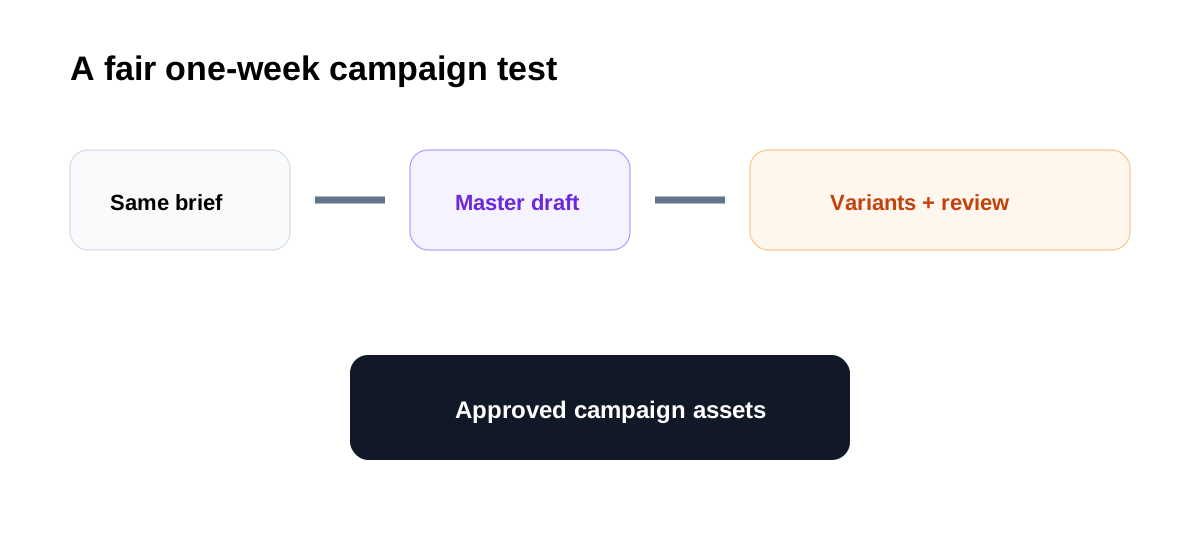
The campaign test
Give both tools the same inputs:
- One approved product image and logo set.
- A headline, proof point, disclaimer, and call to action.
- Brand colors, fonts, tone, and prohibited treatments.
- Required outputs for feed, story, professional network, and presentation recap.
- A deadline and named reviewers.
Measure time to first useful concept, time to approved master, brand corrections, copy corrections, resizing repairs, and approved assets per review hour.
AI-assisted first drafts
Canva Magic Studio can turn prompts or uploaded media into design directions and offers writing, media, image-editing, animation, and transformation tools in the same visual suite. It is effective when marketers need several editable starting points quickly.
Adobe Express also supports template-led creation and AI-assisted content, with Firefly-powered features helping generate or adapt visual material. It may feel more natural when the source image or creative treatment was prepared in an Adobe application.
In both tools, a first draft should establish hierarchy rather than merely look polished. Check whether the message is understandable in two seconds, the product remains recognizable, and decorative elements support the campaign goal.
Brand systems
Canva is strong for teams that want marketers to work inside shared Brand Kits and reusable templates. A central master can make everyday production consistent without requiring a designer to touch every asset.
Adobe Express is attractive when brand assets, fonts, libraries, and creative source files already come from Adobe workflows. The handoff from a designer-created foundation to lightweight adaptation can be efficient.
The deciding factor is governance. Test who can change templates, how exceptions are approved, whether old assets can be archived, and how easily a reviewer can identify the current master.
Multi-size adaptation
Canva's Resize and Magic Switch workflow emphasizes transforming designs into formats and dimensions for different channels. Adobe Express also supports resizing and fast adaptation for social outputs.
Do not score either tool by whether it creates the requested dimensions. Score the repair work. Headlines may wrap, subjects may be cropped, disclaimers can become unreadable, and platform controls may cover the call to action. Review every variant at destination size.
Copy and captions
Canva Magic Write can create or reshape copy and use brand voice features where available. Adobe Express offers writing and caption assistance within its content-creation flow. Both can speed ideation, but neither is the source of truth for claims.
Keep an approved message bank with current product terminology, proof points, dates, and required qualifications. Generated copy must be checked against primary sources before publication. For video or animated social assets, verify captions while listening to the source.
Image generation and editing
Canva offers Magic Media and AI-powered image-editing tools for creating or adapting campaign visuals. Adobe Express benefits from Firefly-assisted generation and editing capabilities. These features are useful for mood, backgrounds, extensions, and low-risk supporting material.
Product geometry, logos, labels, people, and documentary evidence require close review. Save the original, record what was generated, and confirm current terms plus usage rights. Do not let either tool invent a product feature or customer outcome.
Collaboration and approvals
Canva's broad adoption can make review easier when many stakeholders already know the interface. Adobe Express can reduce friction for teams operating across Adobe products. Familiarity matters because an unused review feature does not improve governance.
Create the same status path in either platform: concept, factual review, brand review, approved master, channel adaptation, scheduled. Give one person authority to resolve comments and export the final asset.
Canva strengths
- Accessible template-led workflow for mixed-skill teams.
- Strong emphasis on broad visual communication and repeatable formats.
- Convenient campaign scaling through resizing and content transformation.
- Integrated writing, design, media, and presentation starting points.
- Easy onboarding for frequent non-designer contributors.
Adobe Express strengths
- Natural fit for teams with Adobe-created source assets and libraries.
- Firefly-assisted media generation and editing inside a lightweight tool.
- Useful bridge between specialist creative work and marketer adaptation.
- Straightforward social graphics, short video, captions, and resizing.
- Familiar ecosystem for organizations already governed around Adobe products.
Where both need human control
- Claims, pricing, dates, statistics, and product terminology.
- Brand exceptions and visual distinctiveness.
- Accessibility, caption accuracy, and mobile readability.
- Rights for uploaded, stock, generated, customer, and employee assets.
- Cropping and layout repair after channel transformation.
- Final approval of the exact export.
Recommendation by team
For a small social team with many non-designers, Canva is usually the faster default because templates and campaign variations are central to the experience. For a team whose designers already produce campaign foundations in Adobe tools, Adobe Express may create the cleaner handoff.
Agencies should test client separation, template governance, and approval visibility. Product marketers should prioritize claim review and product-image accuracy. High-volume social teams should prioritize approved variants per hour rather than raw generation speed.
Final verdict
Canva and Adobe Express can both accelerate social content, but the better choice is the one that minimizes review and handoff cost around your existing brand system. Run the same one-week campaign in both tools, approve one master, create every required variant, and count corrections.
Choose Canva if collaborative template production and multi-format scaling win the test. Choose Adobe Express if Adobe asset continuity and lightweight Firefly-assisted finishing reduce more friction. Whichever wins, retain human factual, brand, accessibility, and rights gates before scheduling.
